
Recommendations
-
Free Switch and Expertflow CX Server Time should be synced.
-
The limitations of the multi-channel are mentioned here.
-
Direct ext to ext calls are not supported.
-
Any private browser window is not supported, as the system is using the browser cache for state maintenance.
System Configurations
-
To update the CTI config variables added in the unified-agent config map, follow this guide.
-
For user extension configuration, follow this guide.
Unified Admin Configurations
Channel Manager Config
-
The following variables need to be added in the channel provider for the CX_VOICE channel type on unified-admin.
-
The provider webhook is required in this case and is the callback URL exposed by the GC connector.
-
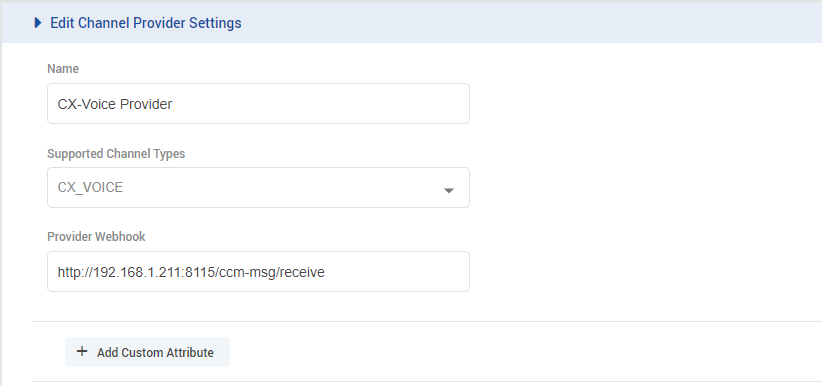
-
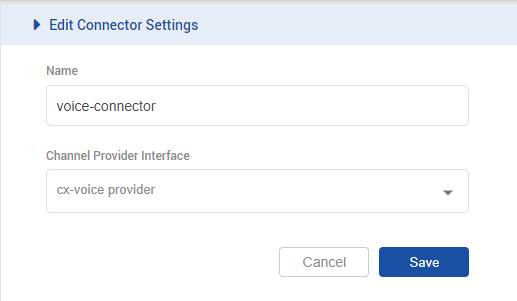
Add a channel connector for the provider configured above for the CX_VOICE channel type on unified-admin.
-
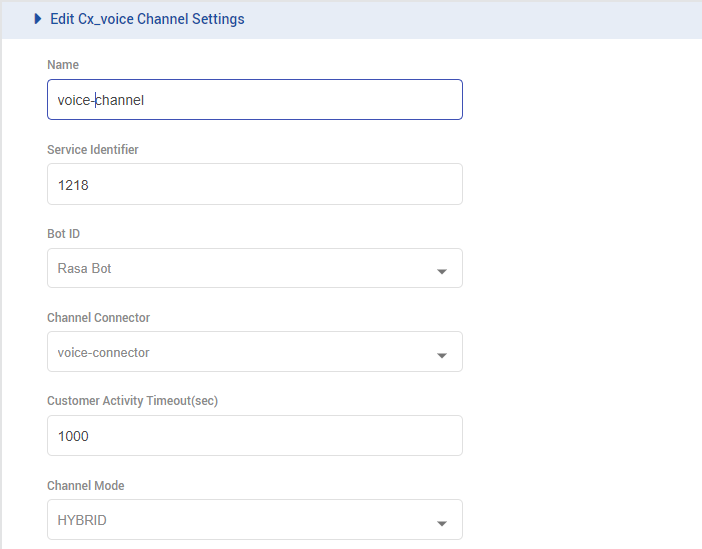
Add a channel for CX_VOICE channel type on unified-admin.
-
Add the desired channel name.
-
Add the configured DN(Dial Number) for the contact center as a Service identifier for the channel.
-
Select the configured Bot.
-
Select the configured channel connector.
-
Select Channel Mode i.e. HYBRID. (supported by the system as of yet.)
-
Configure the activity timeout.
-
Set Routing Mode to PUSH

-
Select the queue which is associated with the CX VOICE MRD.
-
Configure the Agent Request Ttl.
-
To configure Outbound conversation, enable Default Outbound Channel for the CX Voice channel being used.

-
The recommended value for the customer inactivity timeout and Agent request Ttl should be greater than the configured for a call in the contact center if any, otherwise, 1 hour (3600 sec) should be set as a minimum value, after which the session expires in our system.
-
Media Routing Domain (MRD) Config
-
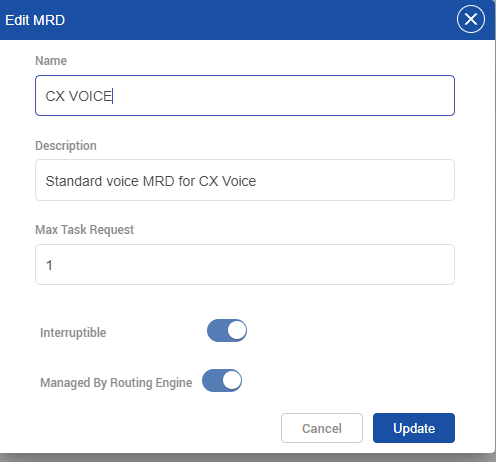
Set the ManagedByRoutingEngine flag to true for the default CX VOICE MRD.
-
The MaxTaskRequest should be set to 1.
Agent Media Routing Domain (MRD) Config
-
For each user, the max task request should be set to 1 for CX VOICE mrd.

Other Configurations
Creating an extension on EFSwitch
EFSwitch scripts and dialplans setup
Voice Connector Deployment and Configuration