
Enables a supervisor to monitor a conversation silently between the agent and the customer to see, how the conversation is going on.
From the Active Conversation Detail Dashboard, the supervisor can silently monitor a conversation but the supervisor can not send a direct message to the customer.
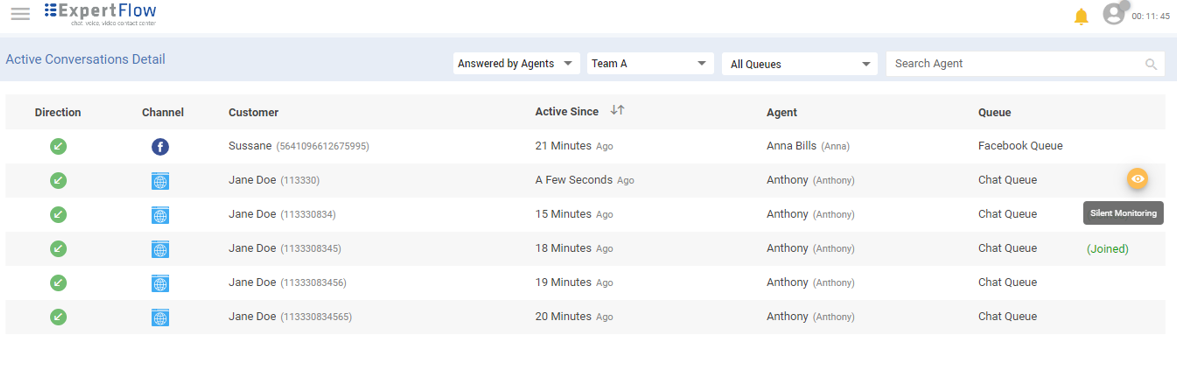
To Silently Monitor
On the left-hand side of the conversation view, active conversations are listed. Supervisors can also see the monitored conversations with an eye icon 
While monitoring the conversation, supervisors can:
-
Exchange the whisper message with the agent using the Whisper tab to assist him without letting the customer know about it. To learn more, see Send a Whisper Message
-
Jump into conversations if required by clicking on the Barge-in button at any time.
-
Leave the chat.
While silently monitoring the conversation, supervisors can not:
-
Directly send a message to the customer.
-
Transfer the conversation.
-
Have a conferenced conversation.