
Upgrade of Voice Connector
Voice Connector
-
SSH into the Debian server.
-
Use the command:
-
ssh username@server-ip
-
-
Enter the SSH password and press Enter.
-
Use the command:
-
su
-
-
Enter the root user's password
-
Container deployment
The voice connector is deployed as a Docker image.
-
Navigate to the existing Voice connector directory
-
cd voice-connector -
Stop the previously running container
-
docker compose down -
Open the file docker-compose.yml.
-
vi docker-compose.yml
-
-
Enter editing mode with the 'I' or 'Insert' keys.
-
Replace the previous tag with the current release tag 5.2.0
version: "3.8"
services:
  voice-connector:
    image: gitimages.expertflow.com/freeswitch/ecx_generic_connector:5.4.0
    deploy:

    ...
    ...
-
-
Save the file and exit by :
-
Press the Esc key.
-
Enter the phrase:wq to save and exit.
-
-
Run the command:
-
docker login gitimages.expertflow.com -
Enter your username and password as prompted (make sure that you were granted access to the repository).
-
-
Within the folder, run the command:
-
docker compose up -d
-
-
Confirm that the new Docker container is running by using the command:
-
docker ps
-

-
Confirm that the container is running correctly by opening the logs with the command:
-
docker logs -f containerID
-
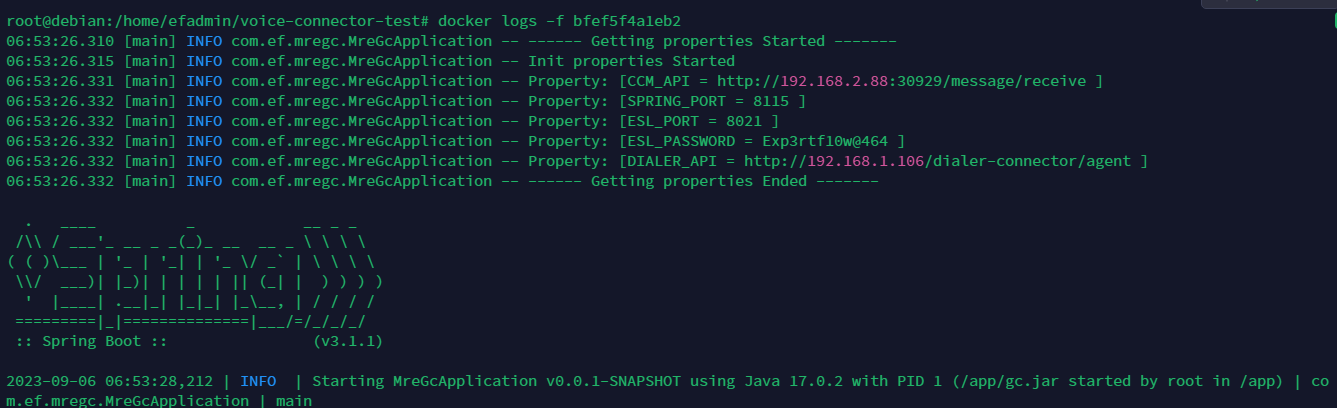
-
If there are multiple Voice Connectors running, update all of them if needed.