
Software Requirement
The following are the prerequisites for setting up a Generic Connector load test utility.
|
Software Requirements |
|
|---|---|
|
|
|
Certificates for HTTPS |
|
|
|
|
System Access Requirements |
|
|
Deployment Steps
-
Download the GC_Utility_Load_Test.rar from Google-Drive
-
Download the required deployment folder
-
Create a folder on a Linux machine in any path of your inside root.
-
Place the downloaded files inside the created folder as follows:
-
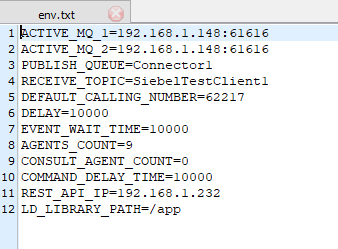
Open env.txt file with a text editor
-
-
Make the desired changes and update the file
-
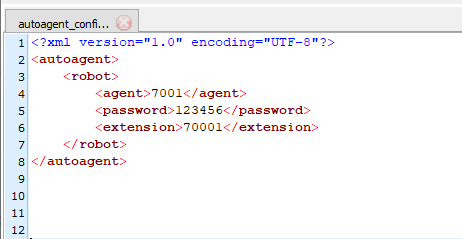
Open autoagent_config.xml file with a text editor
-
-
Make the desired changes and update the file
-
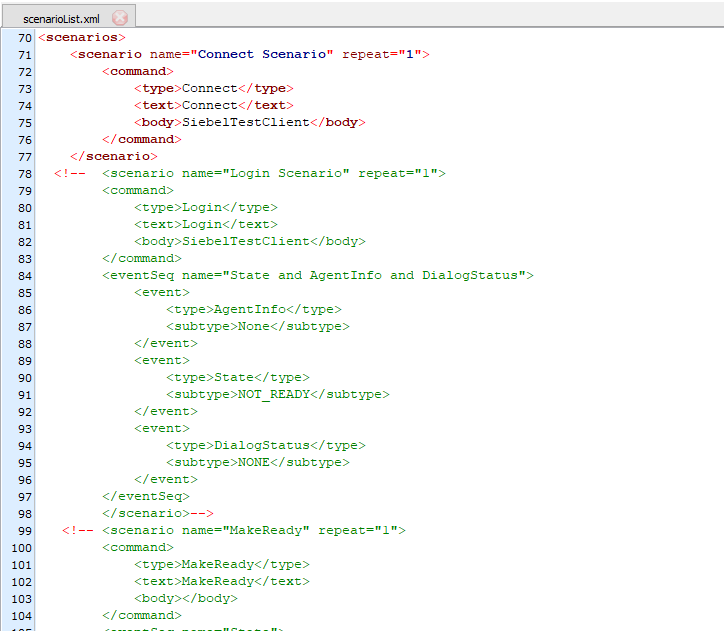
Open scenarioList.xml file with a text editor
-
-
Make the desired changes and update the file
-
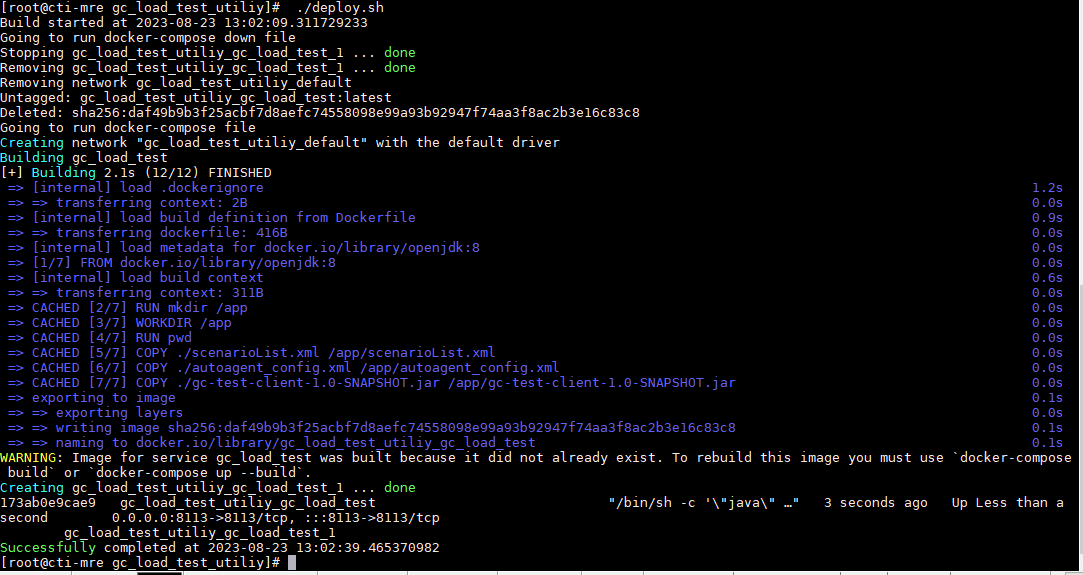
run the command chmod 755 ./deploy.sh
-
now run the ./deploy.sh file and you can see after completion your docker image is running
-
Configuration Parameters (Environment Variables)
|
Parameter |
Default Value |
|
ACTIVE_MQ_1 |
192.168.1.148:61616 |
|
ACTIVE_MQ_2 |
192.168.1.148:61616 |
|
PUBLISH_QUEUE |
Connector1 |
|
RECEIVE_TOPIC |
SiebelTestClient1 |
|
DEFAULT_CALLING_NUMBER |
62217 |
|
DELAY |
10000 |
|
EVENT_WAIT_TIME |
10000 |
|
AGENTS_COUNT |
5 |
|
CONSULT_AGENT_COUNT |
5 |
|
COMMAND_DELAY_TIME |
1000 |
|
REST_API_IP |
192.168.1.232 |
|
LD_LIBRARY_PATH |
/app |