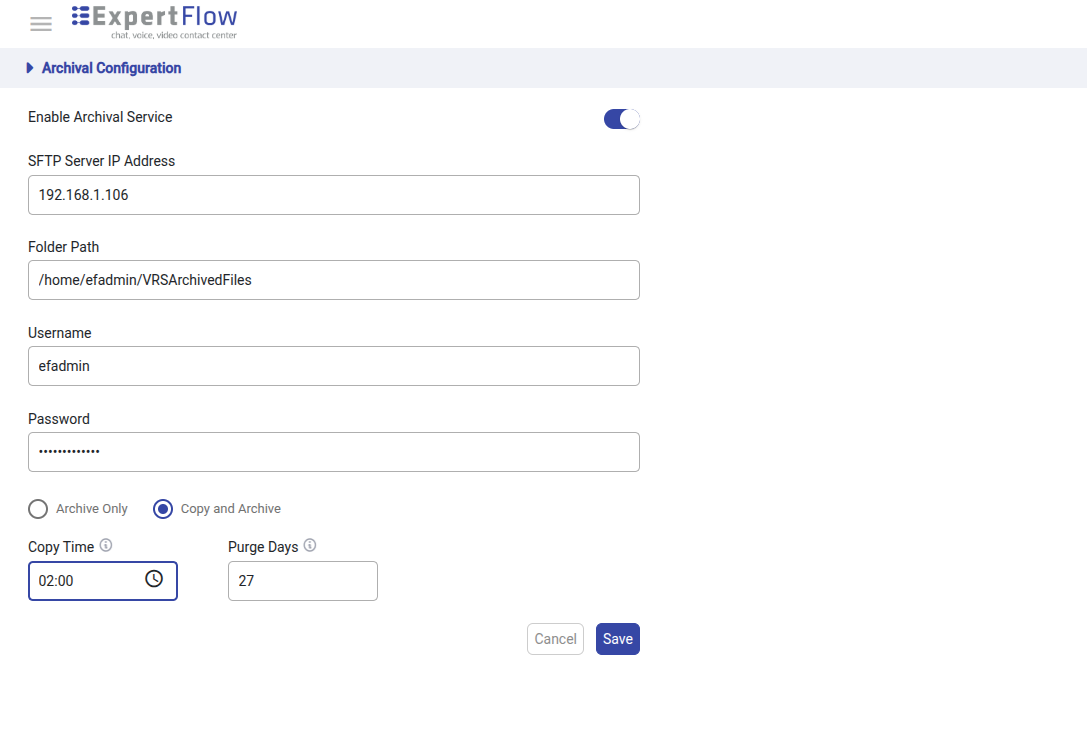
Archival Configuration is used in archival process and is now configurable from Voice Recording Solution. Below is the snapshot of the page.
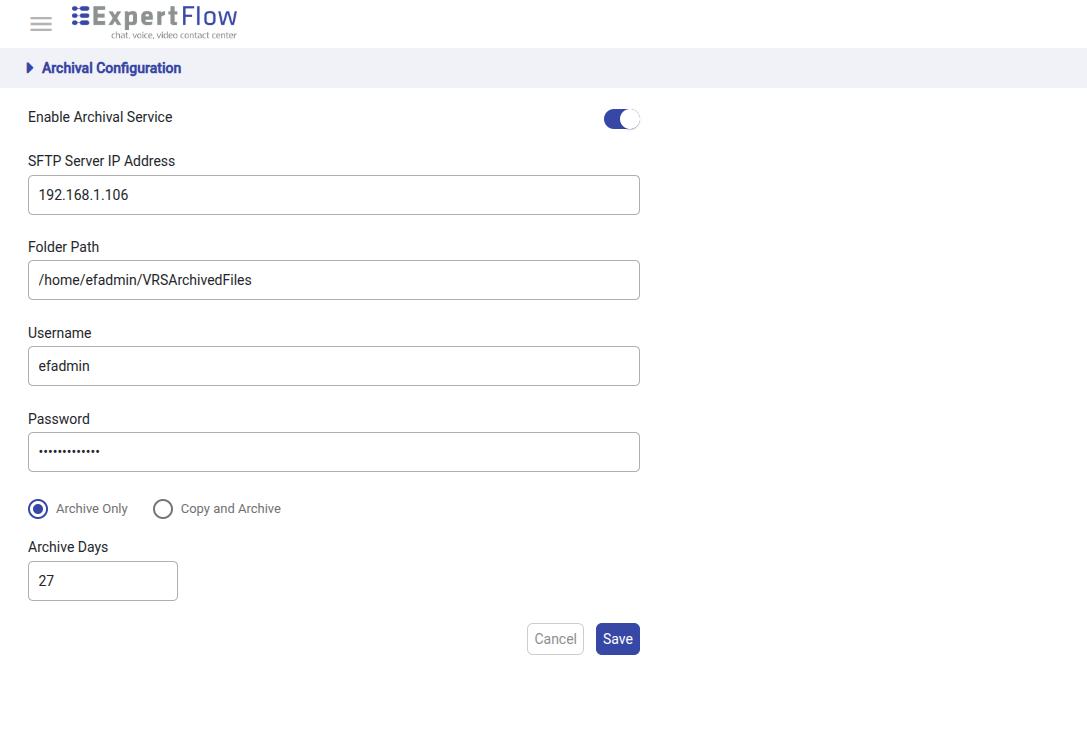
Features:
-
Enable Archival Service: If this button is disabled, the whole archival process will be disabled
Given that Archival Service is enabled user can select the following:
-
SFTP Server IP Address: Archival Server IP Address.
-
Folder Path: Folder path on the above server where the recordings will be archived.
-
User name and Password: A valid user (with appropriate permissions) and its password.
-
Archival Modes:
-
Archive Only: Recordings will be archived after the specified number of days.
-
Copy and Archive: Recordings will be copied from the main server to the archival server after the specified time.
-
Copy Time:
Time after which the files will be copied to the archival server. -
Purge Time:
Number of days after which successfully copied files will be removed from the main server(rec).
-
-