
Enables agents to switch channels, to make an outbound contact on a different channel in an ongoing conversation.
Switch to A Different Channel
Agents can switch channels, and make outbound to customers via any desired channel.
On the top of the Message Composer, there is a dropdown list of the channels on which the customer is currently active in the conversation. Agents can choose a desired channel from the list to communicate to the customer. This helps agents in choosing a channel of their choice within the same conversation especially, in cases, for example when the customer explicitly asks the agent to drop a message on the customer's WhatsApp instead of continuing on the web chat.
After typing a message in the Message Composer, the agent can choose the desired channel from the dropdown to send the message.
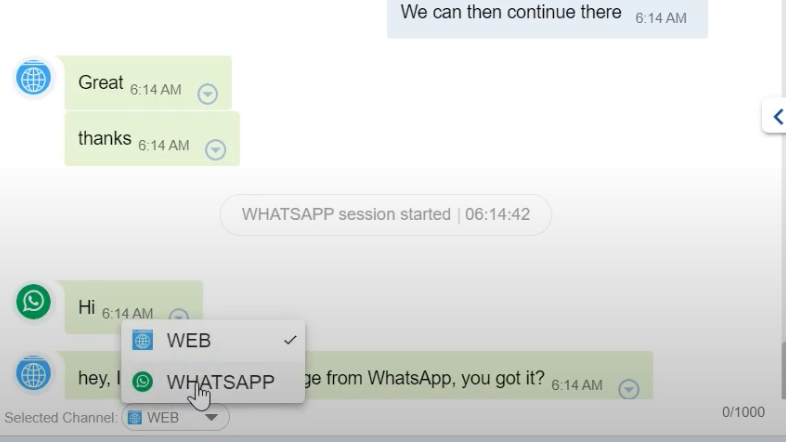
Switch to a Different Channel in an ongoing conversation