
Recommendations
-
Media Server and Expertflow CX Server Time should be synced.
System Configurations
-
To update the CTI config variables added in the unified-agent config map, follow this guide.
-
For user extension configuration, follow this guide.
Unified Admin Configurations
CX Voice Queue
-
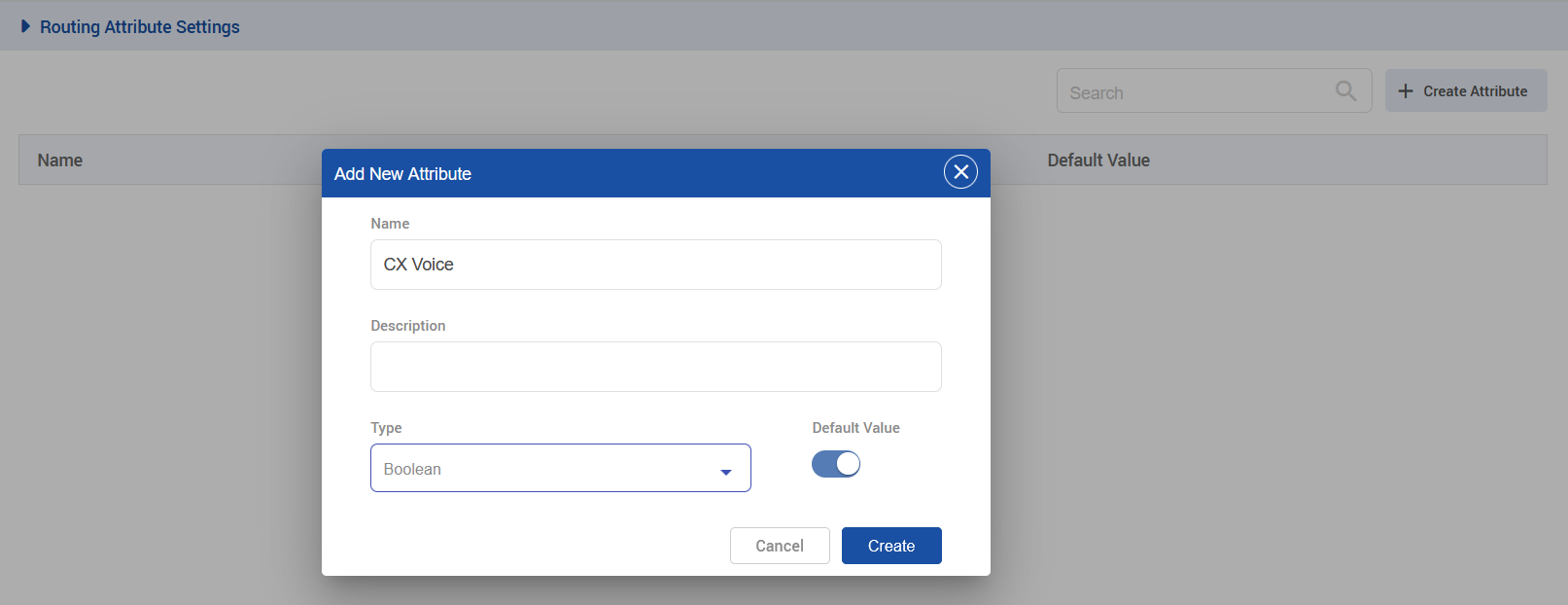
Create a Routing Attribute called CX Voice with the type of Boolean.
|
|
|---|
-
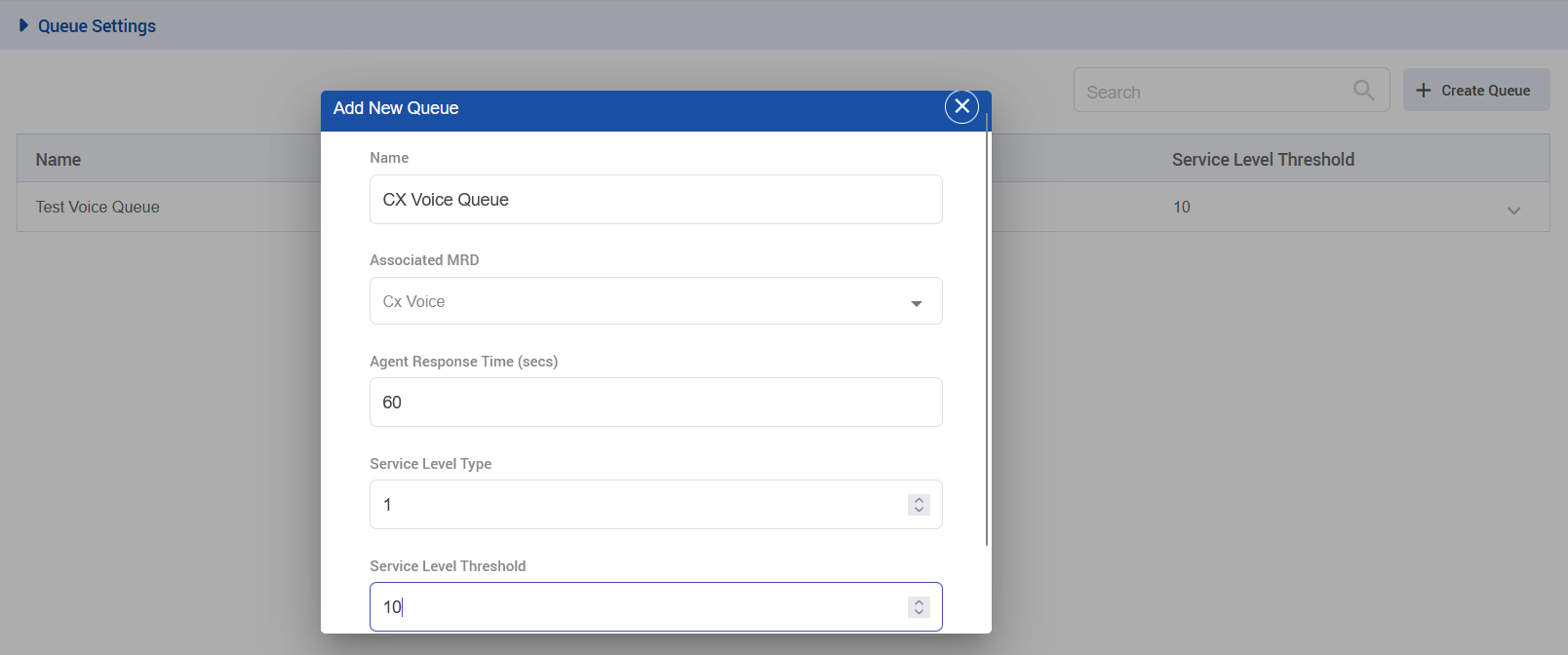
Create a CX Voice Queue with the following settings.
|
|
|---|
-
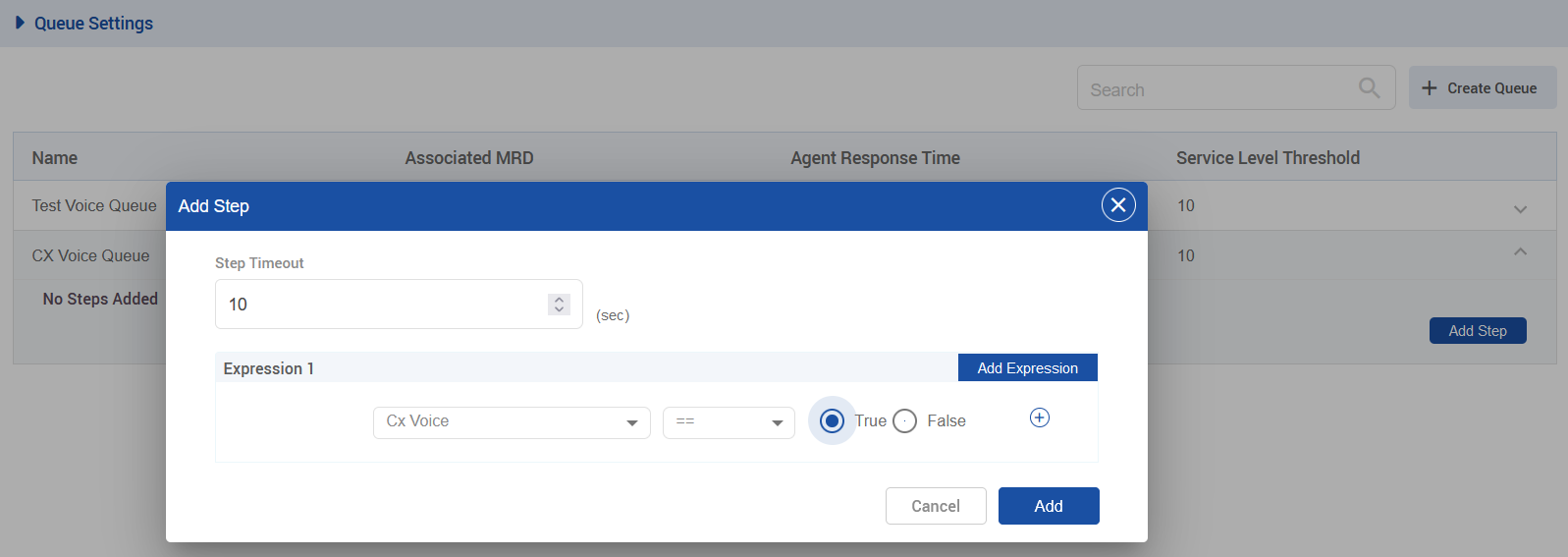
Once queue is created click on drop-down then click on Add Step and set the following steps.
|
|
|---|
-
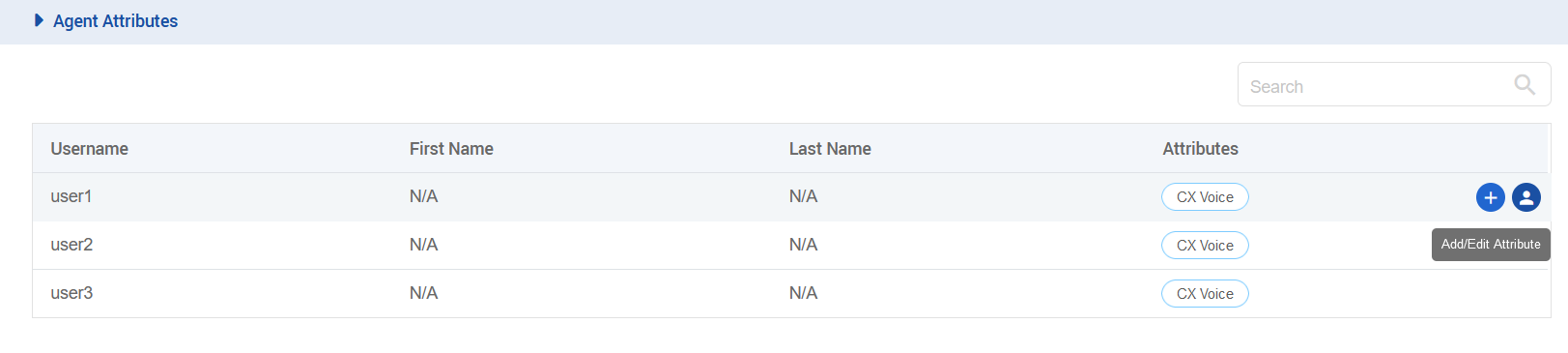
Open the Agent Attributes section and assign the CX Voice attribute to your desired agent.
|
|
|---|
Channel Manager Configuration
-
The following variables need to be added in the channel provider for the WEB_RTC supported channel type on the unified-admin.
-
The provider webhook is required. In this case, it is the callback URL exposed by the Voice connector in the format: http://VC-IP:VC-PORT/ccm-msg/receive
-
.png?cb=c9da847981d32212c9d7a85583472808)
|
|---|
-
Add a channel connector for the provider configured above for the WEB_RTC channel type on the unified-admin.
|
.png?cb=1251b10096e8dd80411a5214f7e25803)
|
|---|
-
Add a channel for WEB_RTC channel type on the unified-admin.
-
Add the desired channel name.
-
Add the configured DN(Dial Number) for the contact center(the same as that set in the Media Server for inbound IVR) as a Service identifier for the channel.
-
Select the configured Bot.
-
Select the configured channel connector.
-
Select Channel Mode i.e. HYBRID. (supported by the system as of yet.)
-
Select Agent Selection Policy i.e. LONGEST AVAILABLE (supported by the system as of yet.)
-
Configure the activity timeout.
-
Set Routing Mode to PUSH
-
Select the queue that is associated with the CX VOICE MRD.
-
Configure the Agent Request TTL.
-
To configure Outbound conversation, enable Default Outbound Channel for the CX Voice channel being used.

-
The recommended value for the customer inactivity timeout and Agent Request TTL should be greater than the configured for a call in the contact center if any, otherwise, 1 hour (3600 sec) should be set as a minimum value, after which the session expires in our system.