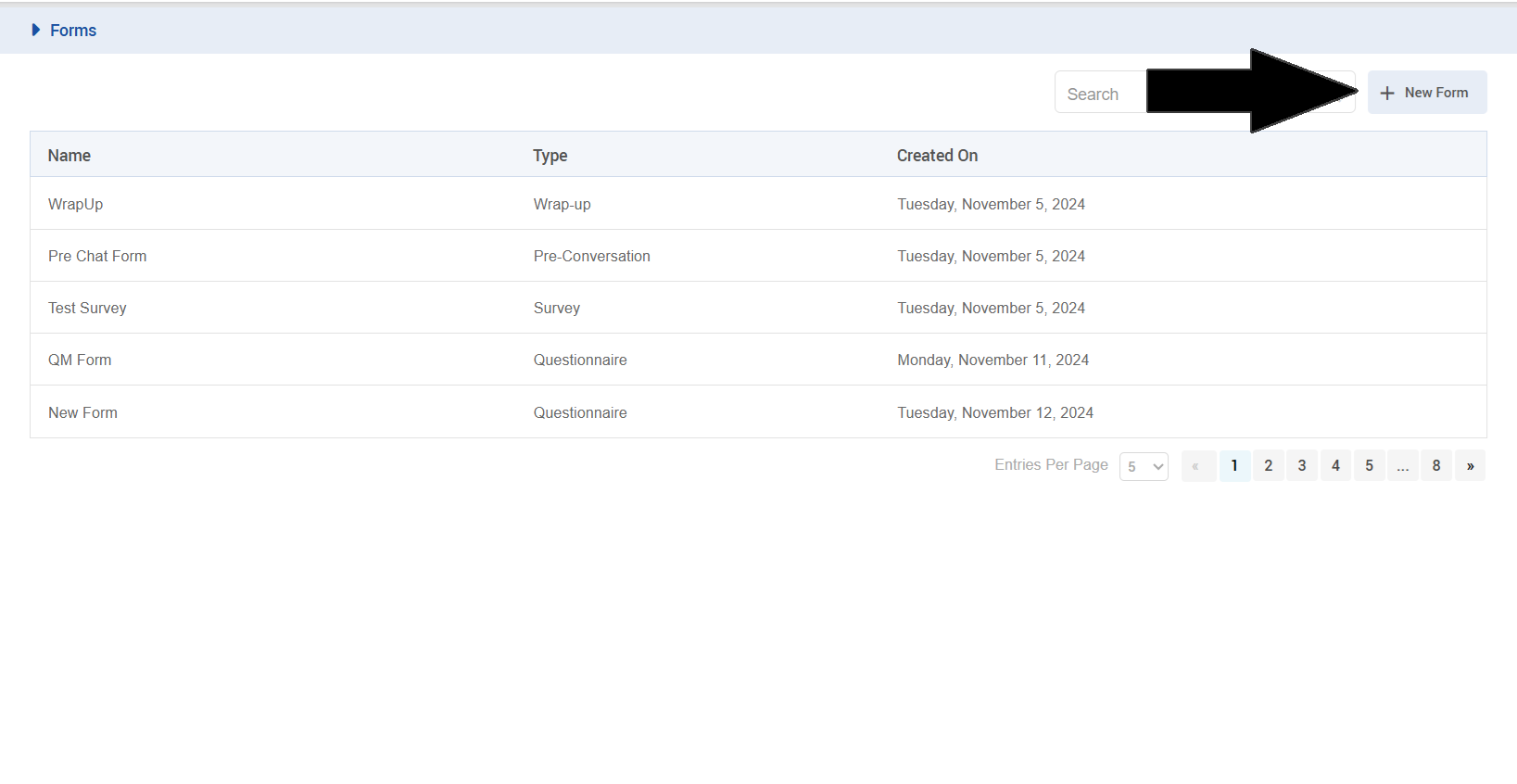
To Create a new from:
-
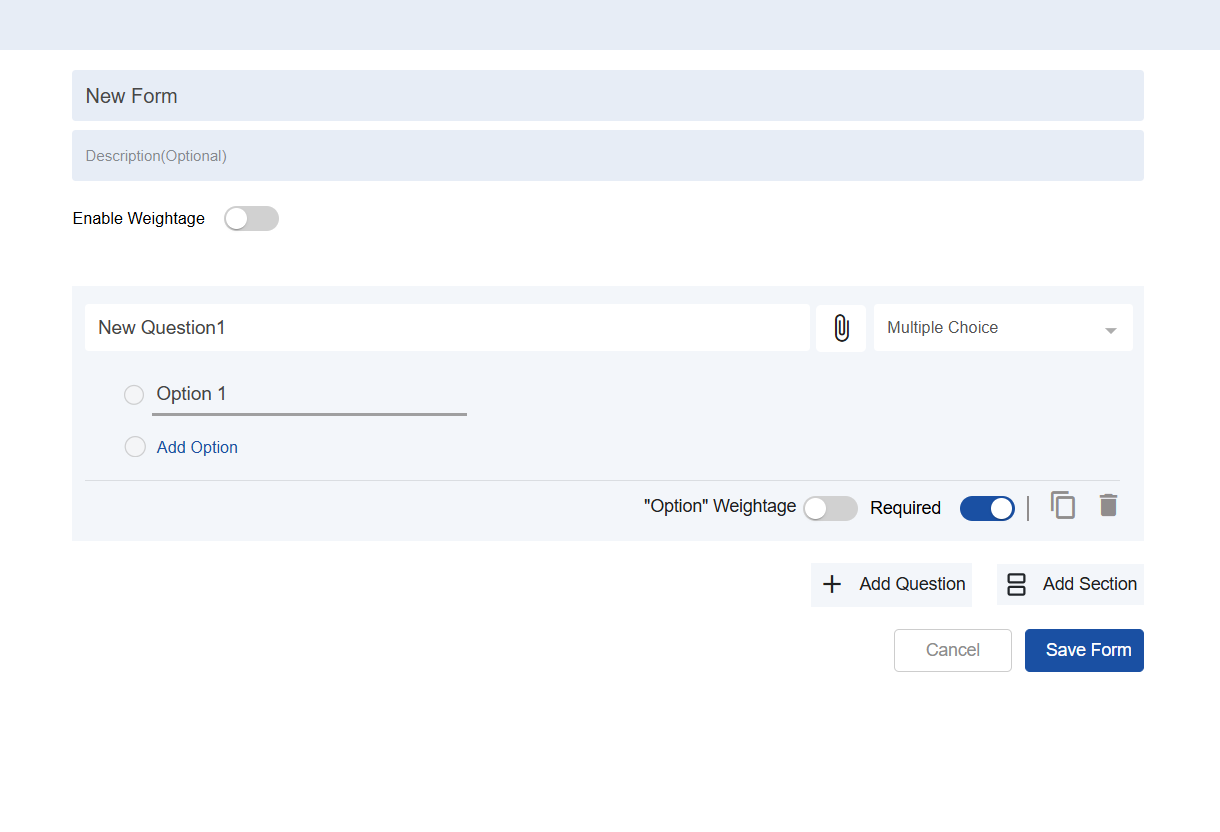
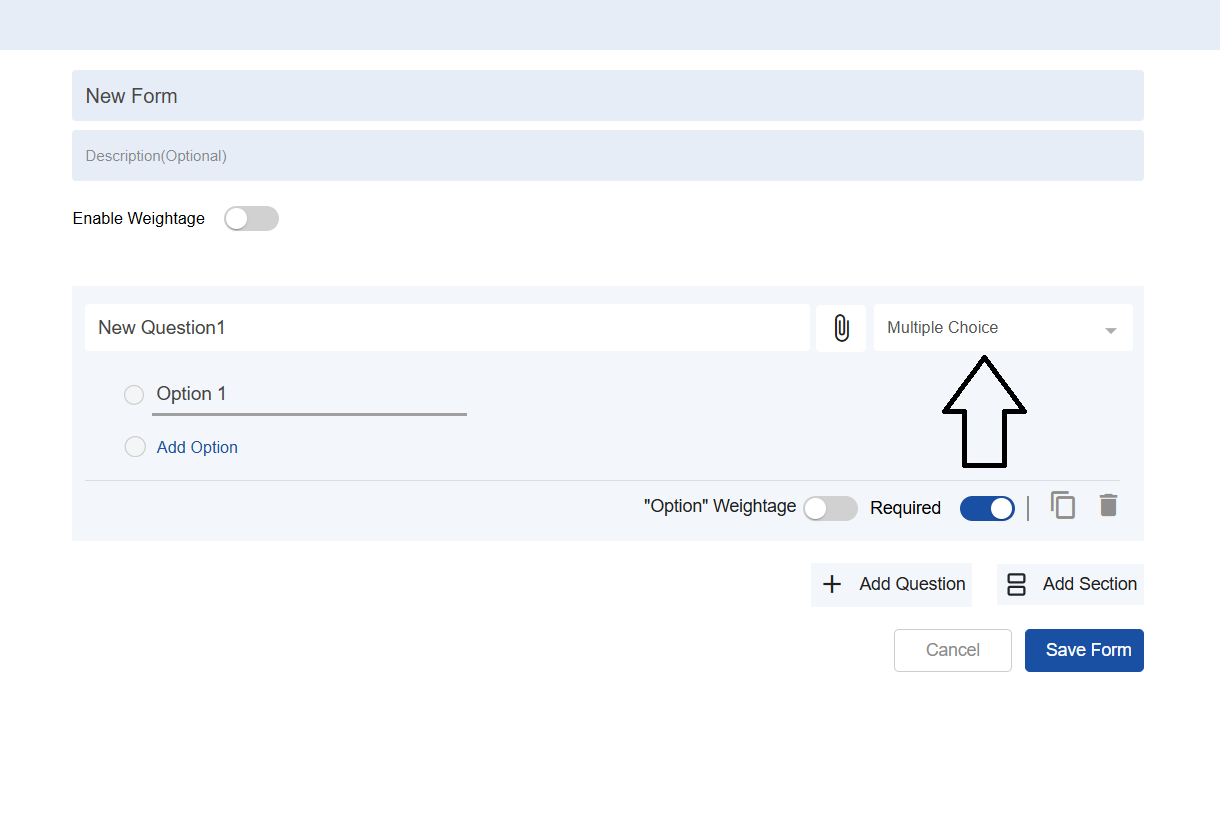
To create a new form, click on the new form button. We will now see a menu with title ,description of form containing options for editing of form.
-
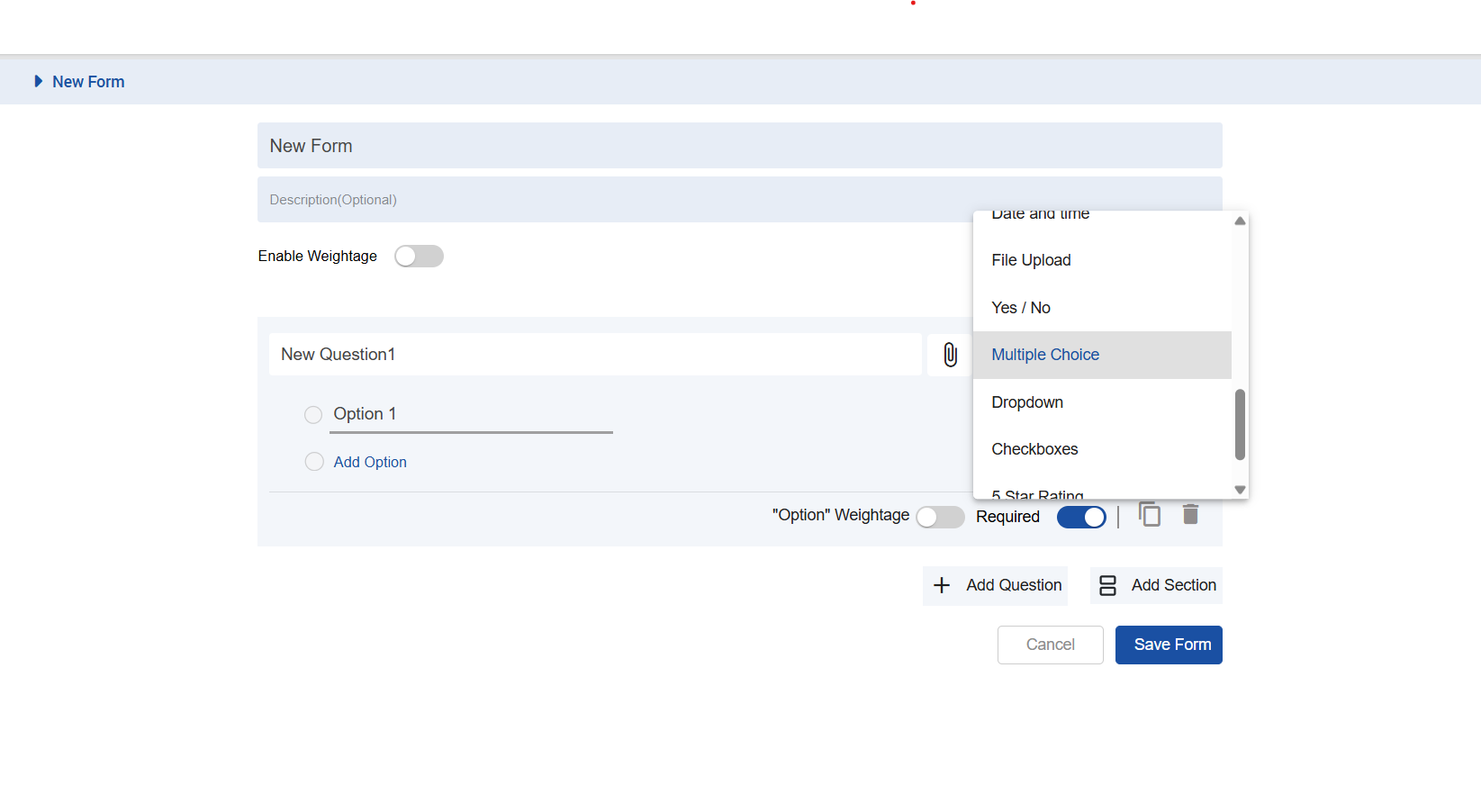
To select questions type click on the dropdown for selecting the type of that specific question.
-
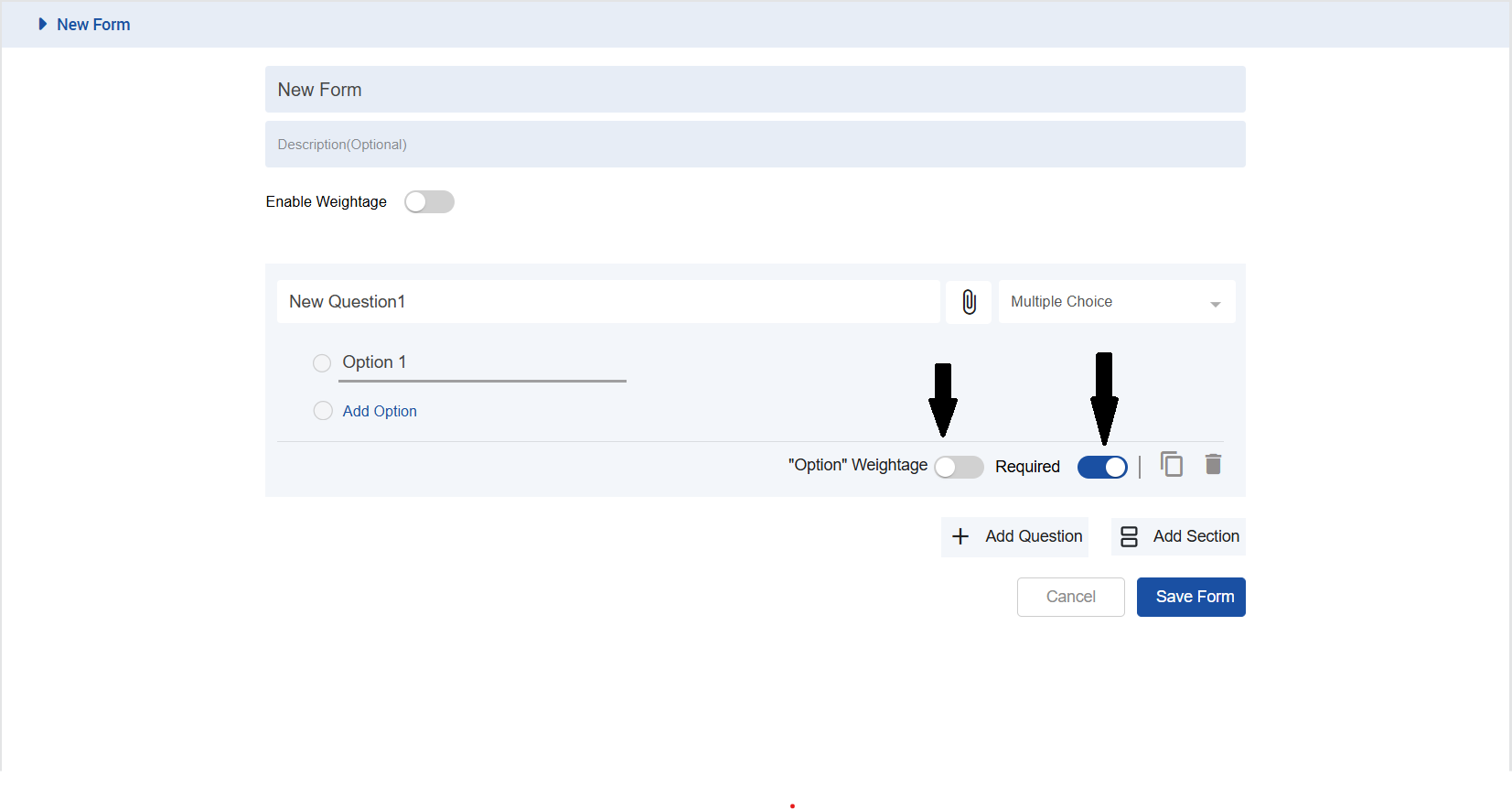
also other controls like to introduce answer weightages and requirement control. To learn more about the weightage click here
To Update:
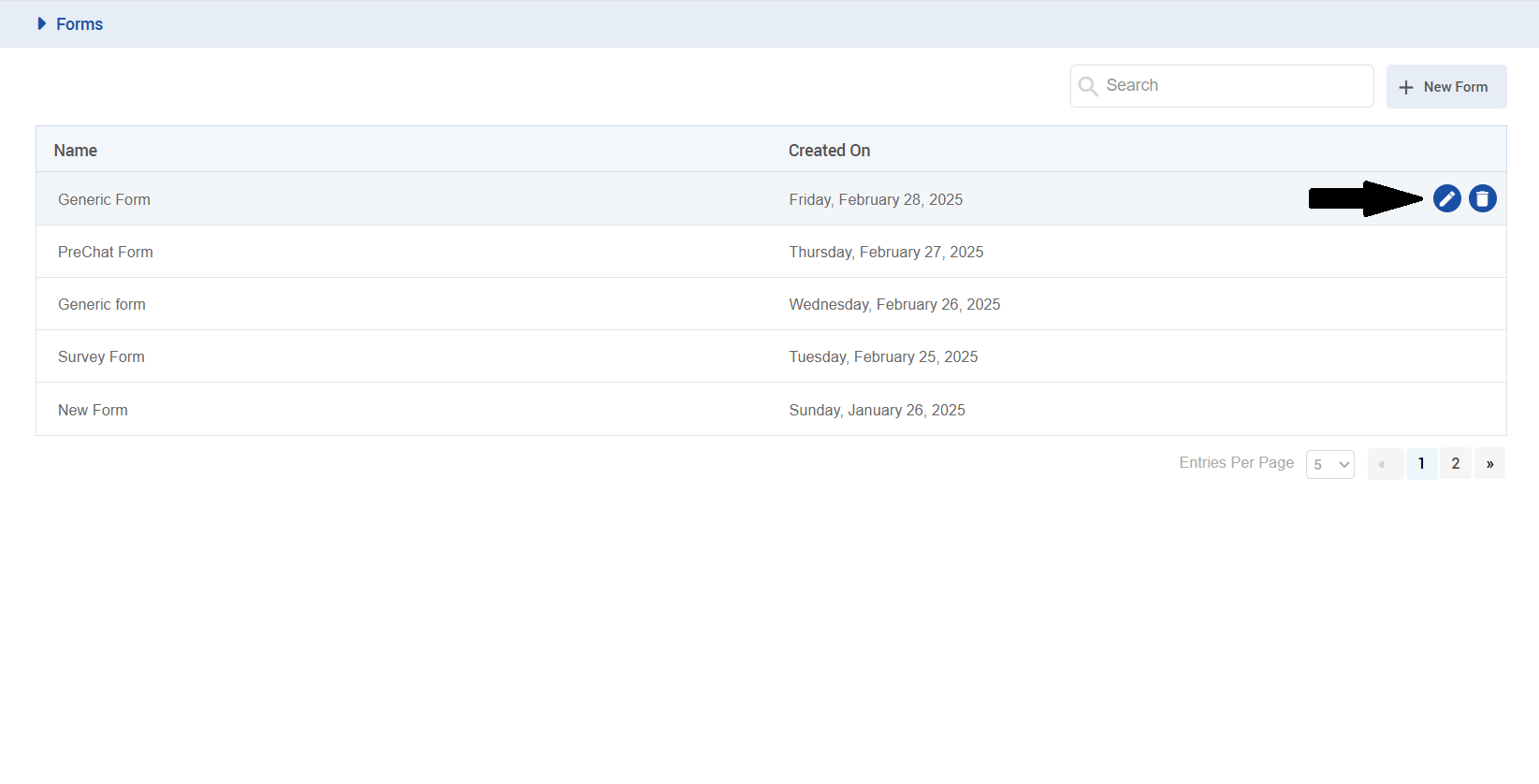
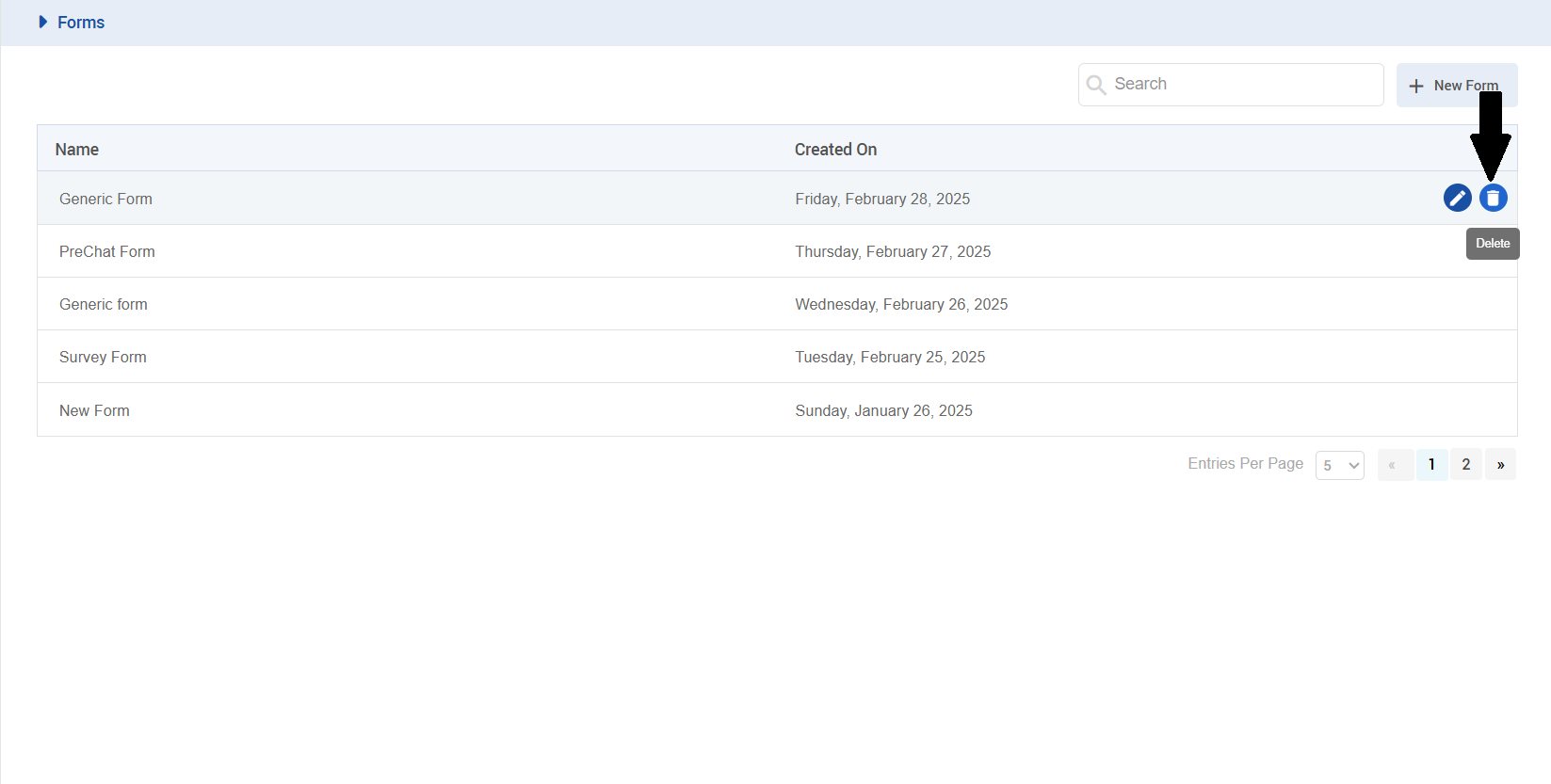
to update (edit) a form click on edit button.
To delete:
to delete a form click on delete button.
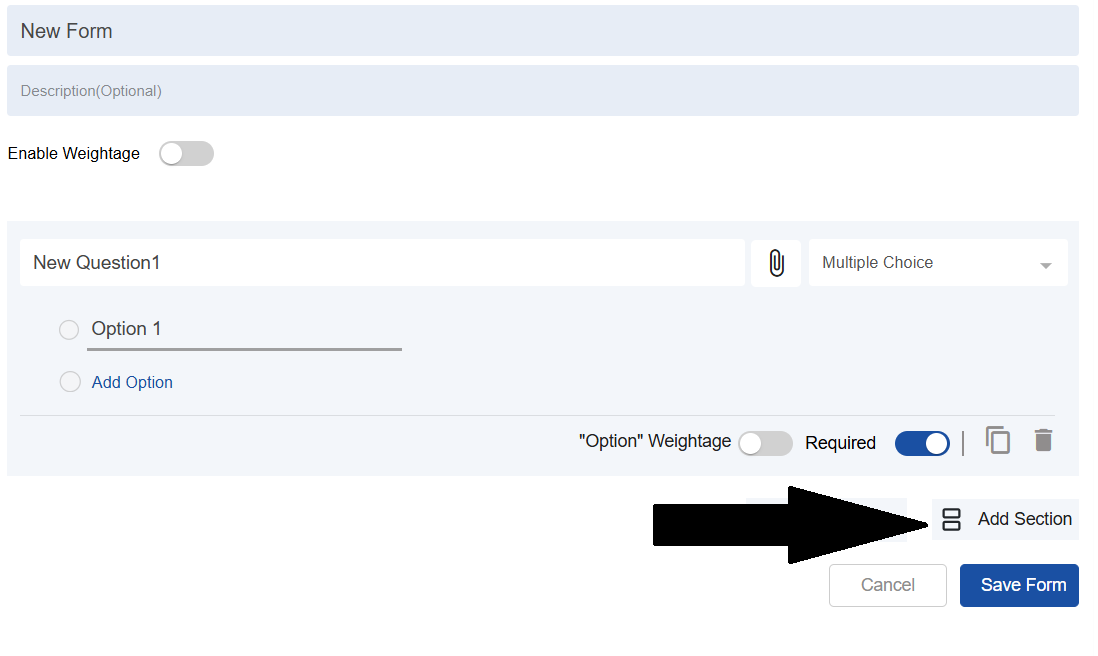
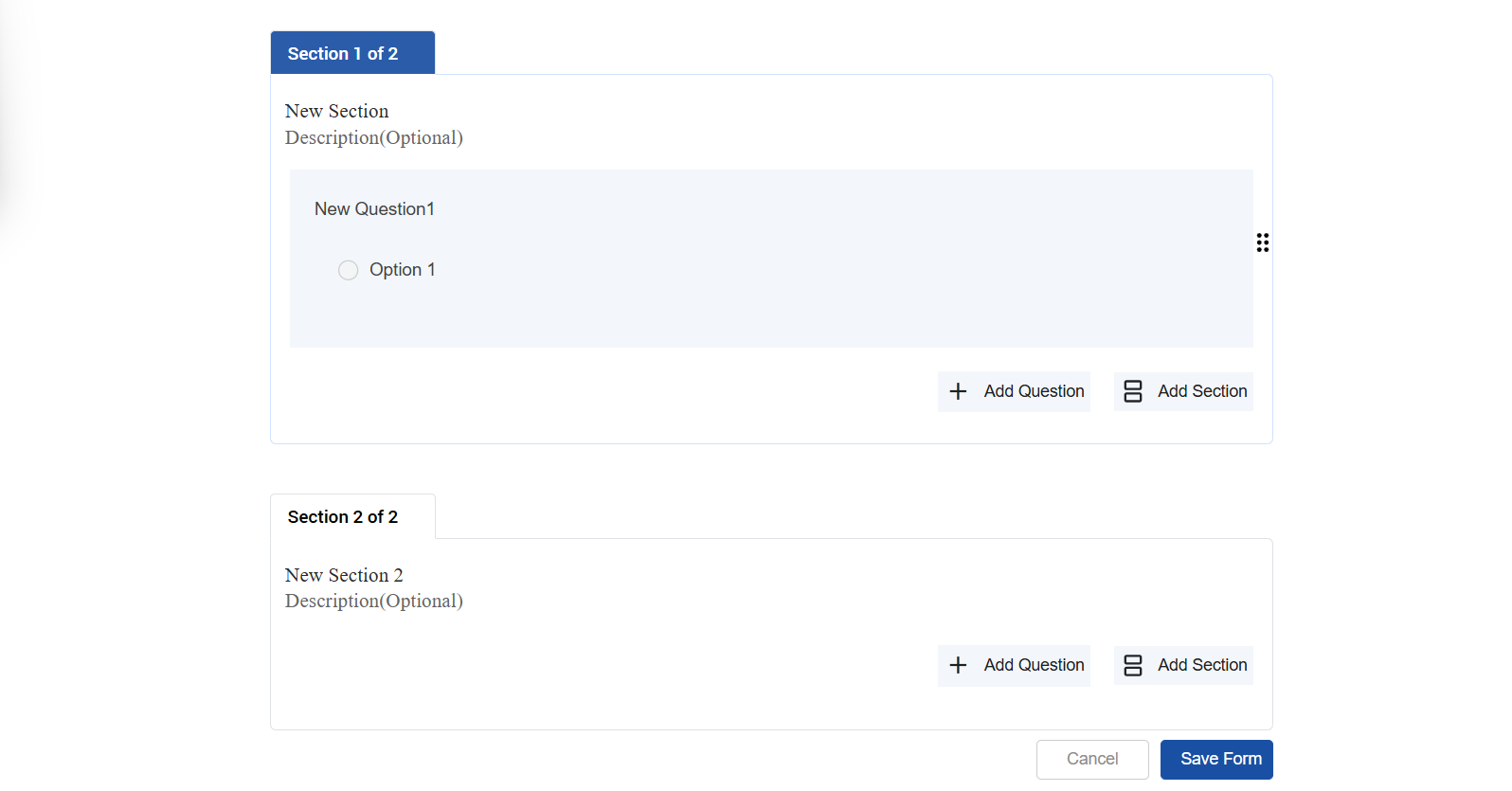
For adding section
we can add multiple sections.