
Allows agents and supervisors to edit their messages within the Agent Desk.
-
The editing functionality is only available for ongoing conversations.
-
The edited message would be displayed to the agent and customer in real time.
To do this,
-
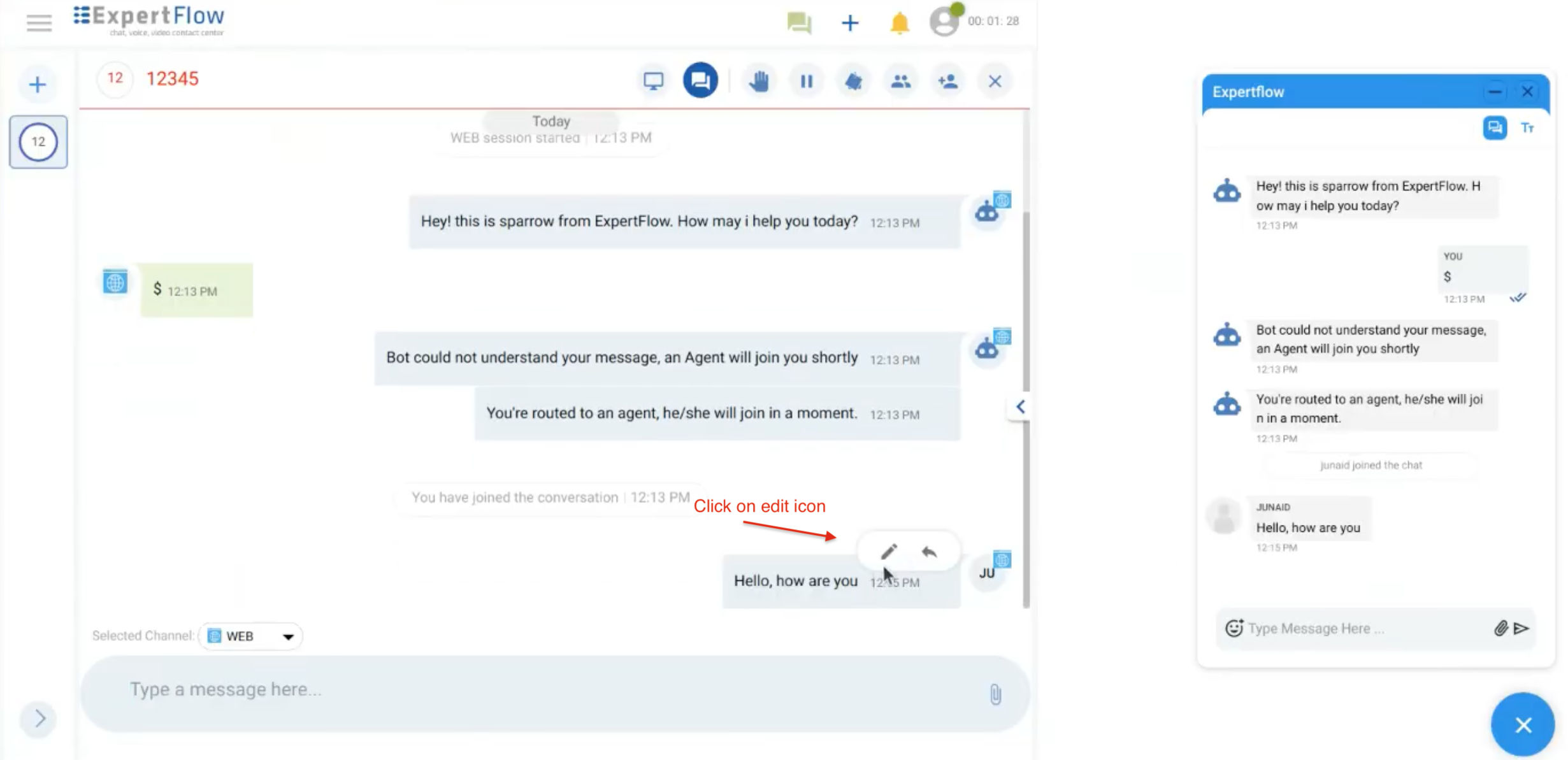
Hover on the message you want to edit.
-
Edit and reply icons will appear, click on the edit icon.
-
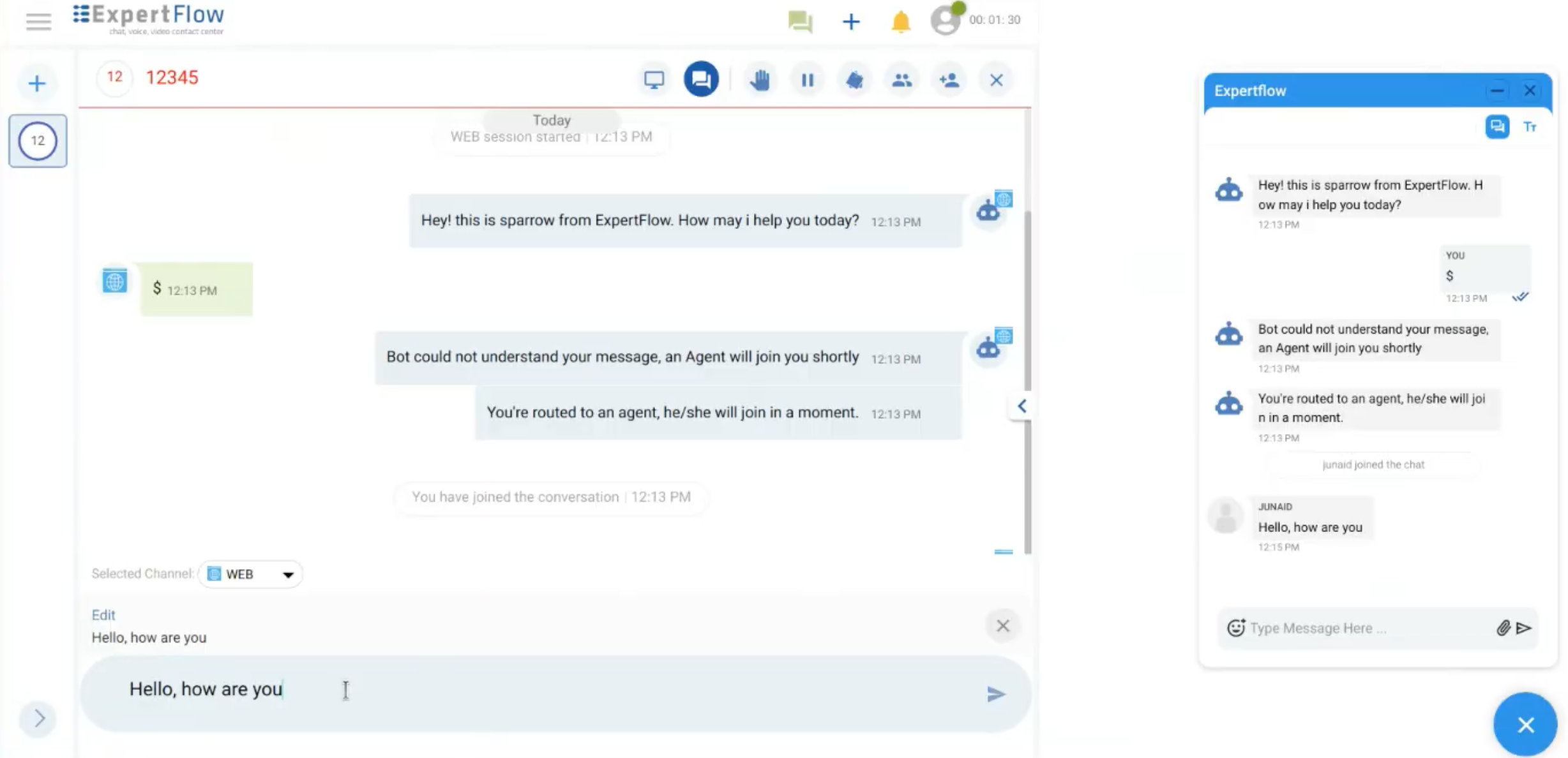
By clicking on the Edit icon, you will see that message in the composer bar to edit this.
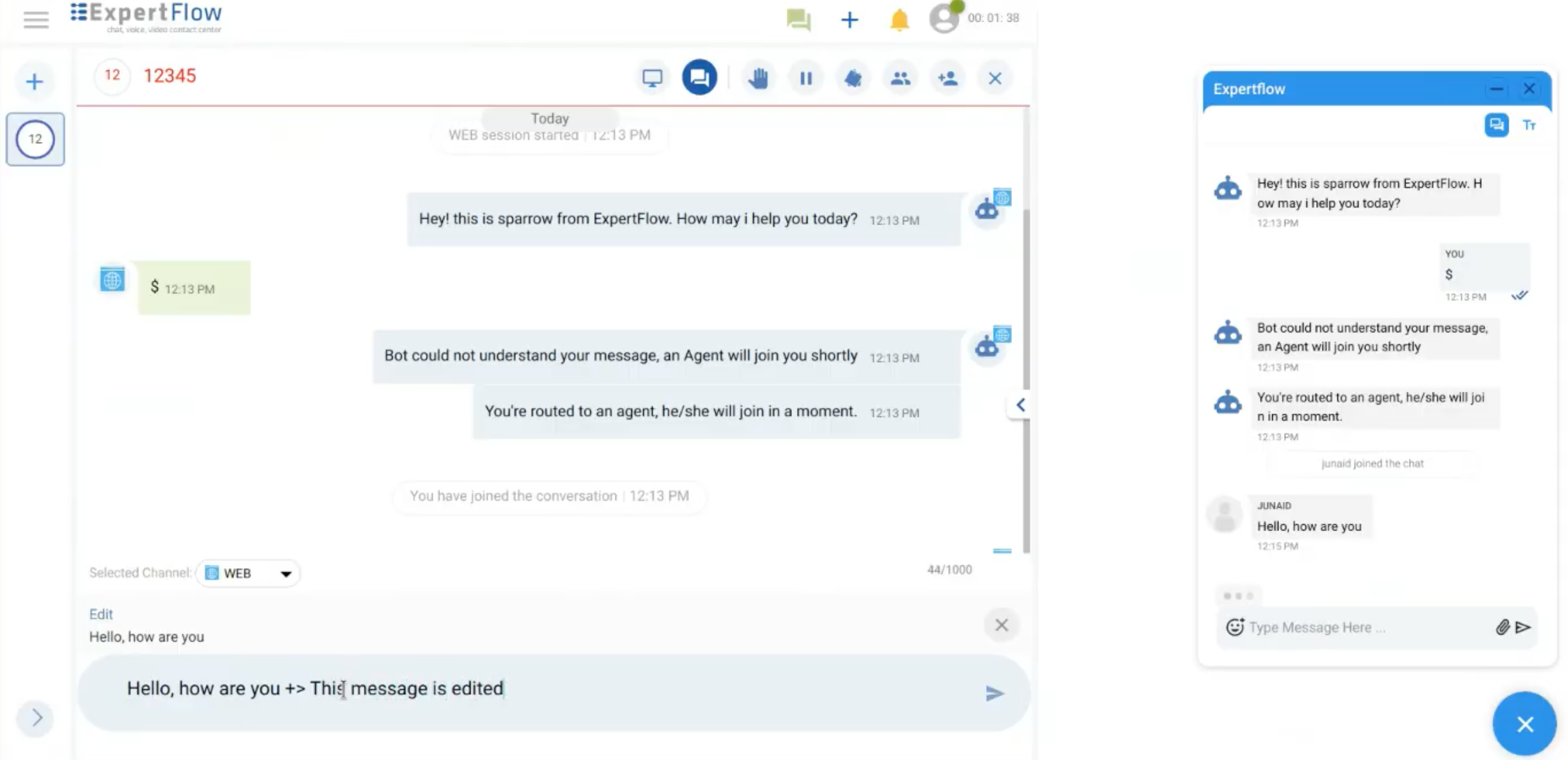
Edit and update the message by pressing the 'Enter' button
-
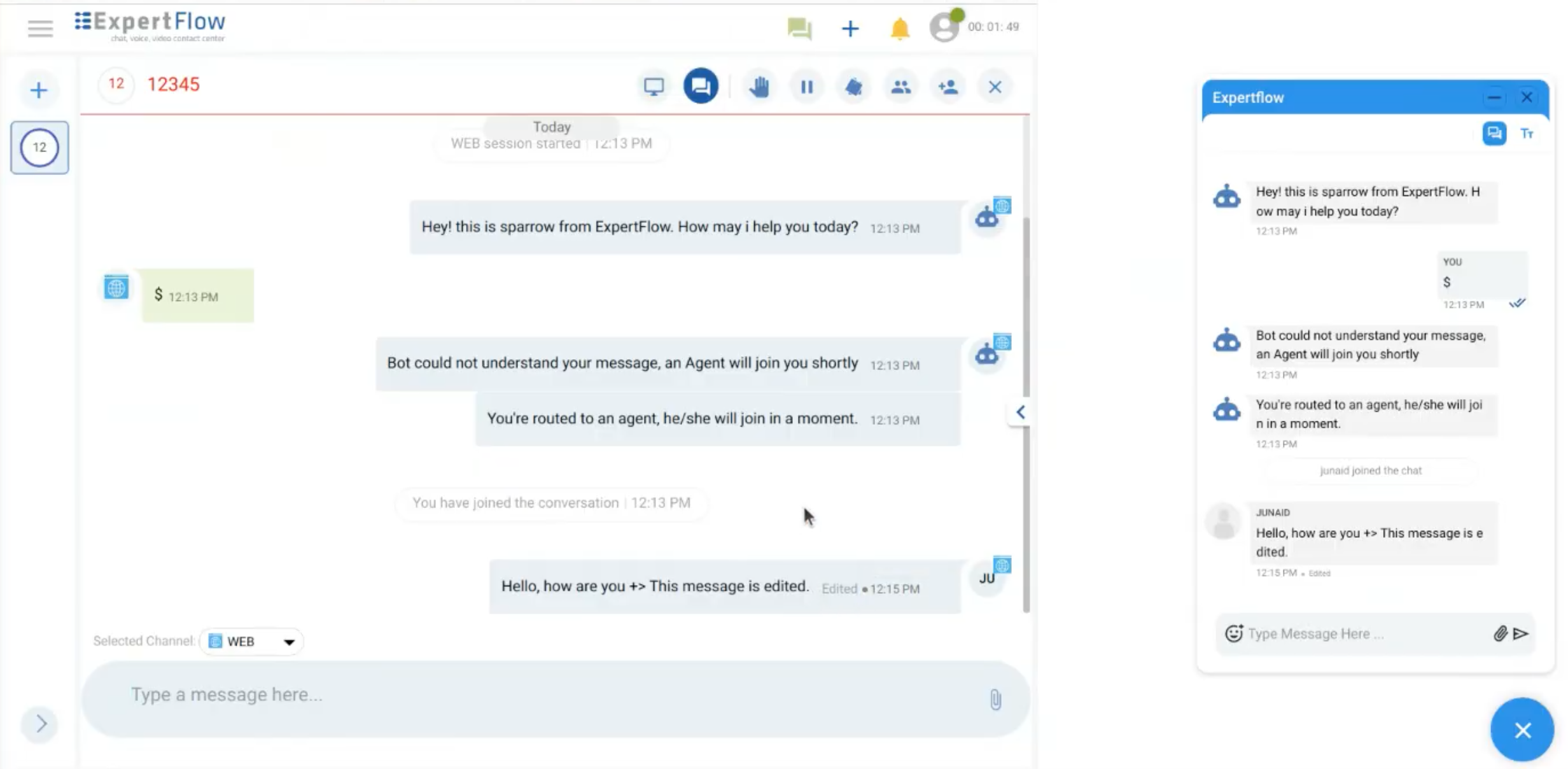
The original message will be replaced with the updated message.
Limitations
-
Only Agents/Supervisors on the Agent Desk can edit their messages.
-
Editing is supported for text messages only. Other message types (e.g., files, images) are not editable.
-
Only messages from ongoing conversations can be edited; all past conversations are read-only.
-
Facebook does not support editing messages. Hence, edited messages will be displayed as new messages on the Facebook platform with an appended text of, “Edited” within the message bubble.
-
Currently, editing a message feature is only supported with Web and Facebook channels.
-
All users can edit their messages for an active conversation, regardless of their roles.