
Introduction to Quick Replies
The Quick Replies feature enables agents to create and reuse predefined message templates within the message composer. This functionality eliminates the need for repetitive copy-paste actions from external sources, improving efficiency and consistency in customer communication.
Problem Statement
Agents frequently send similar or identical messages to customers. Currently, this involves copying and pasting text from external applications (e.g., notepad), which:
-
Consumes time
-
Interrupts workflow
-
Reduces overall productivity
Solution Overview
Quick Replies allow agents to:
-
Create reusable message templates
-
Access them directly within the composer
-
Search and filter replies using tags or keywords
-
Send or edit responses without leaving the interface
Feature Capabilities
Create Quick Replies
-
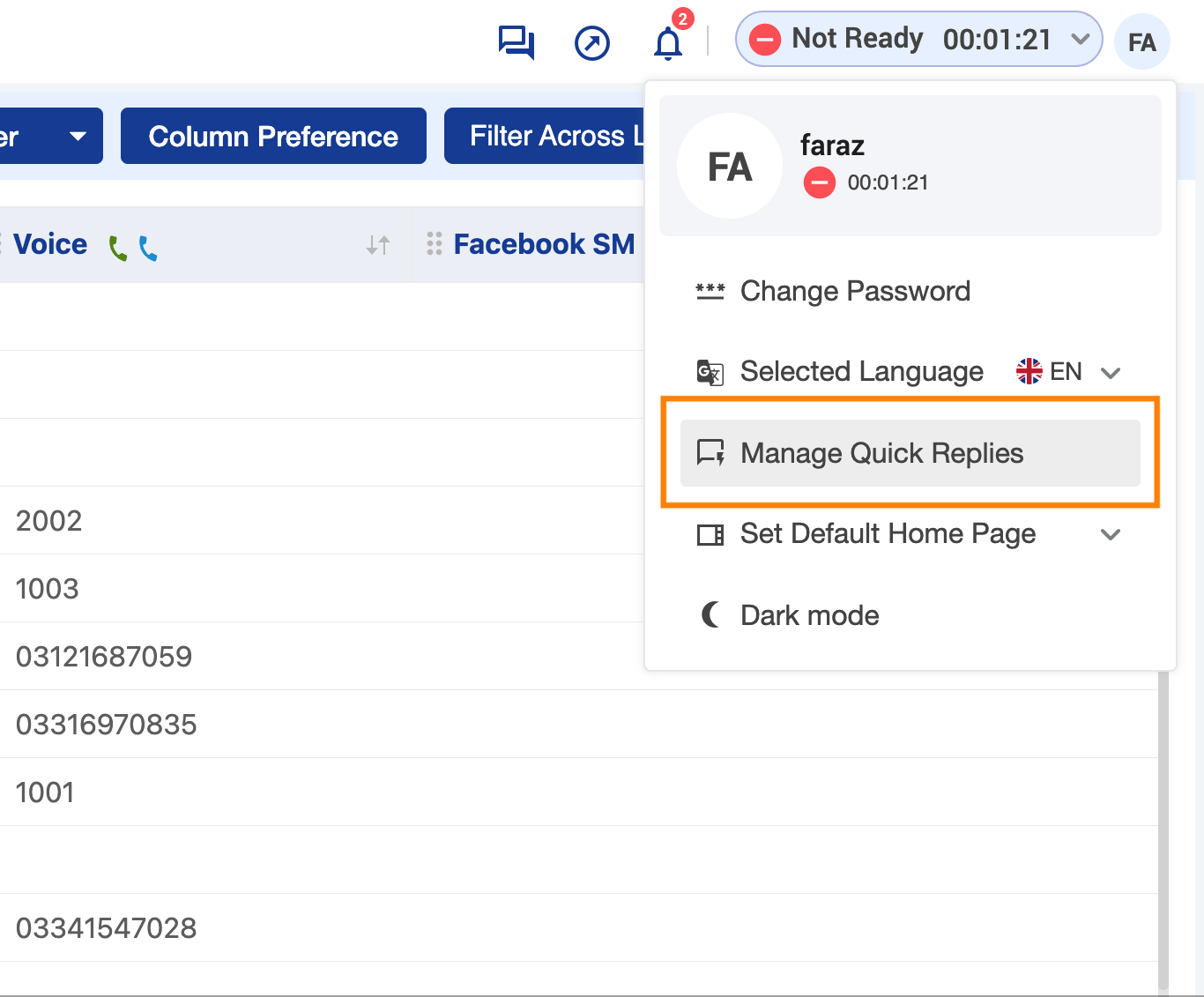
Click on the “Manage Quick Replies” button from the user profile menu.
-
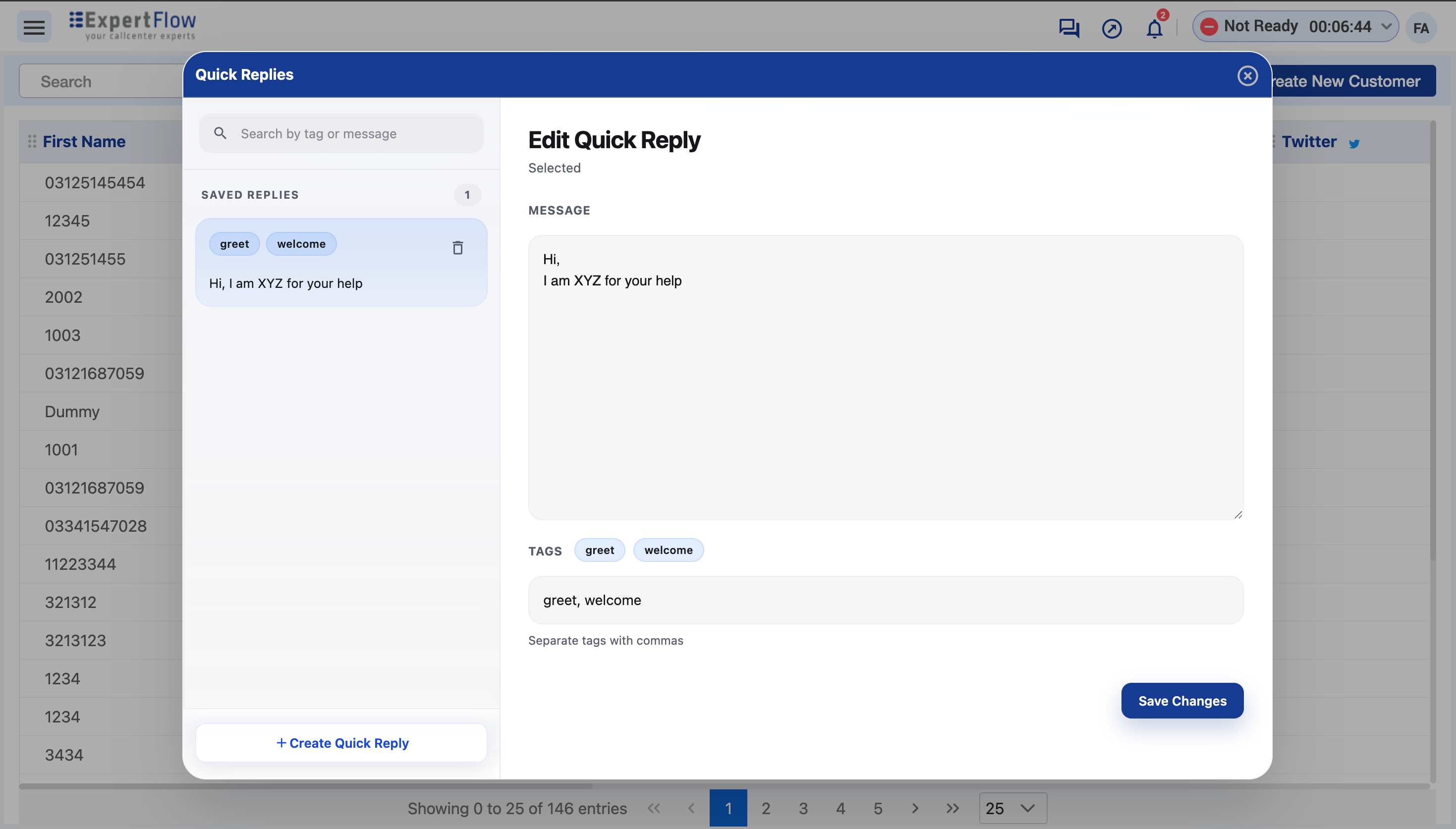
Agents can create quick replies using plain text.
-
Each reply can include multiple tags (comma-separated) for categorization.
Manage Quick Replies
-
Accessed via Profile Icon → Manage Quick Replies
-
Agents can:
-
Add new quick replies
-
Edit existing ones
-
Delete unwanted replies
-
Search & Filter
-
Quick replies can be searched using:
-
Text content
-
Tags
-
-
Enables faster retrieval of relevant responses.
User-Specific Storage
-
Quick replies are stored per agent.
-
No sharing across users.
User Workflow
Accessing Quick Replies
-
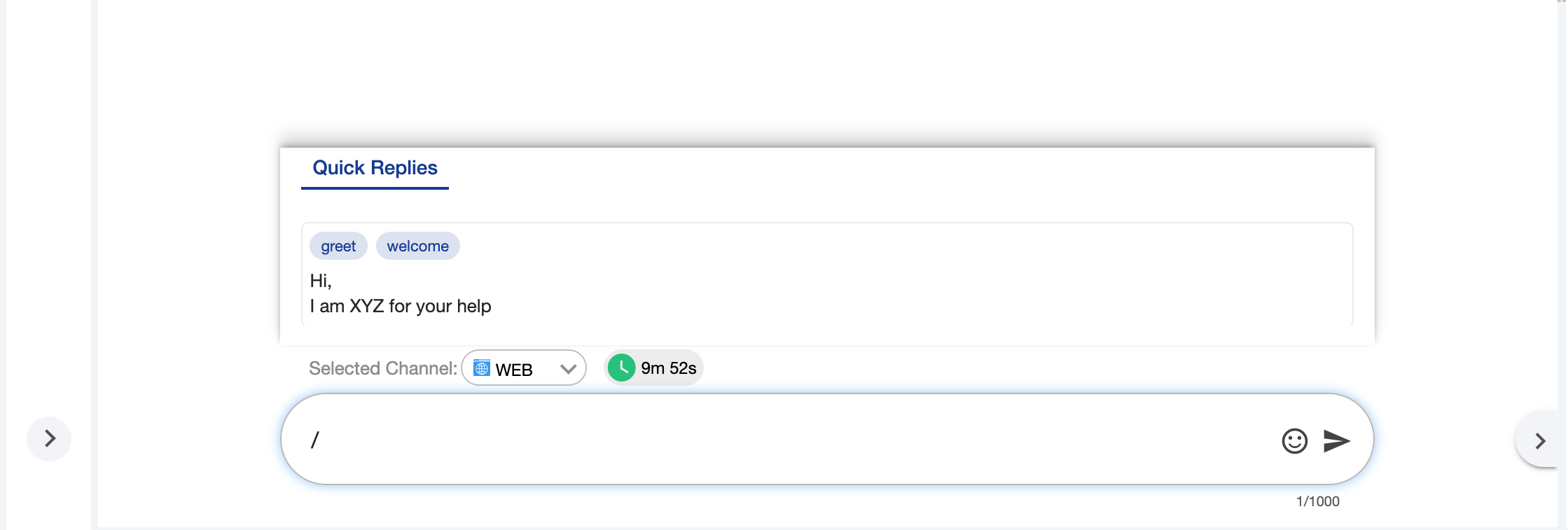
Open the message composer.
-
Type “/” to trigger the quick replies menu.
-
The top three quick replies appear by default.
Filtering Quick Replies
-
After typing “/”, continue typing a tag or keyword.
-
The list dynamically filters based on input.
Using a Quick Reply
Each quick reply provides two actions:
-
Send: Immediately sends the selected reply.
-
Edit: Inserts the reply into the composer for further modification before sending.
Benefits
-
Reduces repetitive manual effort
-
Speeds up response time
-
Improves workflow efficiency
-
Ensures consistent communication
Limitations
-
Supports plain text only
-
Quick replies are not shared between users