
When a user logs in to the VRS application, the current date is set as the default for filtering and fetching records. In VRS, the user can search/filter records by either using the advanced filters or the available time frame filters.
Timeframe Filters (In days/months)
The user can use the preset timeframe filters to filter the records based on the time window. The user can use these to filter the records for a minimum of the past 7 days and up to the past 90 days maximum. To search using the timeframe filters :
-
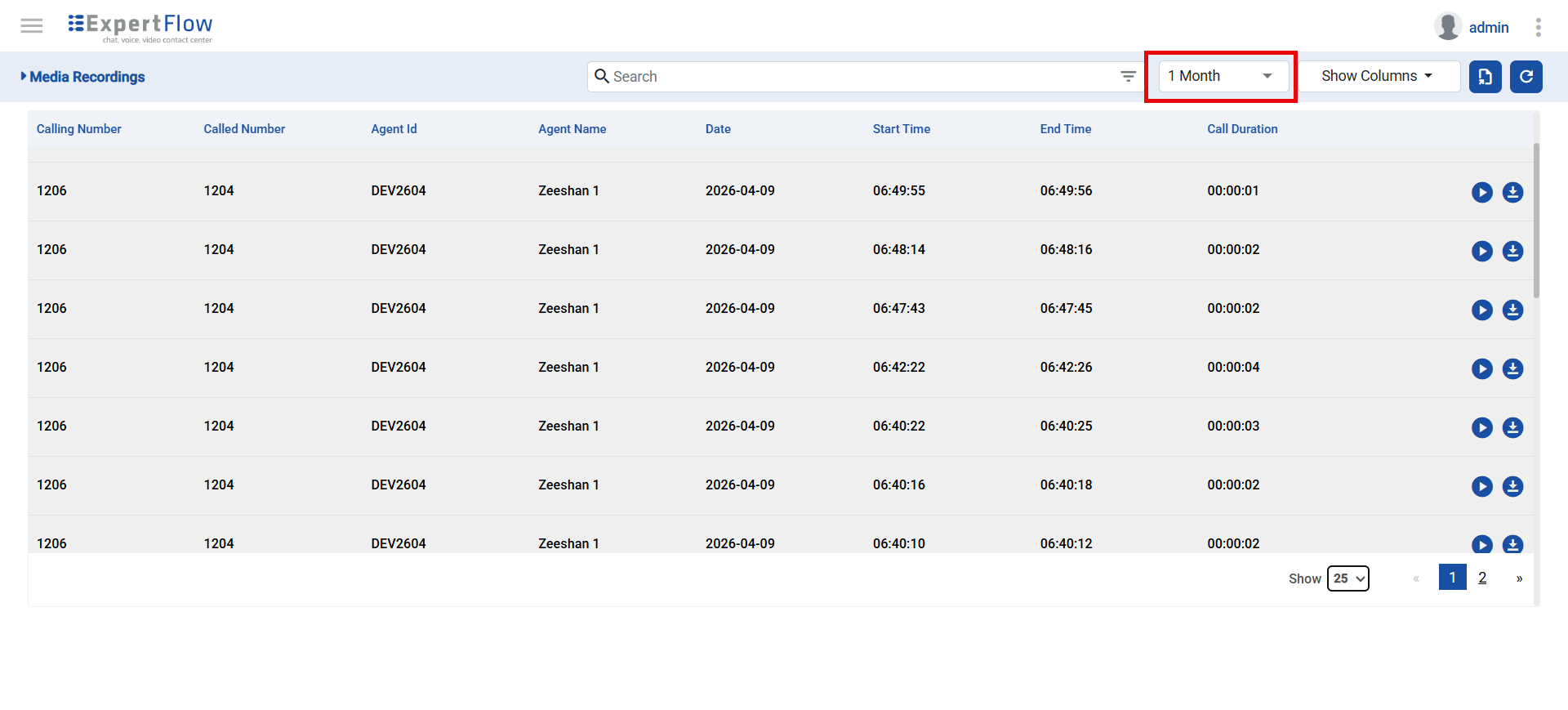
Navigate to the timeframe dropdown, available on the Media Recordings page.
-
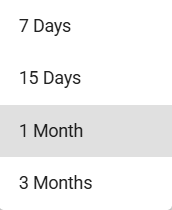
Upon clicking the dropdown, the user will see the available set of options for filtering records.
-
Upon selection, the records are updated automatically according to the selected option in the data table.
Advanced Filters
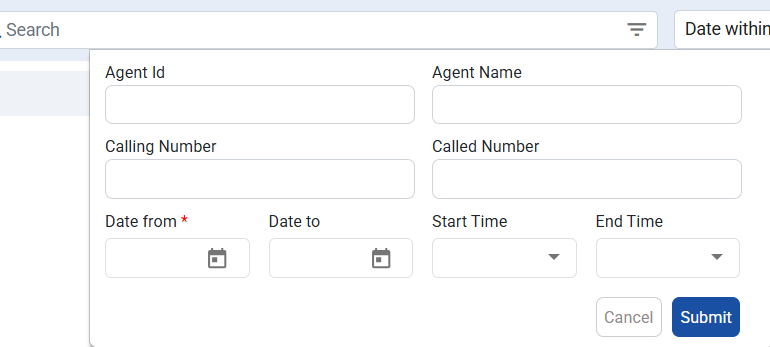
The user can use the advanced filters to do a targeted search and filter the records based on the active filter. The user has the following attributes available for filtering the records:
-
Date From (Start Date)- Mandatory
-
Date To (End Date)
-
Start Time
-
End Time
-
Calling Number
-
Called Number
-
Agent Name
-
Agent ID
To apply any of the filters, the user needs to:
-
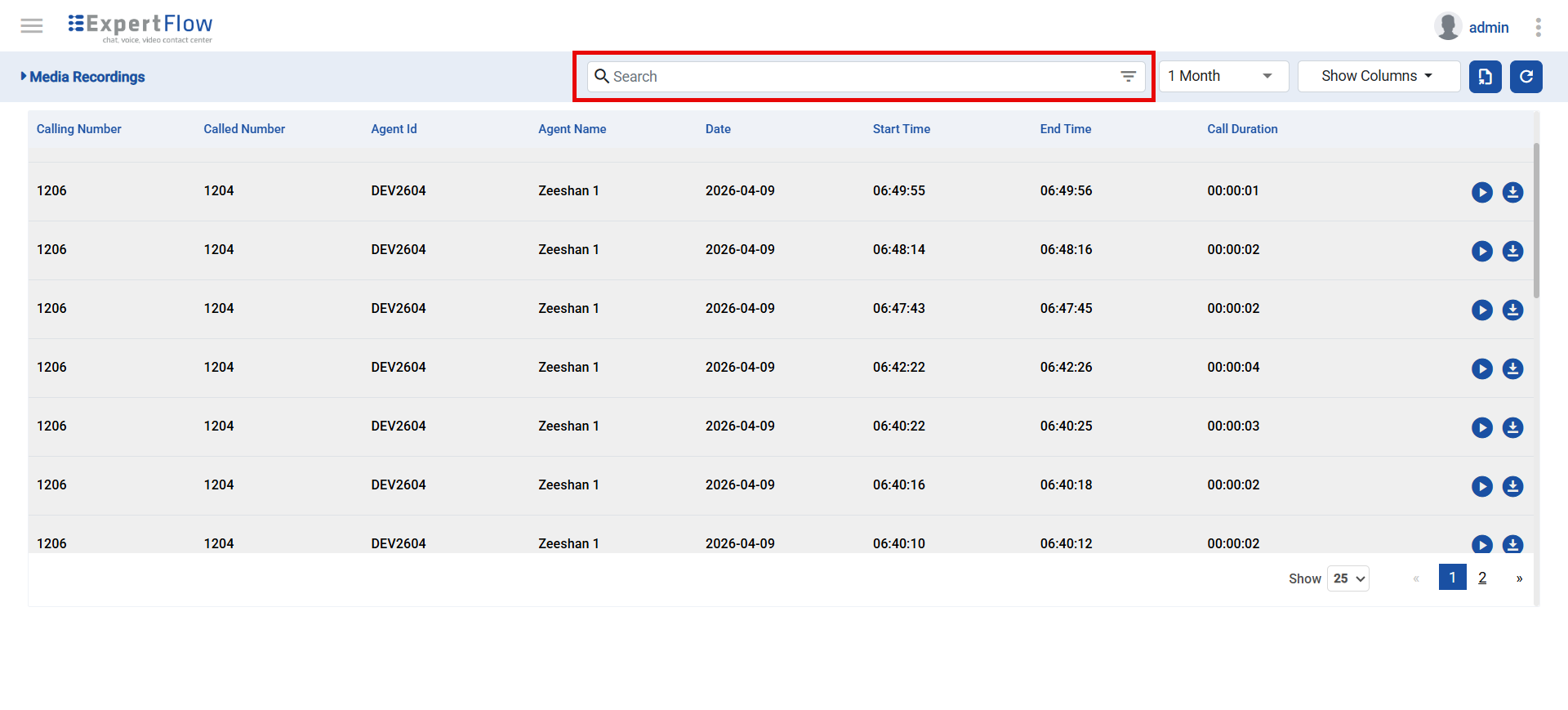
Navigate to the Search bar available on the Media Recordings page.
-
Upon clicking the bar, the user will be able to view the filter form.
-
The Data From field is mandatory and required.
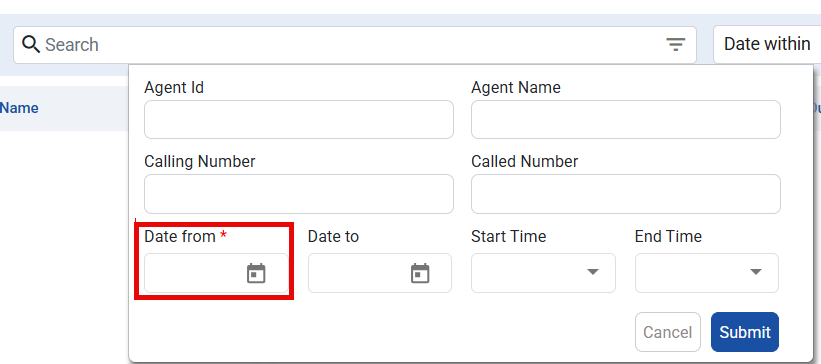
-
After adding the desired starting date, the user can update the value for any of the desired attributes.
-
After the desired fields are updated, click on the Submit button to activate the filters.
-
Upon clicking the Submit button, the records are filtered automatically
-
To reset the filters, click the Cancel button.
Only one set of filters is active at any given time, from the advanced or the timeframe filters. Applying one of them overrides the previously selected filters
Agent-Based Record Filtering For Cisco
The call records filtering based on user roles is added in the system, which allows admin users to provide restricted access to users with the agent role. To enable the agent-based filtering,
-
The user being created should be created with the same username as the AgentID on Cisco.
-
The user should have only the agent and default roles assigned.
-
Further user creation details can be checked here.