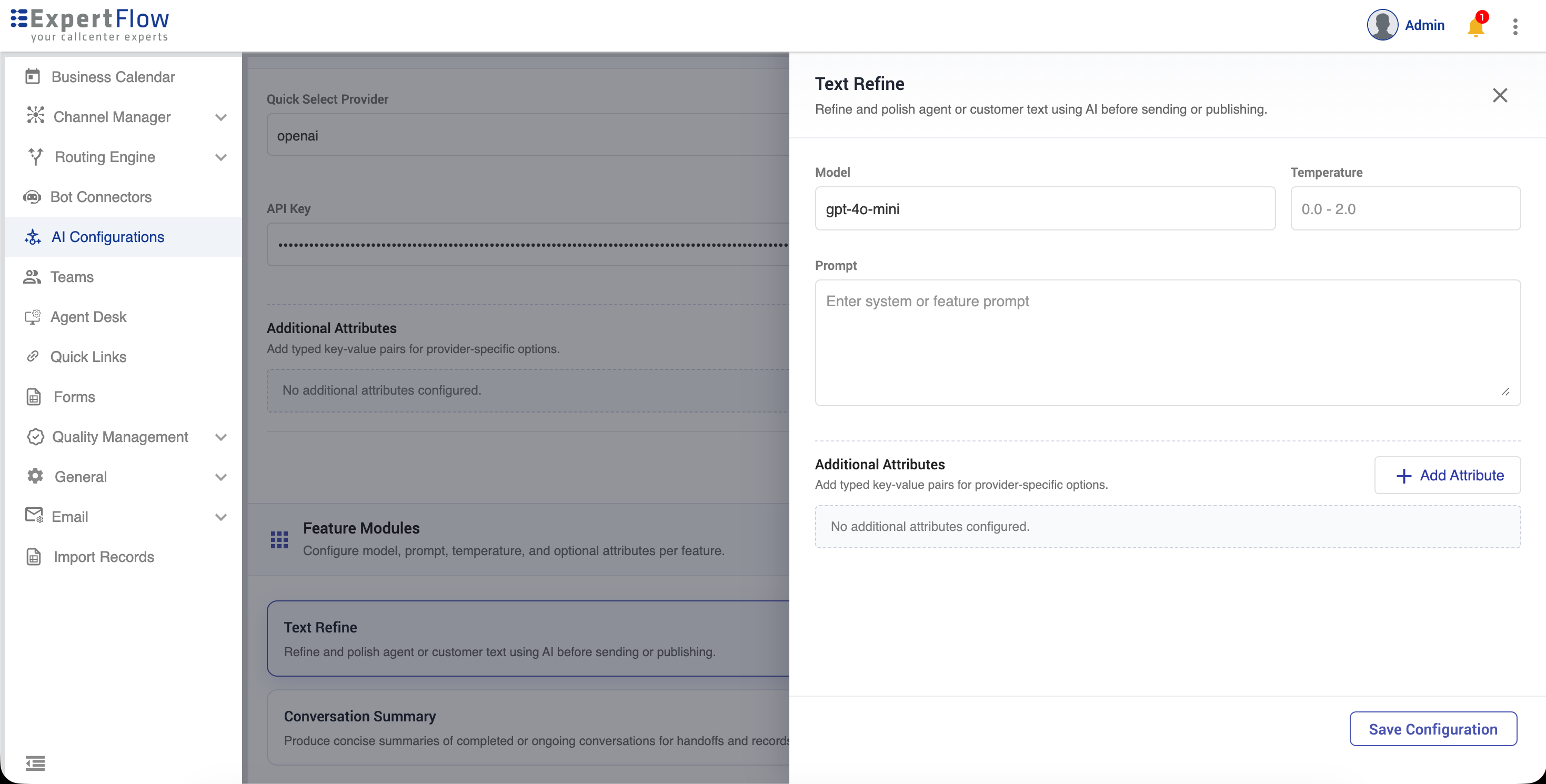
To set the AI provider for AI features, go to:
-
Unified-admin → AI Configurations.
-
Update the following fields
|
Field |
Description |
|---|---|
|
AI Provider |
Select the AI provider to use for the feature module (e.g., OpenAI, Azure OpenAI, or a custom/self-hosted provider). Each feature module can be linked to a different provider. |
|
API Key |
The secret authentication key issued by your AI provider. This is used to authorize all API requests made by the system. Keep this confidential and never share it publicly. |
|
Base URL |
The API endpoint URL of the AI provider or model server. For cloud providers (e.g., OpenAI), this is their published base URL. For self-hosted or on-premise models, this is the address of your model server (e.g., |
|
Additional Attributes |
Can create optional key-value pairs if required by the system. |
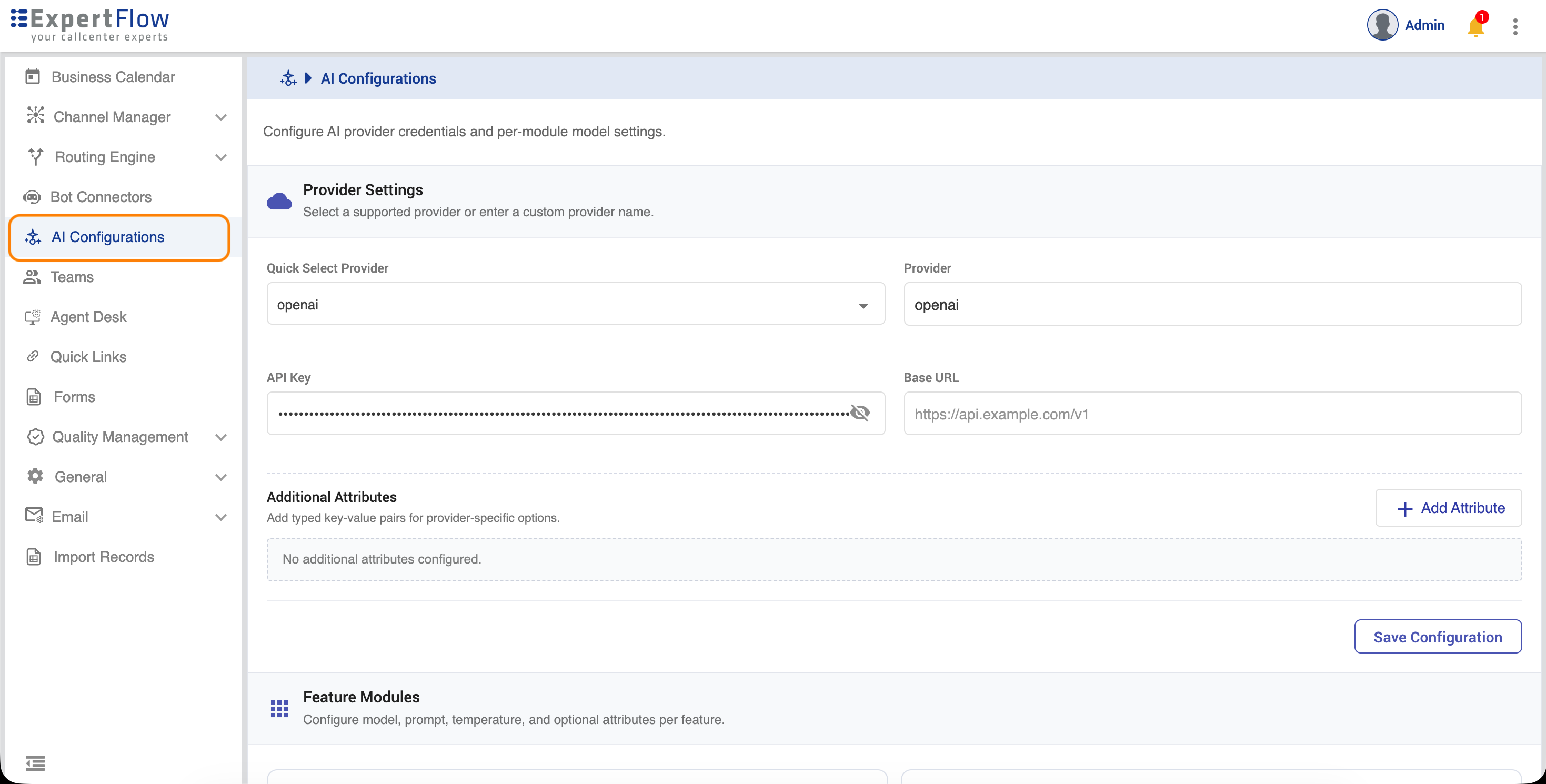
Once the provider information is given,
-
Click on Feature Module and configure Text Refine.
-
Update the following fields.
|
Field |
Description |
|---|---|
|
Model |
Select the AI model to use for this feature from the models available under the configured provider (e.g., |
|
Temperature |
Controls the randomness and creativity of the AI's output. Accepts a value between 0.0 and 1.0. Lower values (e.g., |
|
Prompt |
Additional guidelines for the model per feature |
|
Additional Guidelines |
Can create optional key-value pairs if required by the system. |