
Improves agent messages using AI before sending them to customers.
When an agent types a message in the reply box, they can click the refine button to receive an improved version.
How to enable: Refine Text with AI Configuration Guide
What it does:
-
Corrects spelling and grammar
-
Enhances sentence structure and readability
-
Adds punctuation and formatting
How to use it
-
Type your message in the reply input box.
-
Click the refine button next to the send button.
-
A Refined text popup appears above the input box, showing the improved version with corrections highlighted.
-
Review the suggestion, then choose one of the following:
-
Replace - accepts the refined text and replaces your original message.
-
Discard - dismisses the suggestion and keeps your original message.
-
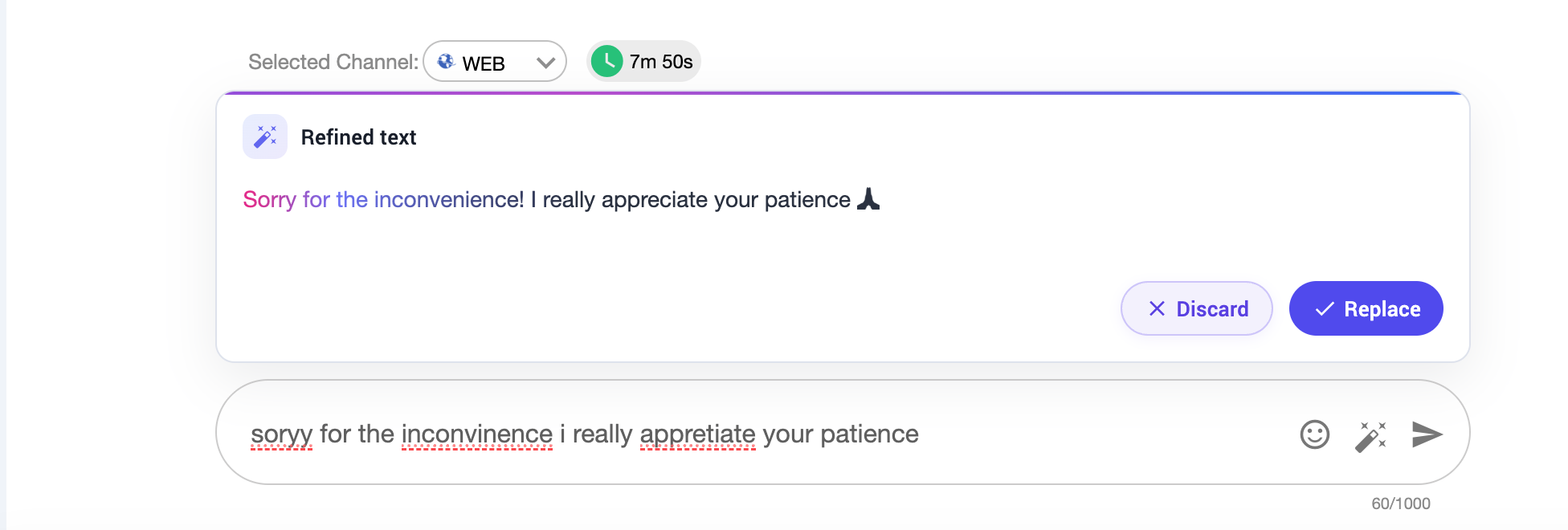
Language Support: English and Roman Urdu (based on the model integrated)
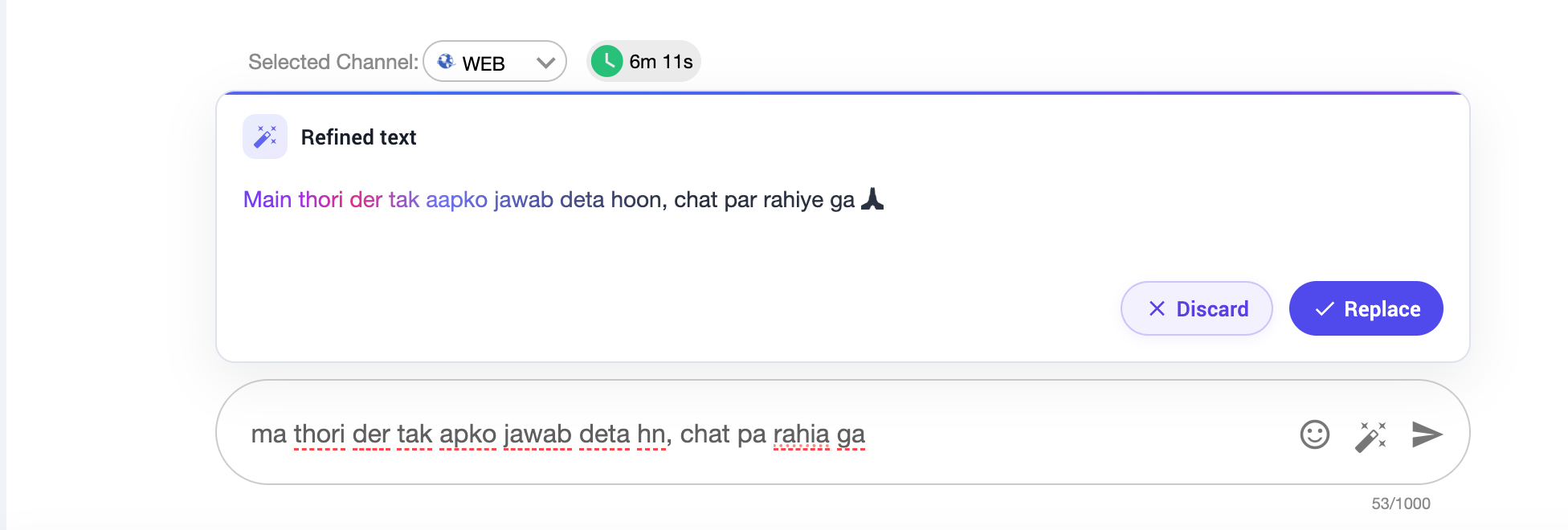
Value: Agents communicate more professionally without spending extra time editing. Since the agent always reviews the suggestion before sending, they retain full control while benefiting from AI-assisted quality.