
This guide explains how to configure the MS Exchange Email Connector for Microsoft 365/Exchange Online deployments. It covers Azure app registration, CCM channel setup, deployment variables, verification, and common troubleshooting points.
Audience: Platform administrators, DevOps engineers, and implementation teams configuring EMAIL channels in CCM for the MS Exchange Email Connector.
Overview
The connector supports two transport methods, depending on where the mailbox is hosted:
|
Deployment mode |
Transport |
Typical use case |
|---|---|---|
|
|
Microsoft Graph using OAuth app-only authentication |
Exchange Online / Microsoft 365 |
|
|
Exchange Web Services (EWS) using basic authentication |
On-premises Exchange Server |
Each EMAIL channel must explicitly set DEPLOYMENT-MODE to either ONLINE or OFFLINE.
Key mapping rule: The EMAIL channel serviceIdentifier must match the USERNAME value in the provider configuration. In practice, both should be the mailbox SMTP address.
Prerequisites
Required for all deployments
-
CX tenant and CCM are running.
-
An EMAIL channel type exists in CCM.
-
The MS Exchange Email Connector is deployed.
-
The connector can reach CCM and File Engine.
-
Deployment-level environment variables are configured:
CCM_URL,FILE_ENGINE_URL, andCX_TENANT_URL.
Additional requirements for ONLINE mode
-
A Microsoft 365 or Exchange Online mailbox exists for the channel.
-
You have access to Microsoft Entra ID to register an application.
-
You can grant admin consent, typically via Global Administrator or Privileged Role Administrator privileges.
-
The app registration is created in the same cloud as the mailbox tenant.
How the connector works
The connector reads channel-level configuration from CCM and then uses the transport that matches the configured mode.
CCM channel configuration → MS Exchange Email Connector → ONLINE via Microsoft Graph or OFFLINE via EWS
ONLINE
Uses Microsoft Graph with client credentials for Exchange Online mailboxes.
OFFLINE
Uses Exchange Web Services for on-premises Exchange environments.
Azure App Registration for ONLINE mode
Use these steps when configuring an Exchange Online or Microsoft 365 mailbox.
Create the app registration
-
Switch to the correct tenant and cloud.
-
Go to App registrations → New registration.
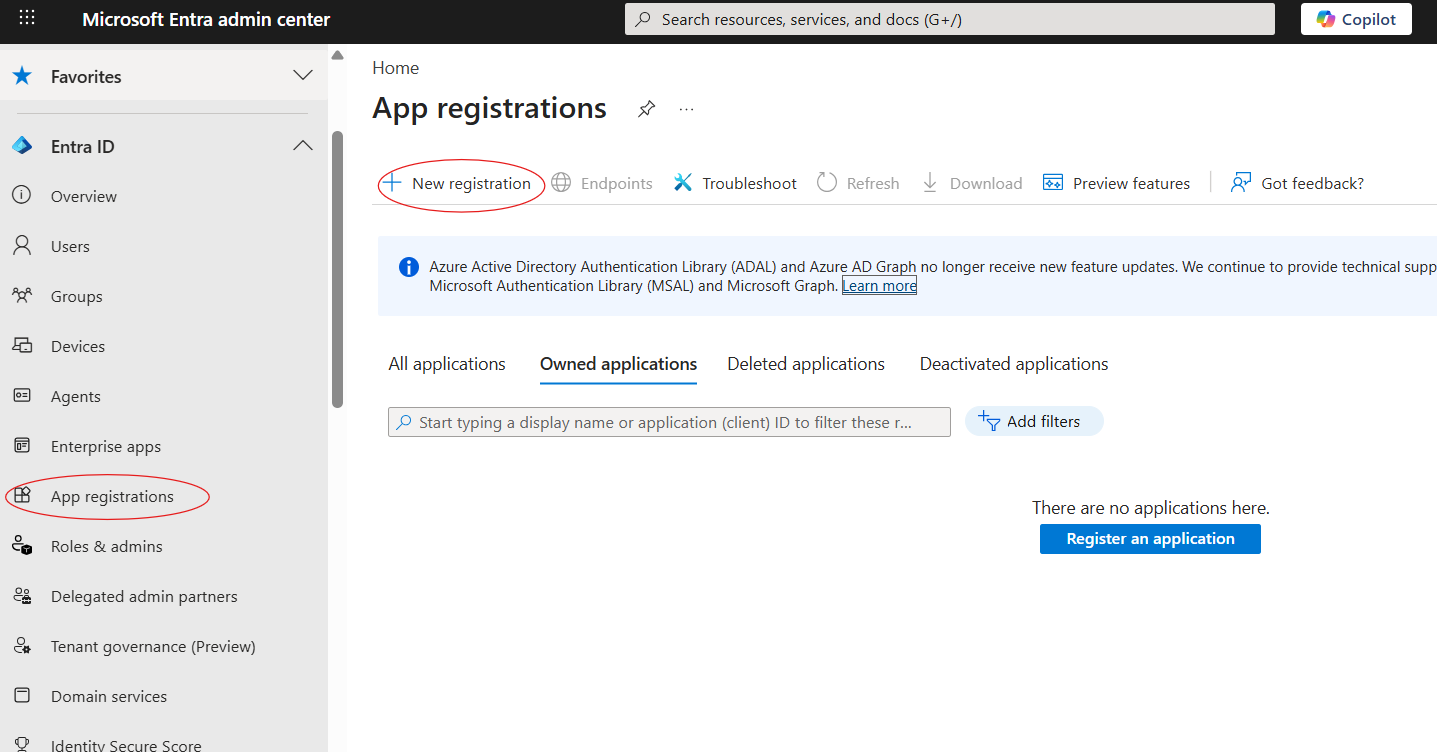
New Registration
|
Field |
Value |
|---|---|
|
Name |
|
|
Supported account types |
Accounts in this organizational directory only |
|
Redirect URI |
Leave blank for daemon/client-credentials flow |
Capture the IDs and secret
After registration, copy the following values from the app overview page and store them in CCM:
|
Azure value |
CCM key |
Purpose |
|---|---|---|
|
Application (client) ID |
|
Identifies the app registration |
|
Directory (tenant) ID |
|
Identifies the Entra tenant |
|
Client secret value |
|
Used for app authentication |
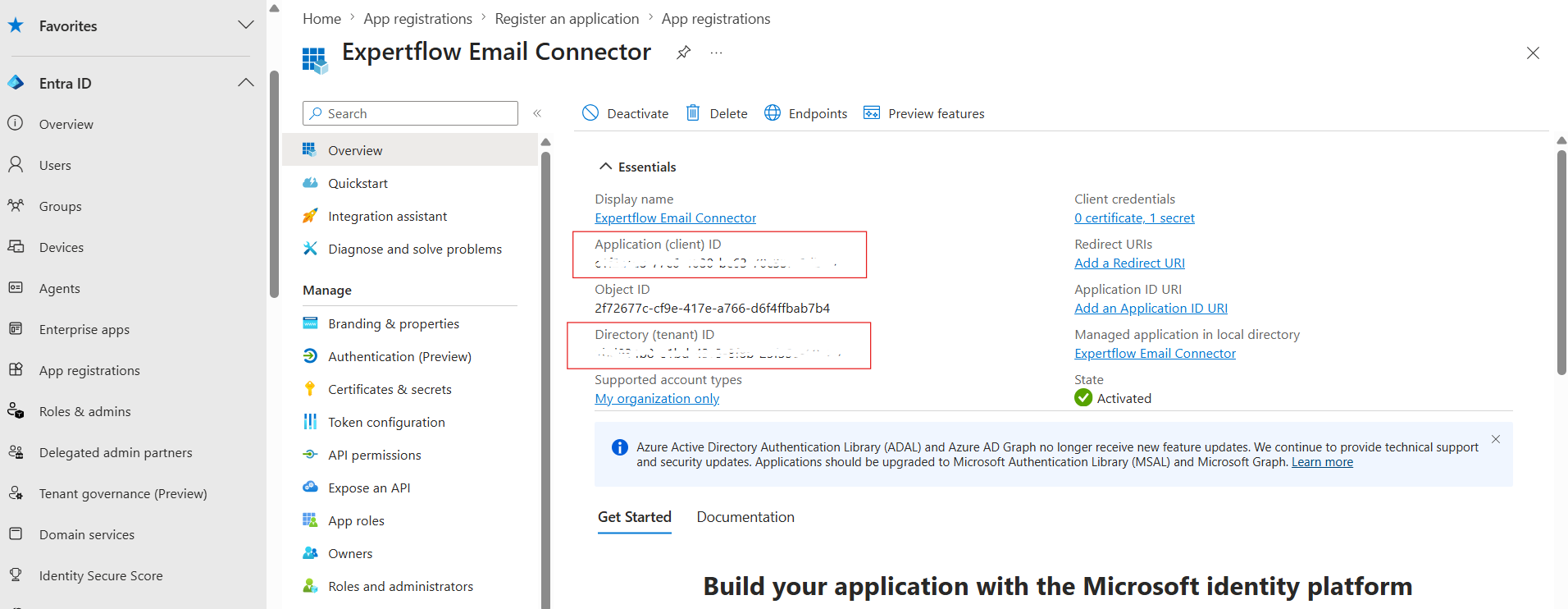
For GRAPH-CLIENT-SECRET, go to Certificates & secrets and add a new client secret
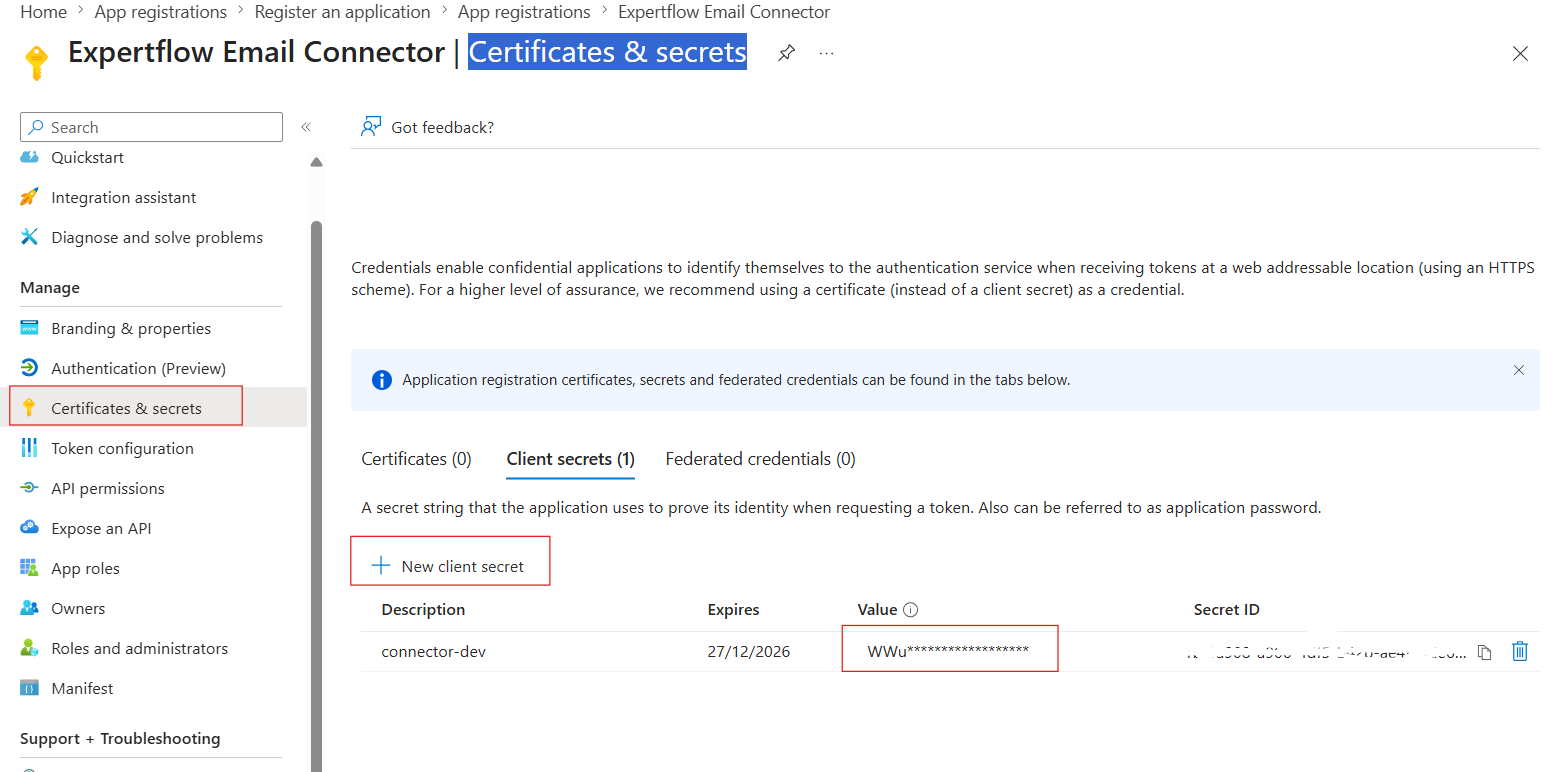
Security: The client secret is shown only once. Store it securely in CCM or a secrets manager. Do not commit it to source control.
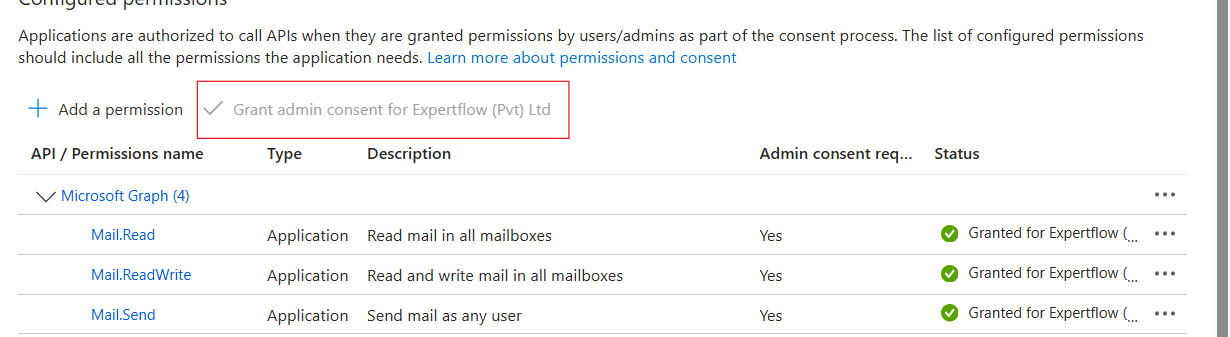
Grant Microsoft Graph permissions
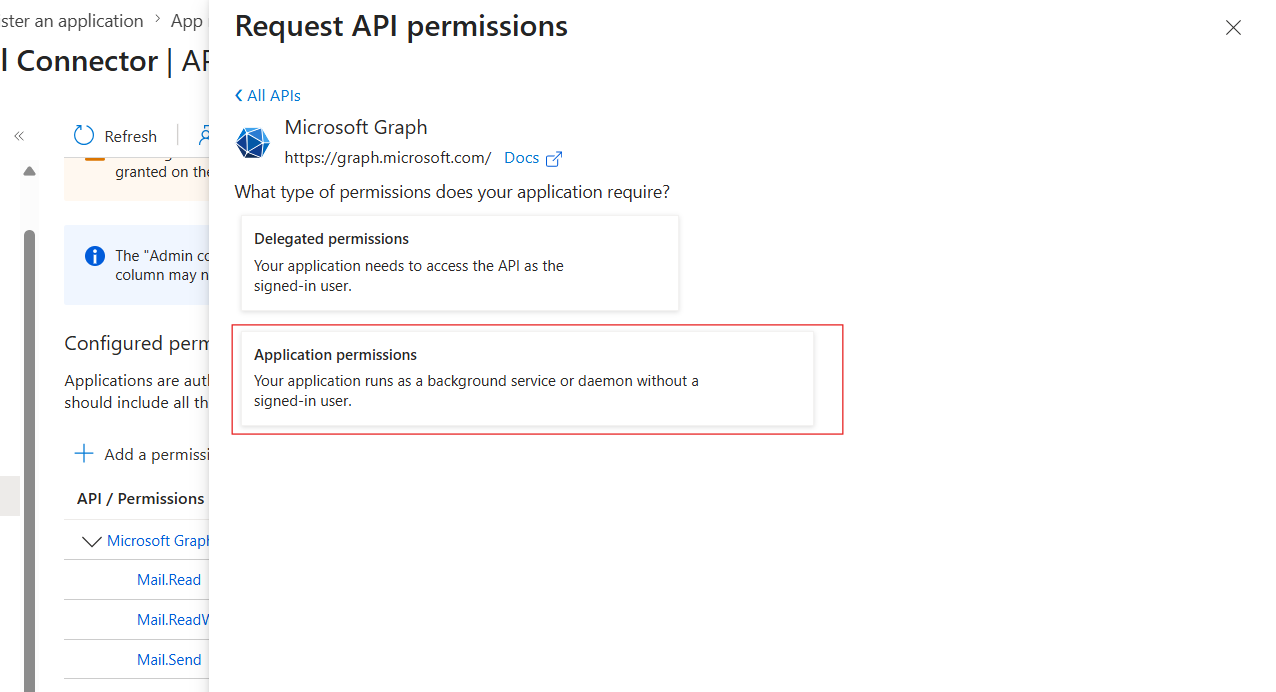
Add Application permissions for Microsoft Graph, not Delegated permissions.
|
Permission |
Why is it needed |
|---|---|
|
|
Reads inbound email from the mailbox inbox |
|
|
Sends outbound email |
|
|
Creates reply drafts for threaded replies using |
After adding permissions, grant admin consent for the tenant. All permissions should show as granted.
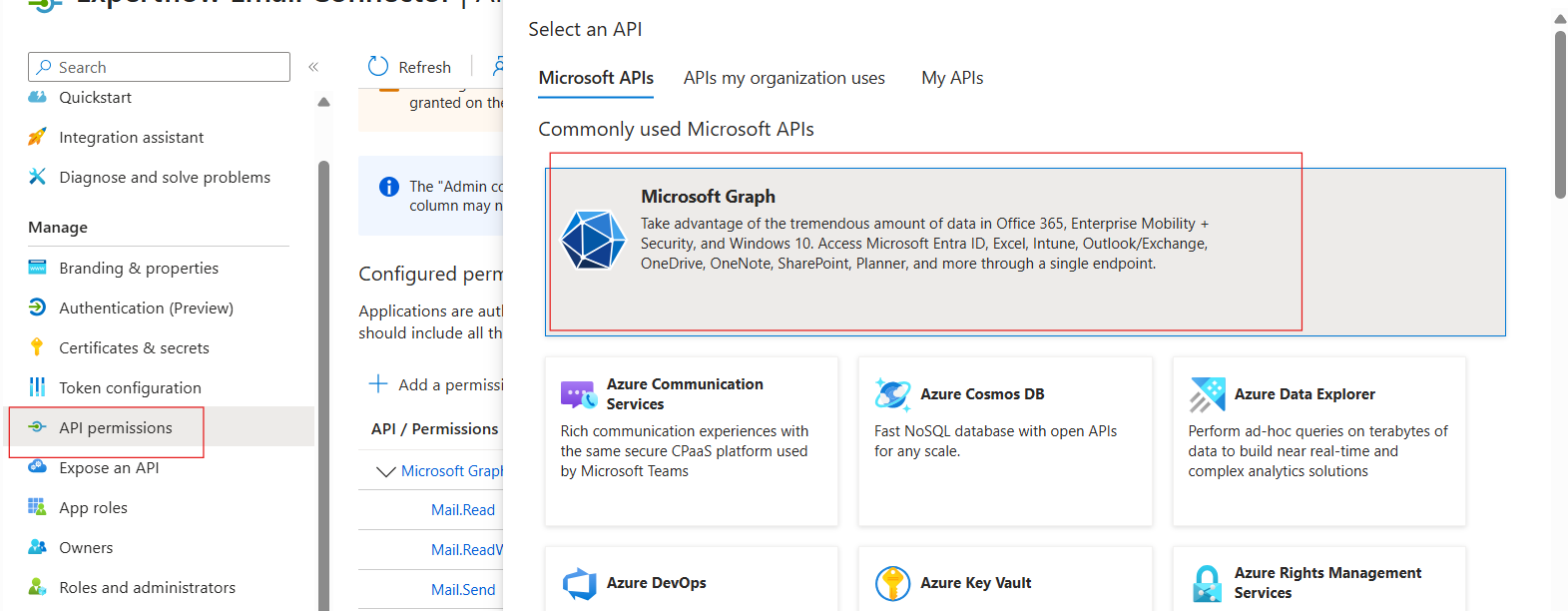
Recommended: Restrict the app to only approved mailboxes by applying an Exchange Application Access Policy.
National and sovereign cloud scope values
If the mailbox is hosted outside the commercial Microsoft cloud, set GRAPH-SCOPE to the matching environment.
|
Cloud |
|
|---|---|
|
Commercial |
|
|
US Government |
|
|
Germany |
|
|
China |
|
CCM channel configuration
Create or edit an EMAIL channel in Unified Admin, set the mailbox SMTP address as the service identifier, attach the MS Exchange Email Connector, and fill in the provider configuration attributes.
For this user needs to create following attributes in channel provider and configure the values while creating channel connector.
|
CCM key |
Required |
Description |
Example |
|---|---|---|---|
|
|
Yes |
Sets the channel to Graph mode |
|
|
|
Yes |
Mailbox SMTP address; must equal service identifier |
|
|
|
Yes |
Used for outbound Message-ID generation |
|
|
|
Yes |
Entra tenant ID |
|
|
|
Yes |
Application client ID |
|
|
|
Yes |
Client secret value |
|
|
|
Yes |
Optional Graph scope or national cloud value |
|
If CCM schema still shows PASSWORD or EXCHANGE-URI as required for this mode, leave them empty unless CCM enforces a placeholder. The connector itself does not use them in ONLINE mode.
Example configurations
Deployment variables and validation
The following values are configured at deployment time in Helm, Kubernetes, or Docker. They are not CCM channel attributes.
|
Variable |
Description |
|---|---|
|
|
CCM service base URL |
|
|
File Engine base URL |
|
|
CX Tenant service URL |
|
|
Polling interval, default |
Common issues and fixes
|
Symptom |
Likely cause |
Recommended action |
|---|---|---|
|
|
No EMAIL channel exists in CCM for that CX tenant |
Create or attach the EMAIL channel in CCM |
|
|
Required keys are missing for the selected mode |
Complete the channel provider configuration |
|
|
|
Set both to the same mailbox address |
|
Graph 401 or 403 errors |
Missing Graph permissions or admin consent |
Verify permissions and re-grant admin consent |
|
Graph |
|
Add the permission and grant consent again |
|
Cross-cloud authentication failure |
App registered in the wrong Microsoft cloud |
Register the app in the matching cloud and set |