Refine Text
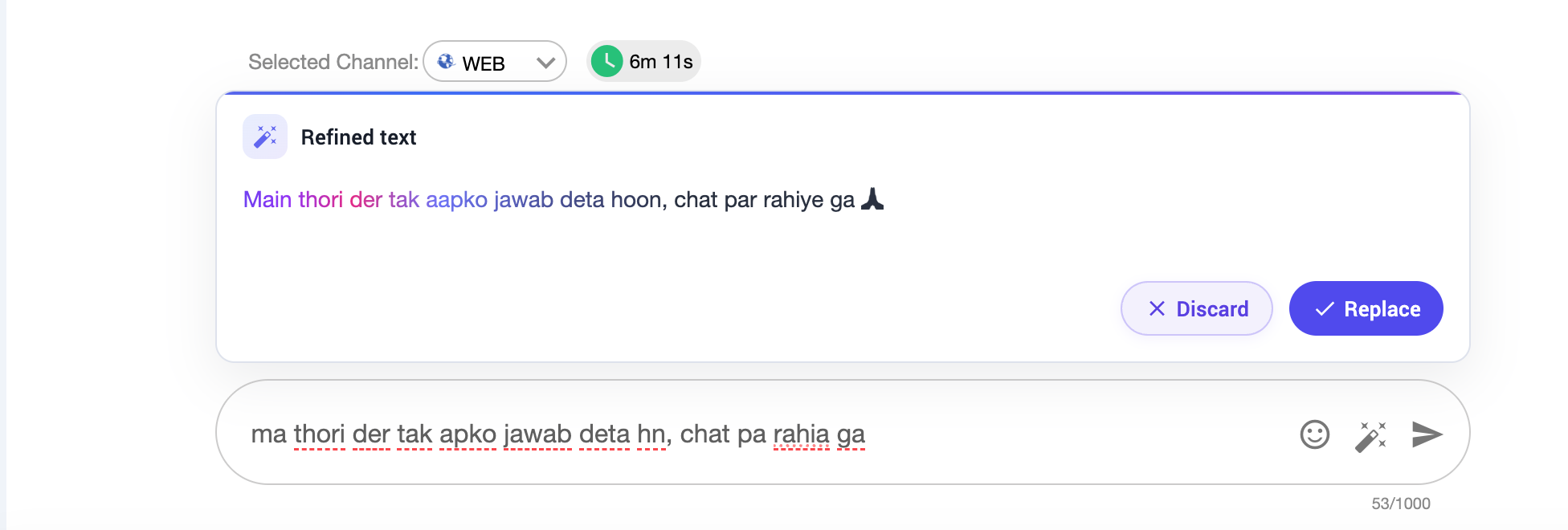
The Refine Text feature uses AI to improve agent messages before sending them to customers. When an agent types a message in the reply box, they can click the refine button to receive an improved version.
Prerequisites
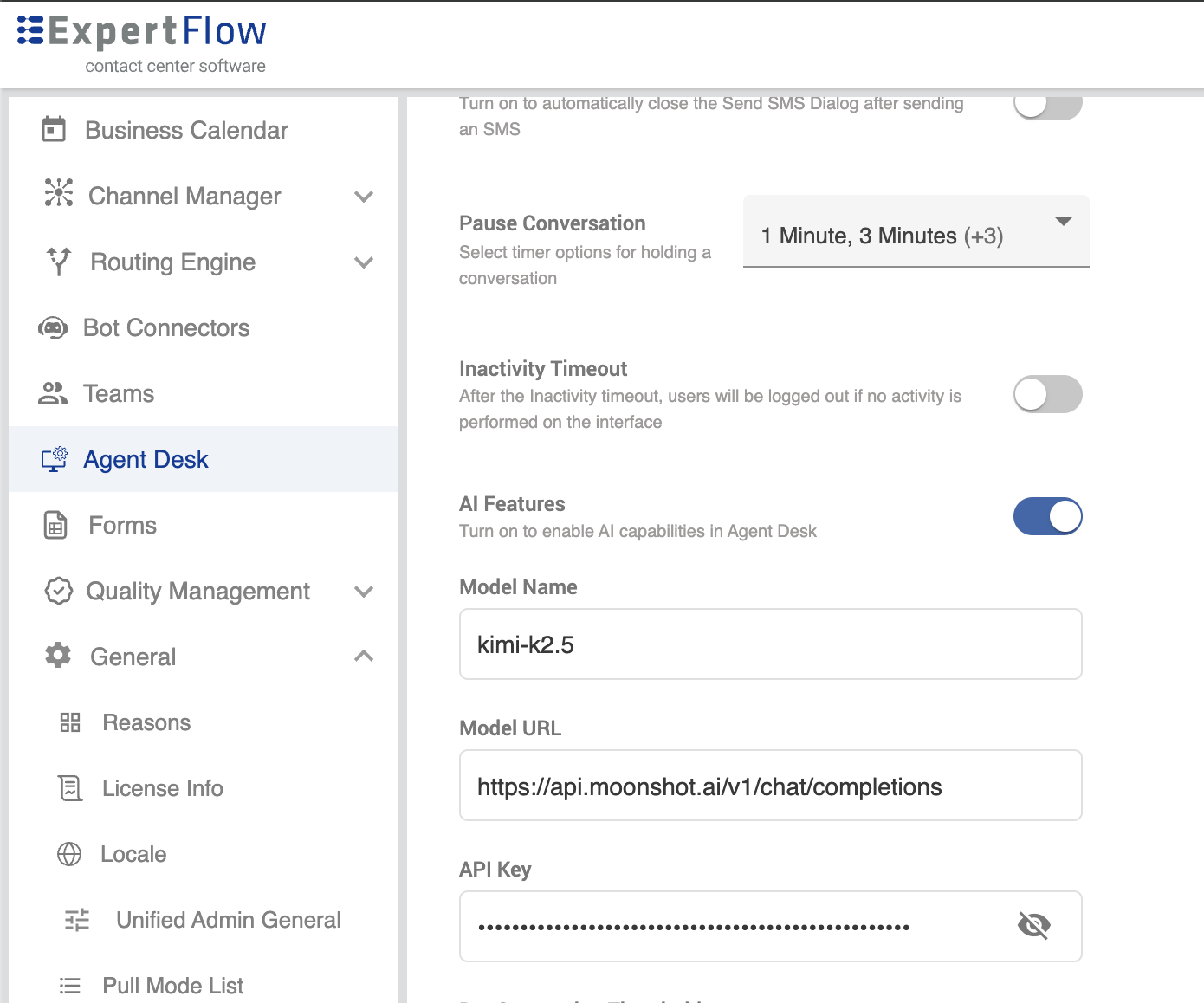
The Refine Text feature requires AI Features to be enabled by an administrator:
-
Go to Unified Admin → Agent Desk.
-
Under AI Features, turn the toggle On.
-
Configure these fields:
-
Model Name — the AI model's name (e.g.,
kimi-k2.5). -
Model URL — the API endpoint (e.g.,
<https://api.moonshot.ai/v1/chat/completions).> -
API Key — the authentication key.
-
Once enabled, the refine button appears in the agent's reply input box during active conversations.
What it does
-
Corrects spelling and grammar
-
Enhances sentence structure and readability
-
Adds punctuation and formatting
How to use it
-
Type your message in the reply input box.
-
Click the refine button next to the send button.
-
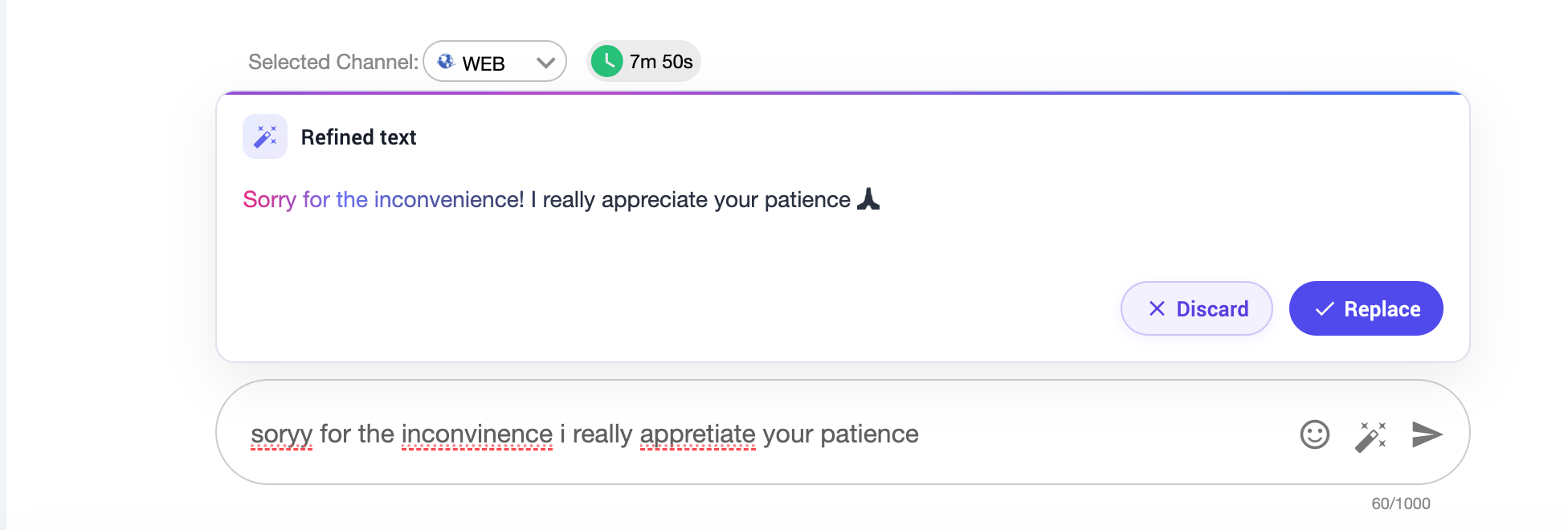
A Refined text popup appears above the input box, showing the improved version with corrections highlighted.
-
Review the suggestion, then choose one of the following:
-
Replace — accepts the refined text and replaces your original message.
-
Discard — dismisses the suggestion and keeps your original message.
-
-
Supports multiple languages, including English and Roman Urdu based on the model integrated