
A wrap-up is a concluding note added to the conversation that helps the business to know what the conversation was about. Expertflow CX agents can provide wrap-ups to conversations that they handle, during or after the conversation.
Add Wrap-up
Agents can Apply wrap-ups to a conversation by clicking the notes icon 
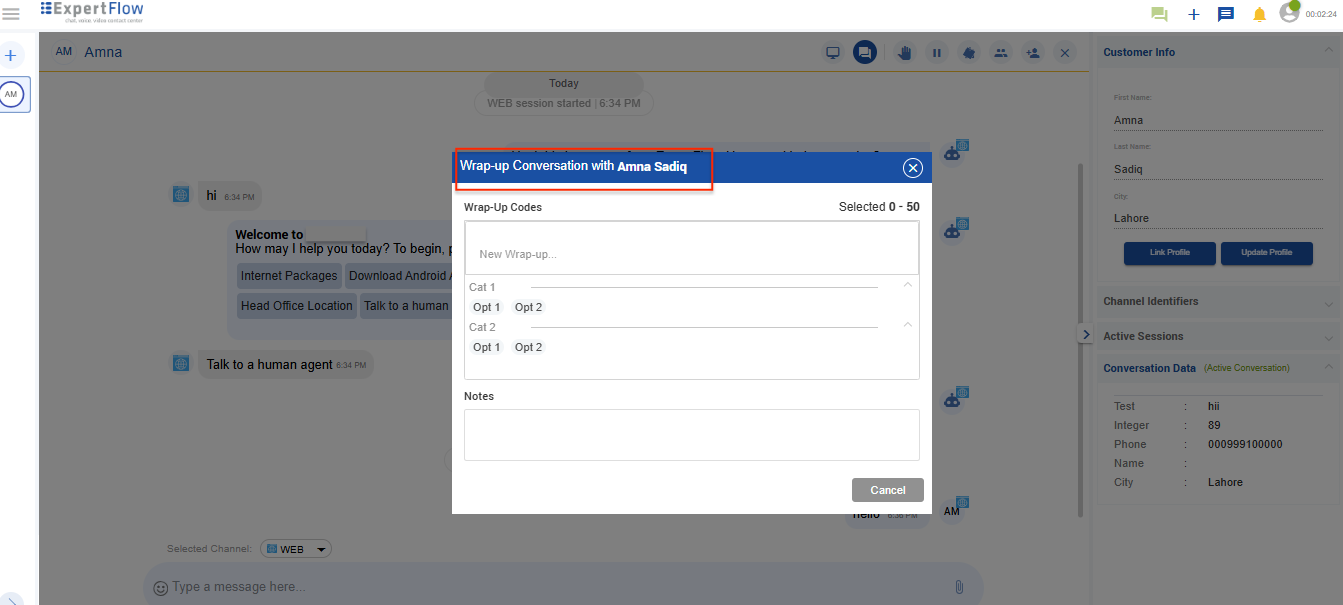
The agent can add a maximum of five wrap-ups in a single Wrap-up activity. However, more wrap-ups can also be added with additional wrap-up activities.
When agent leaves the conversation, the wrap-up window displays any previously selected wrap-up codes, even when the agent chooses “Leave Without Wrap-up”.
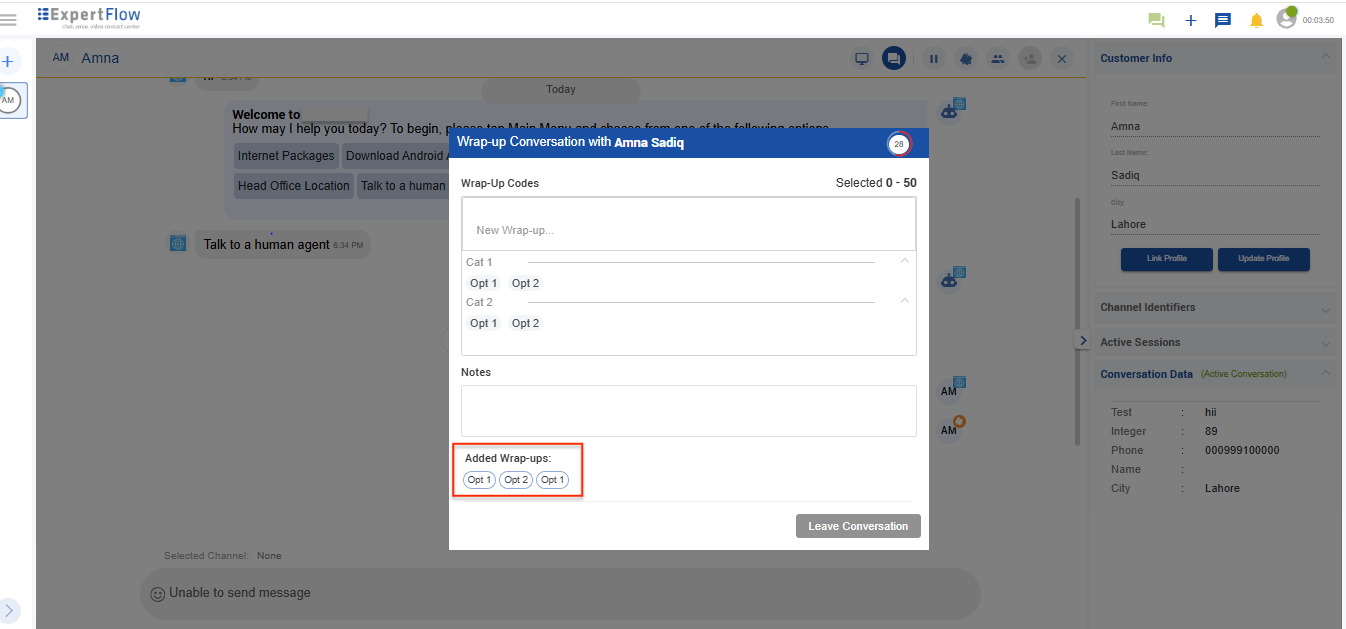
Specify Wrap-up code(s)
In case of voice, agents can perform after-call work within a limited wrap-up duration before getting ready to receive the next call.
Add Notes
After applying wrap-ups, agents add notes to summarise what the conversation was all about. The wrap-up and notes in the conversation are available as independent activities in the Conversation view.
Notes can also be added independently at any time.
Wrap-up Timer
A wrap-up feature is already there in the application but it is not time-framed
CX now introduces a wrap-up timer as an important metric to measure the agent’s productivity. This feature limits the agent to wrap up the conversation within the configured time. The system shows a timer to the agent to wrap up the current conversation within the configured time.
-
The wrap up time is configurable and can set the configurations. By default, it is set to 60 seconds.
-
The admins can define Wrap-up reasons as defined in the unified admin
Workflow
A wrap-up window pops up whenever a conversation is closed from either side. The wrap-up timer can be seen on the right-hand side. Pre-defined wrap-up reasons are displayed here. The agent can choose any suitable reason for the conversation and add some notes.
A success message is shown as soon as the agent enters the wrap-up.
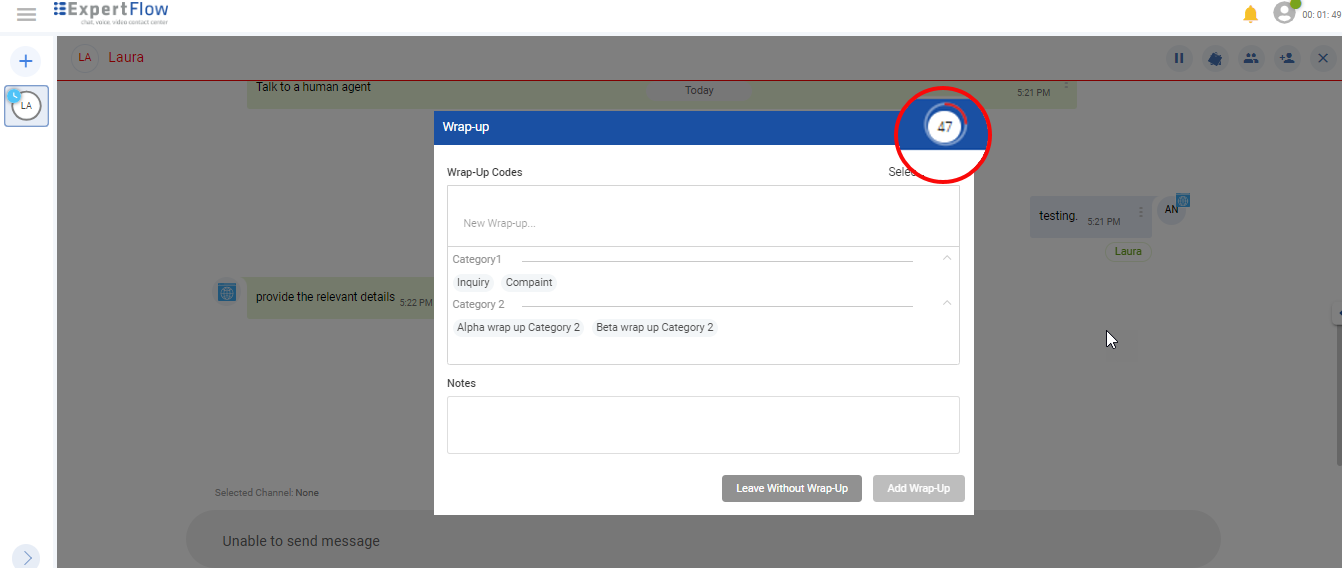
If the agent leaves without adding the wrap-up, the timer will disappear/expire, the conversation will be automatically closed without any Wrap-up reasons as it is still optional.
How to configure Wrap-up Timer
To trigger the wrap-up workflow automatically at the end of a session, change IS_WRAP_UP_ENABLED to true (if not false) in configMaps/ef-common-environment.yaml file. Also, to change the wrap-up expiry time (by default 60s) change the WRAPUP_TIME variable in configMaps/ef-common-environment.yaml file. To apply the changes, restart the conversation manager and agent manager pods.
When enabled, agents will automatically see the wrap-up dialogue opened when :
-
all channel sessions are closed and the customer has left
-
the agent has left
-
When the agent leaves a conversation, the assigned task state changes to Wrap-up.
-
When all channel sessions are closed, the conversation state will also be changed to Wrap-up.
The task and the conversation state go to Wrap-up only if the Wrap-up time is enabled in settings.