
As an agent, you can choose to set up your default home page after getting logged in.
For the first time, while logging in, all agents will see a default home page set by the system but they can modify this setting later on from the preferred settings corner on the top right.
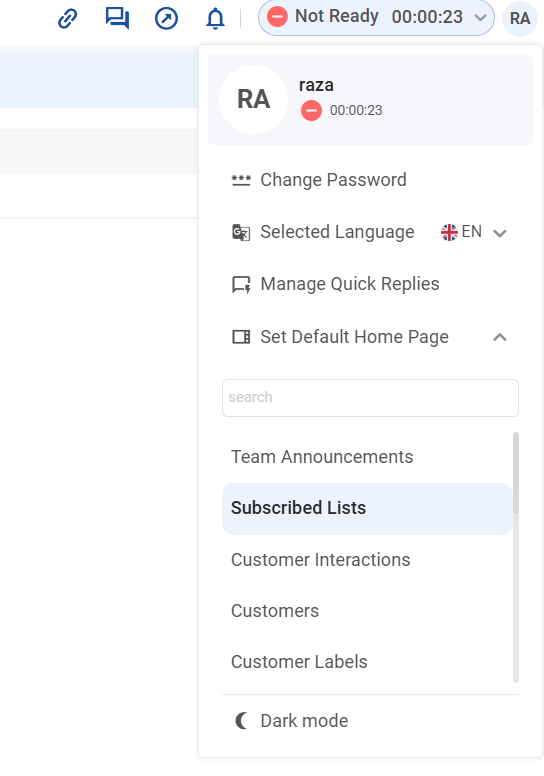
Clicking “Set Default Home Page” will open a menu from which you can select one of the pages as your preferred home page. If you are an agent, you will only see a list of the pages on which you have access. However, when logging in as a supervisor, you will see all permissible pages as allowed by the role.
Assumptions
-
All preferences are persisted per user and automatically applied on subsequent logins.
-
If no active conversation exists → the user is redirected to the selected default home page.
-
If an active conversation exists → the user is redirected to the conversation view.
-
If no default home page is set → the user is redirected to the Summary Dashboard (fallback).