
The CX Agent Performance Dashboard serves as a vital tool, offering key metrics that reflect an individual’s productivity for a day.
By consolidating information on conversation handling times, Resolution times, and total Ready/Not ready times, this dashboard empowers supervisors and agents alike to identify areas of strength, pinpoint opportunities for improvement, and foster a data-driven culture aimed at continuous enhancement of service delivery.
Key matrices
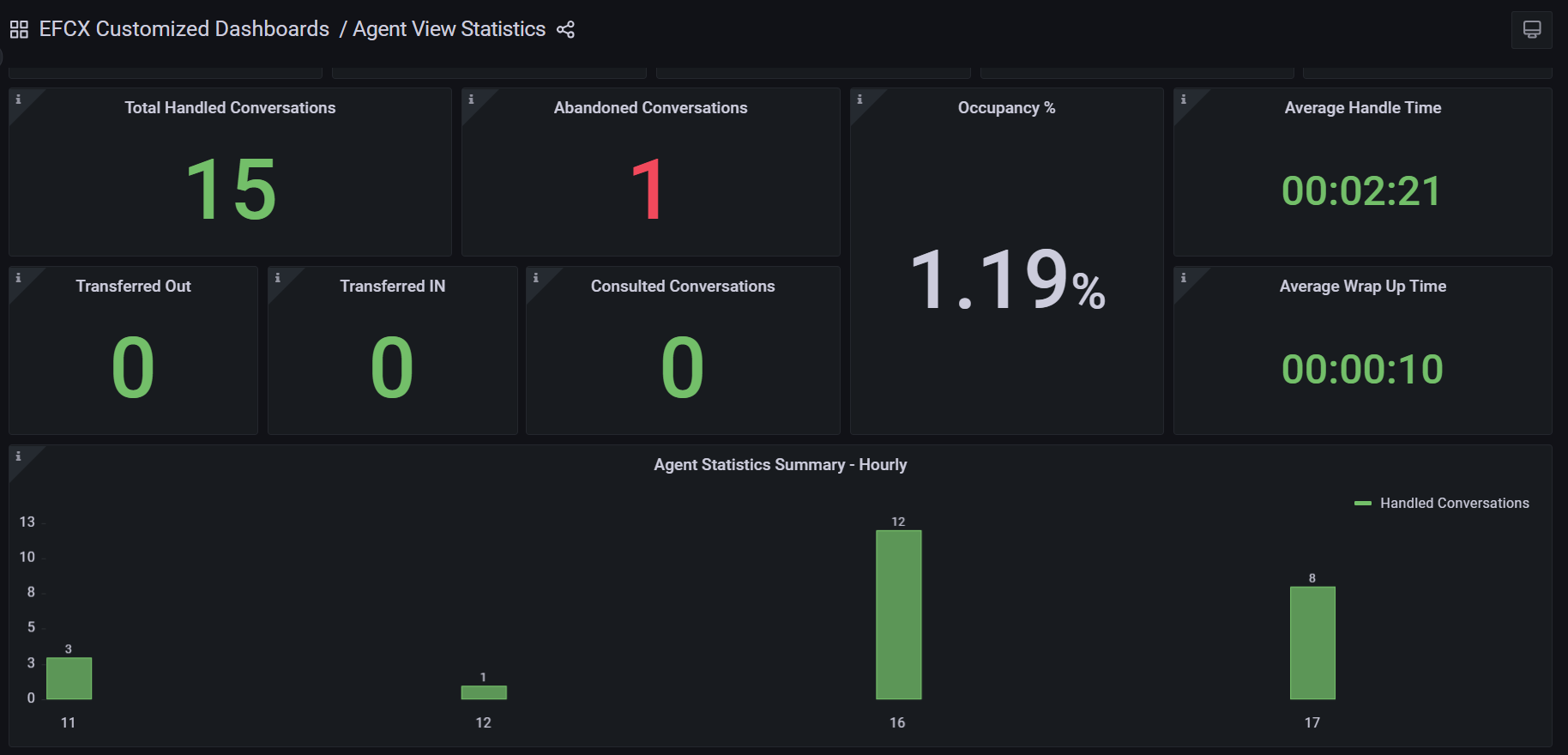
The following key matrices are available to be monitored.
-
The data in the dashboard is all historical and is updated only as per the historical interval, for today.
-
There’s no segregation of data available based on queues/ MRDs at the moment.
|
Fields |
Description |
|---|---|
|
Total Handle Time |
This is the total handle time for all conversations that the agent has handled today. |
|
Total Talk Time |
This is the total time the agent remained active on conversations while talking to customers. |
|
Call Hold Time |
This is the total time the agent has put calls on hold. This is different from the conversation hold time, which is currently not available on the dashboard. |
|
Ready Time |
This is the total ready time of the agent for today. Note that this time is only updated once a state change event has occurred; i.e. when the agent changes his state from Ready to Not Ready, only then is this time updated. |
|
Not Ready Time |
This is the total Not Ready time of the agent for today. Note that this time is only updated once a state change event has occurred; i.e. when the agent changes his state from Not Ready to Ready, only then is this time updated. |
|
Total Handled Conversations |
This is the total number of handled conversations that the agent has handled today |
|
Abandoned Conversations |
This is the total number of conversations that got abandoned before the agent accepted or answered them. |
|
Transferred OUT |
This is the total number of conversations that were transferred by the agent to another agent or queue. |
|
Transferred IN |
This is the total number of conversations that were transferred to the agent by another agent or queue. |
|
Consulted Conversations |
This is the total number of conversations where the agent has provided consultancy to other colleagues/agents. |
|
Occupancy % |
This is the percentage of the time the agent remained logged in and available to handle customer interactions. |
|
Average Handle Time |
This is the average time the agent has spent while handling conversations |
|
Average Wrapup Time |
This is the average time the agent has spent while wrapping up active conversations |
-
The Ready/Not Ready times are updated only when the state change event has occurred.
-
In the case of a Consultation, when Agent A requests consultancy from Agent B, the conversation is considered handled by Agent A and Consulted by Agent B.
-
In case of Transfer, when Agent A transfers a conversation to Agent B, the conversation is counted as both Handled and Transferred OUT for Agent A while Transferred IN for Agent B.
-
In case of Conference, when Agent A adds Agent B to an ongoing customer conversation, the conversation is counted as Handled for both Agent A and Agent B.
-
The data in the dashboard is updated as per the set historical interval. The default interval specified in the configurations is of 5 minutes. You can change the settings in the cx-reporting-scheduler-custom-values.yaml file.