
This document covers deleting all dashboards, datasets, charts, and database connections from the Apache Superset 2.0 Instance.
-
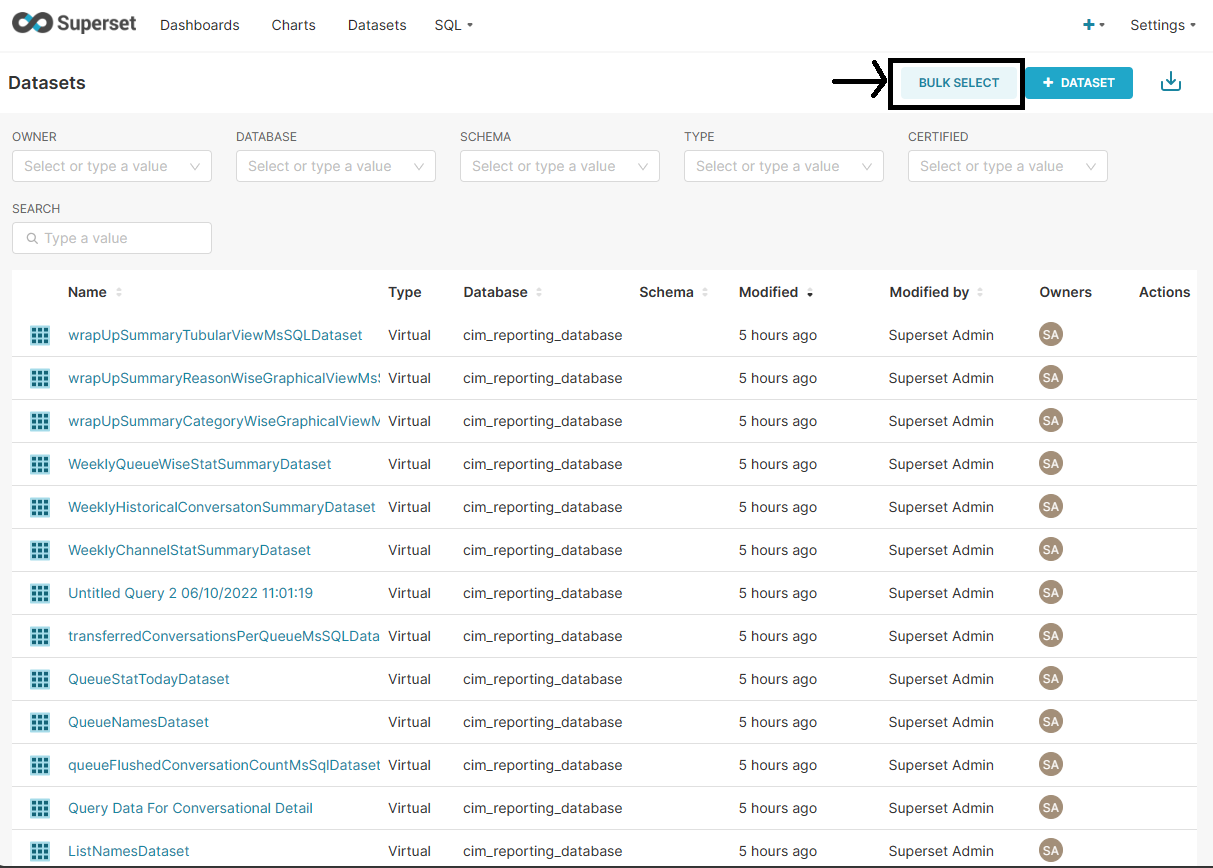
To delete the previous report to import the new one. On the Dashboard click on "Bulk Select"
-
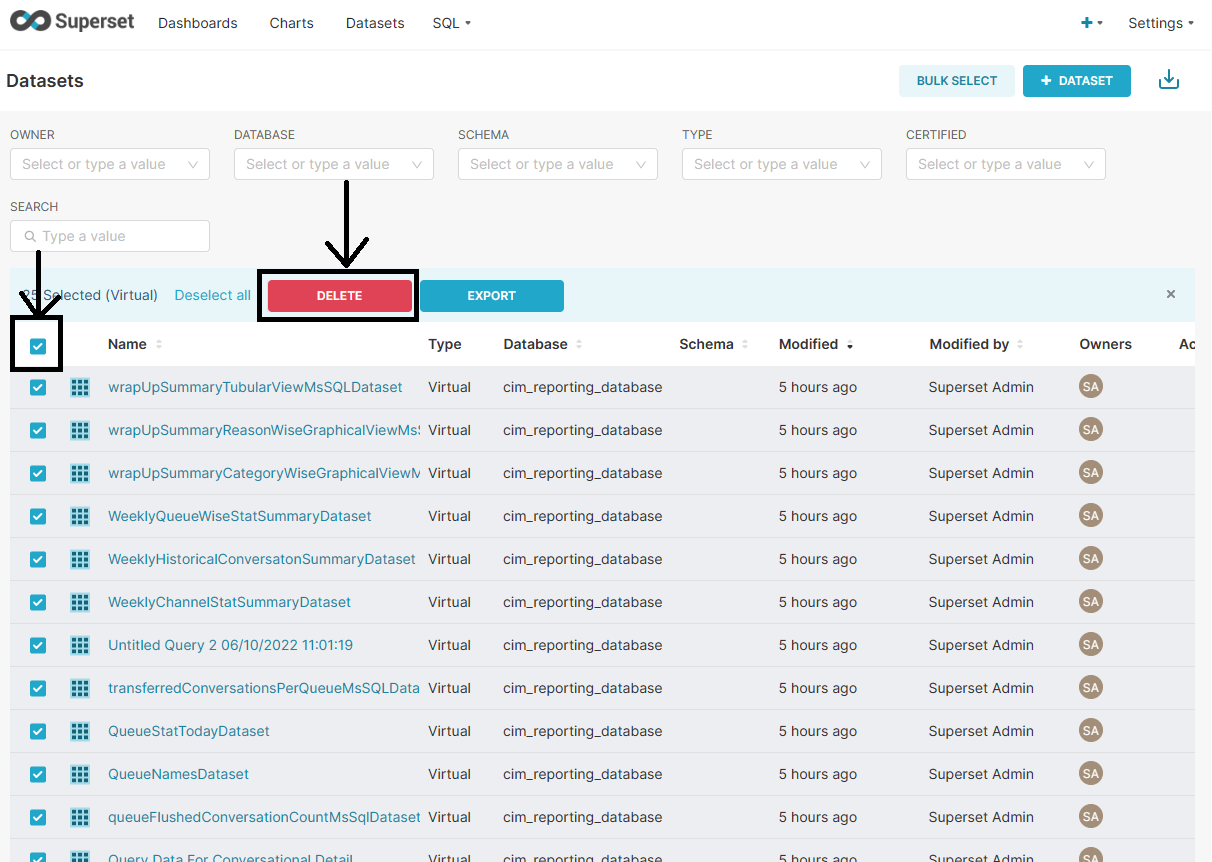
Select all by clicking the selection box near the name and then click on DELETE.
-
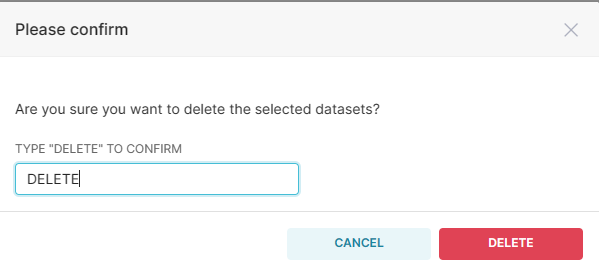
Now write DELETE in the delete box then click on DELETE. It will delete Dashboards make sure to delete all the dashboards.
-
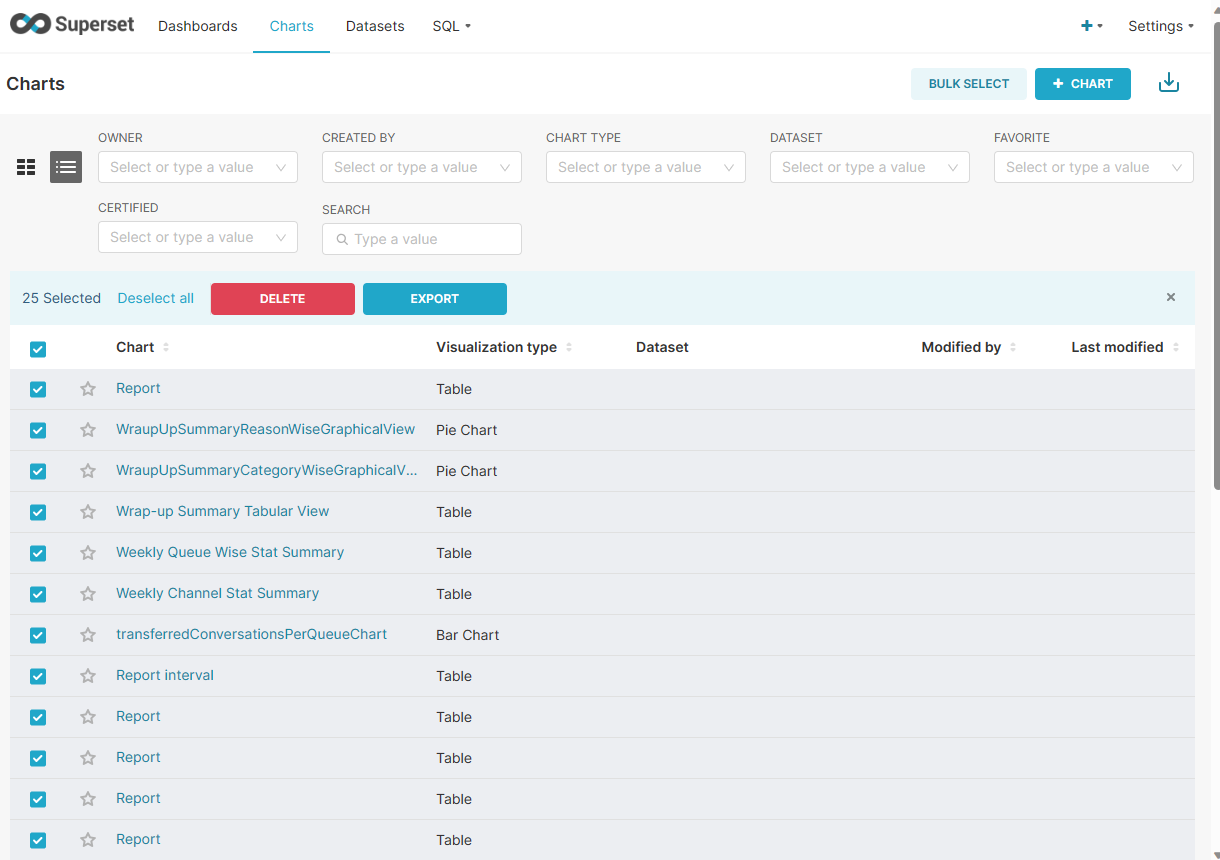
Now goto charts delete all the Charts with the same process. Make sure to delete all the Charts.
-
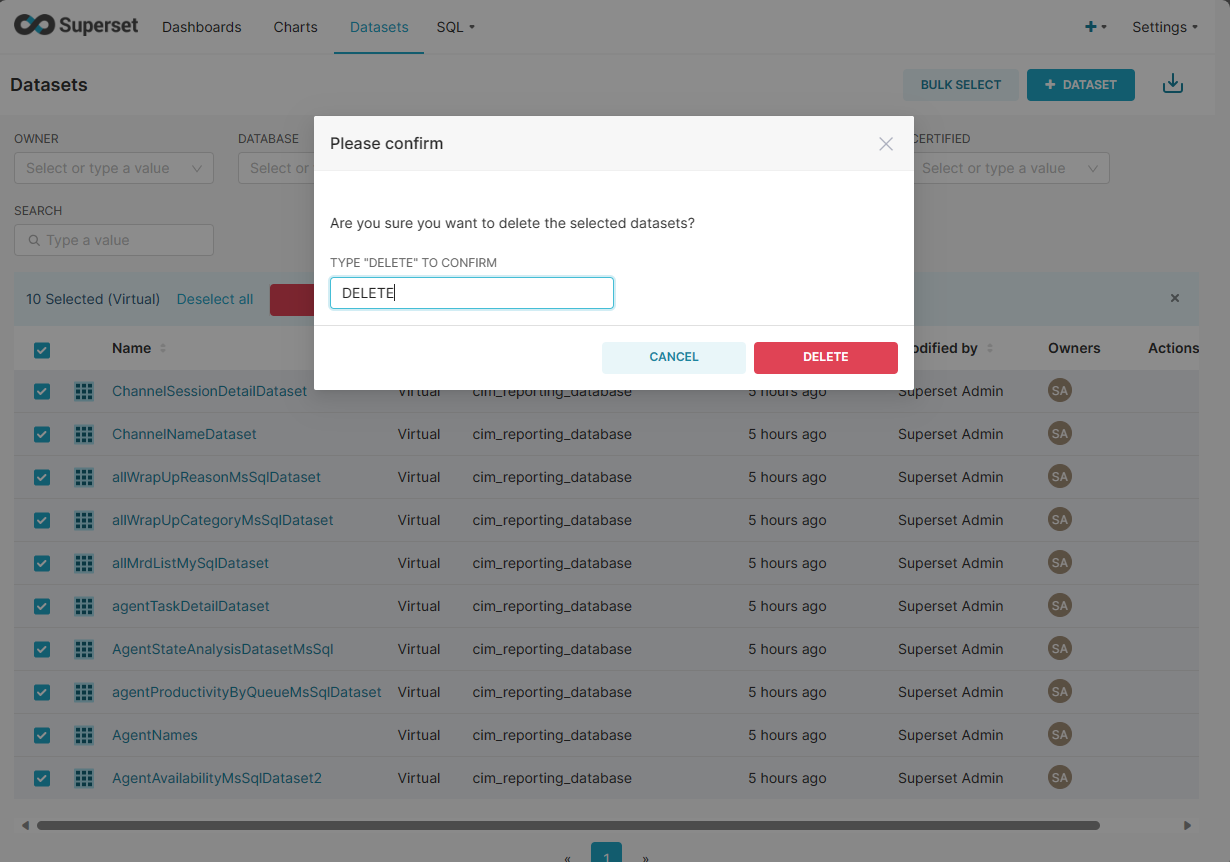
Now goto datasets delete all the Datasets with the same process. Make sure to delete all the Datasets.
-
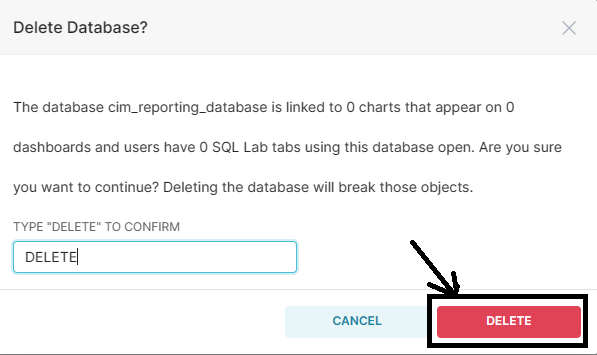
Now delete the database, Goto Setting then Database Connection. Click on the delete icon.

-
Write DELETE in the confirm section then click on DELETE.
-
This process will delete all dashboards, datasets, charts, and database connections from Superset. You can now import a new package of all CX reports to Superset.