
An evaluator can discard a review when the conversation cannot be evaluated, for example when the call dropped before the customer spoke. Discarding ends that review attempt. It does not remove the conversation from Quality Management, and it does not save a score. It is not the same as a review that scores 0%, and it is not a Critical Failure.
1. Who can discard a review
Discard Review is shown only to a role that has the Discard a review permission. By default that permission is on the Quality Manager role. The Evaluator role does not have it until an administrator grants it.
A user with the permission can discard a review assigned to them, and a quality manager can discard a review assigned to someone else. The review can be a first evaluation or a reevaluation, and it must be Pending or In Progress.
How to grant the permission is in Granting Add-On Permissions for Quality Management Roles.
2. Discard from the opened review
Discard is not on the Reviews list. A Pending row offers Start Review and Open Review only. Open the review first.
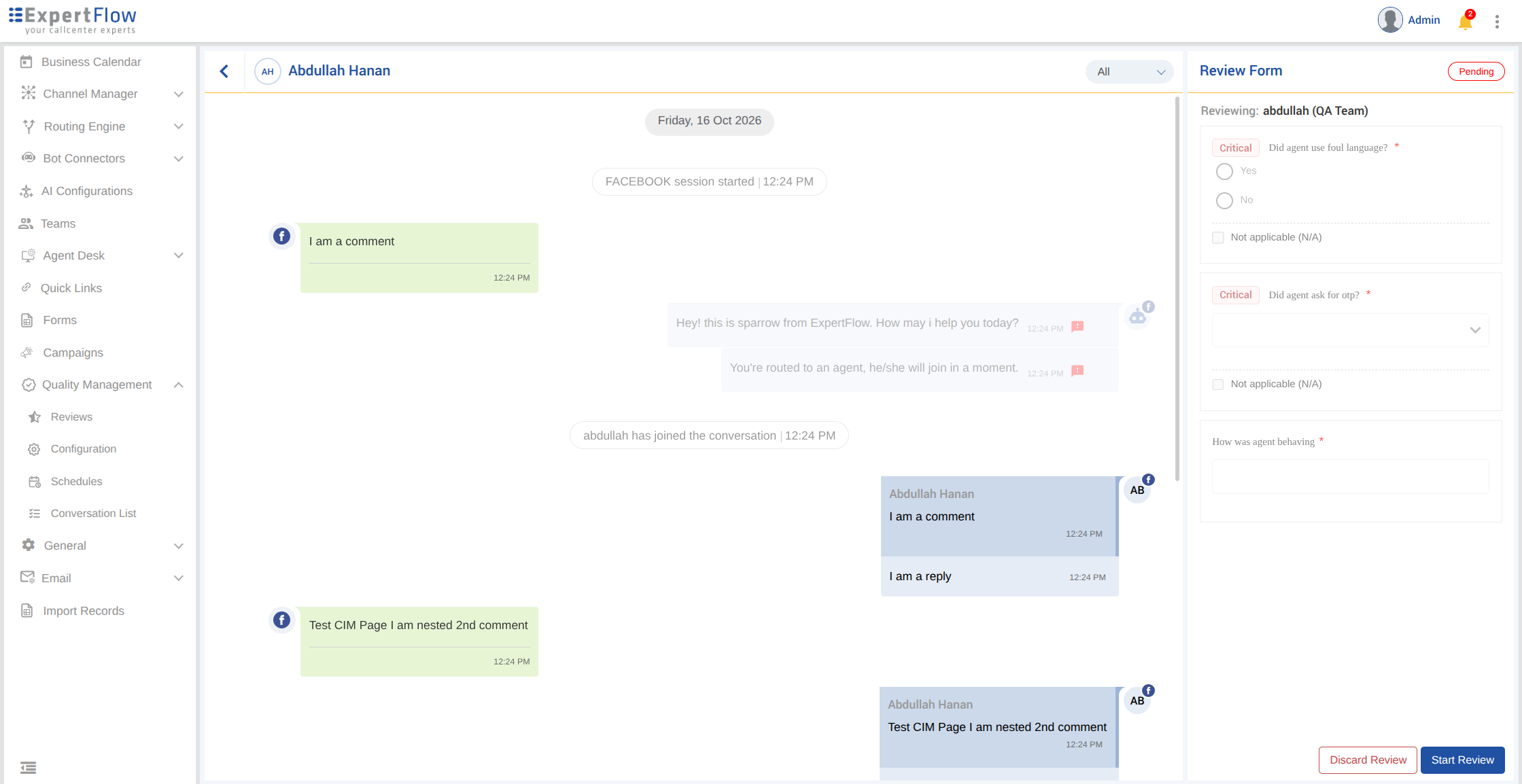
On a Pending review, Discard Review and Start Review sit together at the bottom of the Review Form. The review can be discarded without starting it.
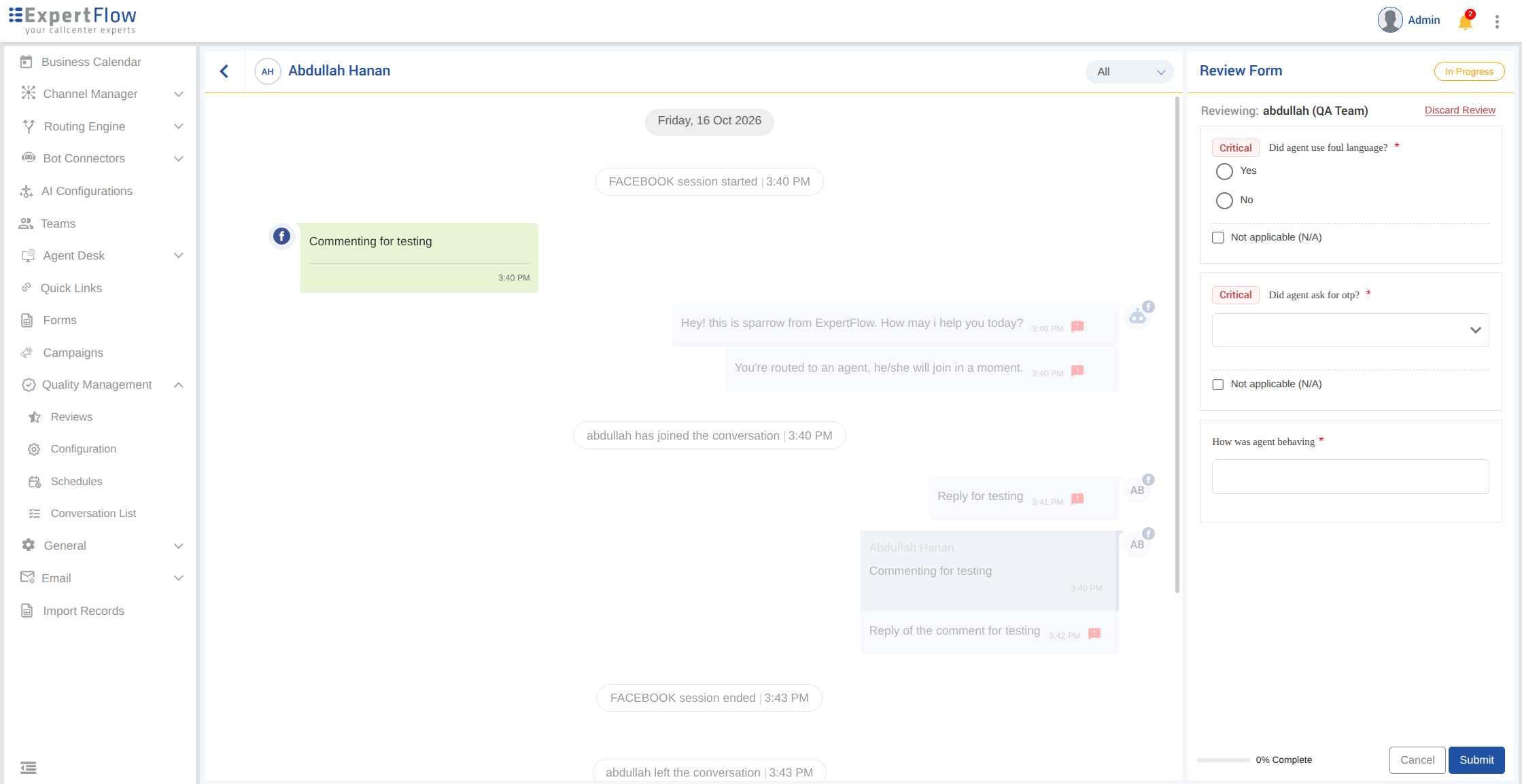
On an In Progress review, Discard Review is at the top of the Review Form, next to Reviewing.
3. Enter a reason
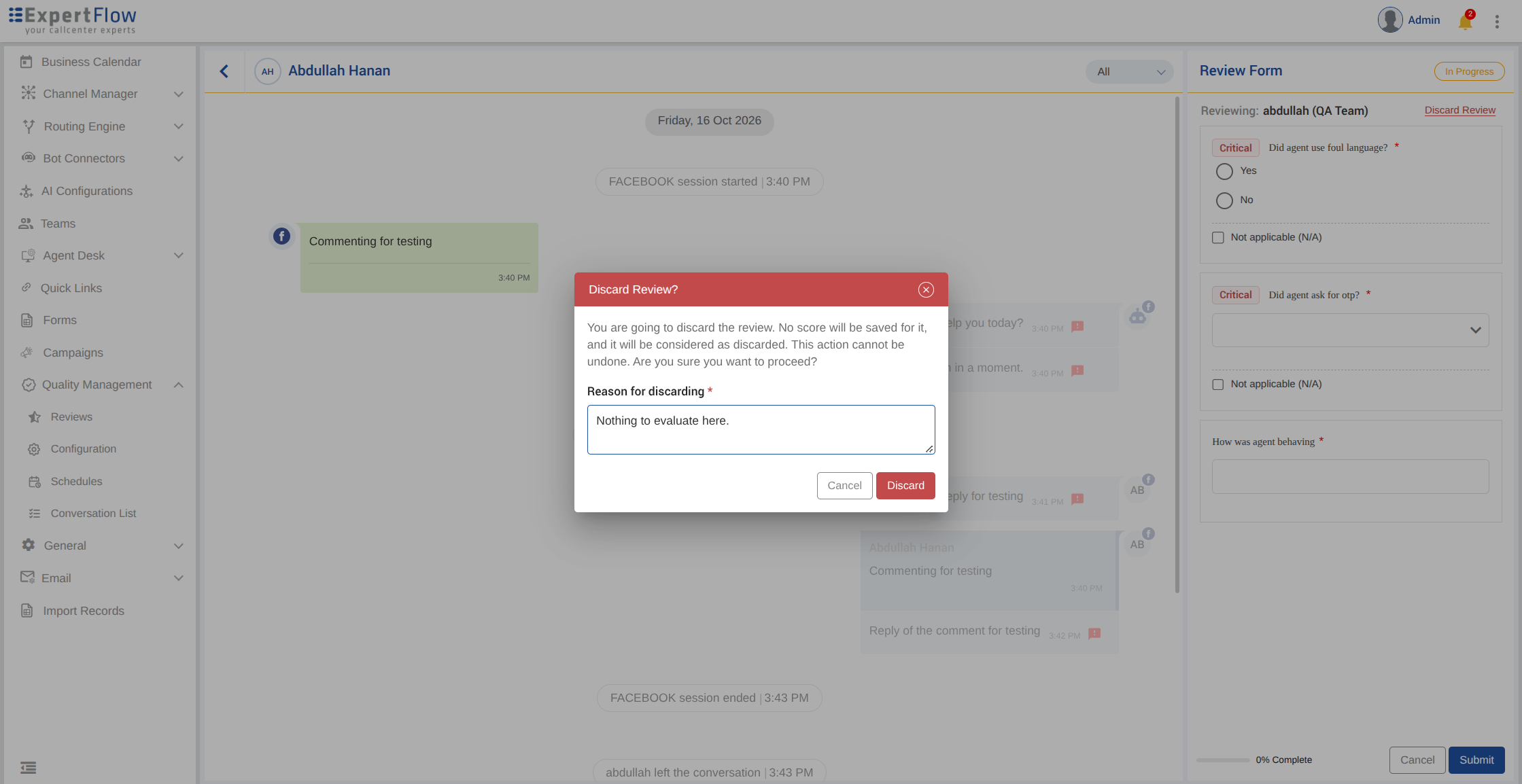
Discard Review opens Discard Review?
The dialog says: you are going to discard the review, no score will be saved, it will be considered discarded, and this action cannot be undone.
Reason for discarding is required. The placeholder is e.g. Call dropped before the customer spoke; nothing to review. Leaving it blank shows Enter a reason to discard this review. The reason can be up to 1000 characters.
Cancel returns to the review. Discard completes it. A success message says Review discarded successfully.
4. What a discarded review looks like
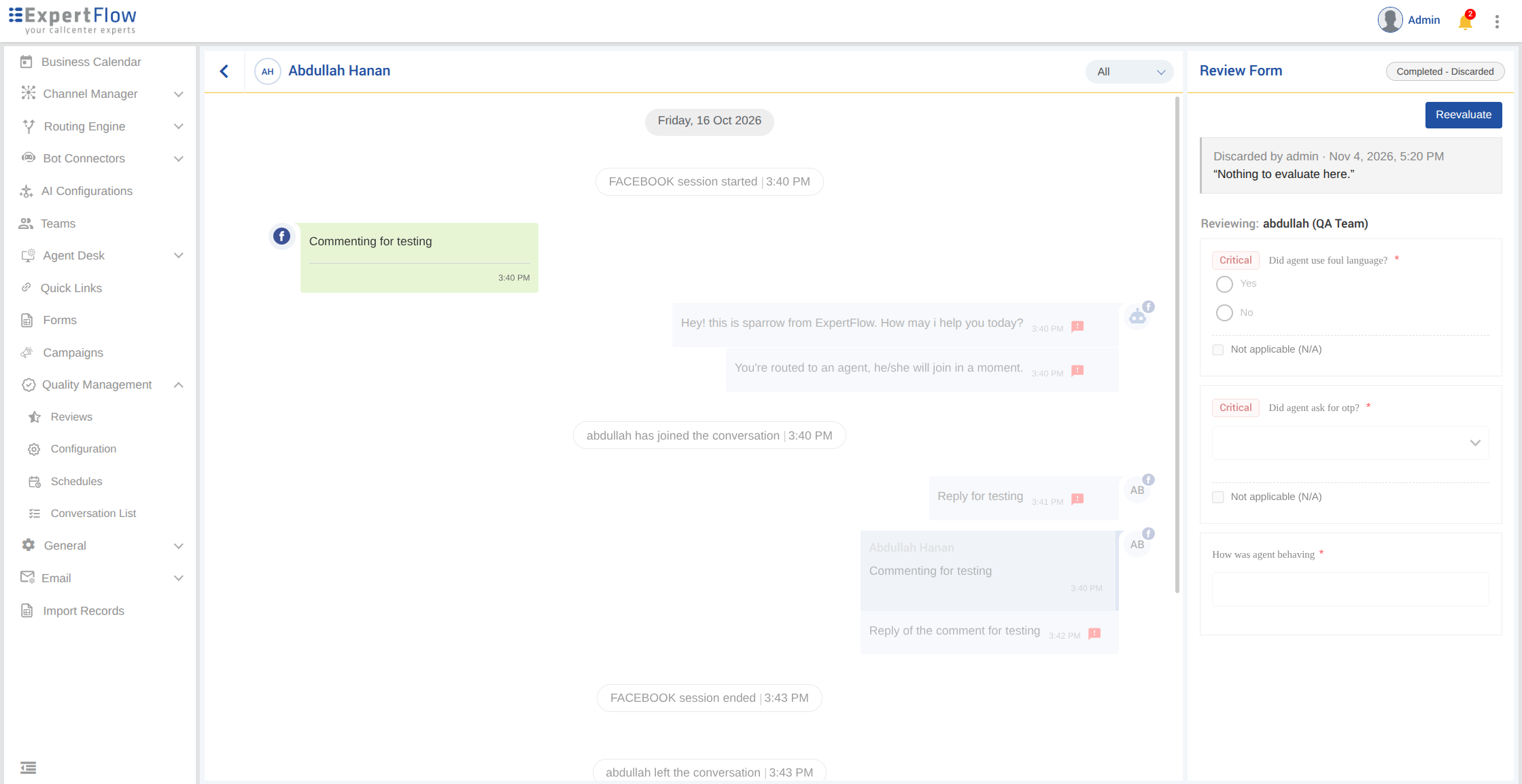
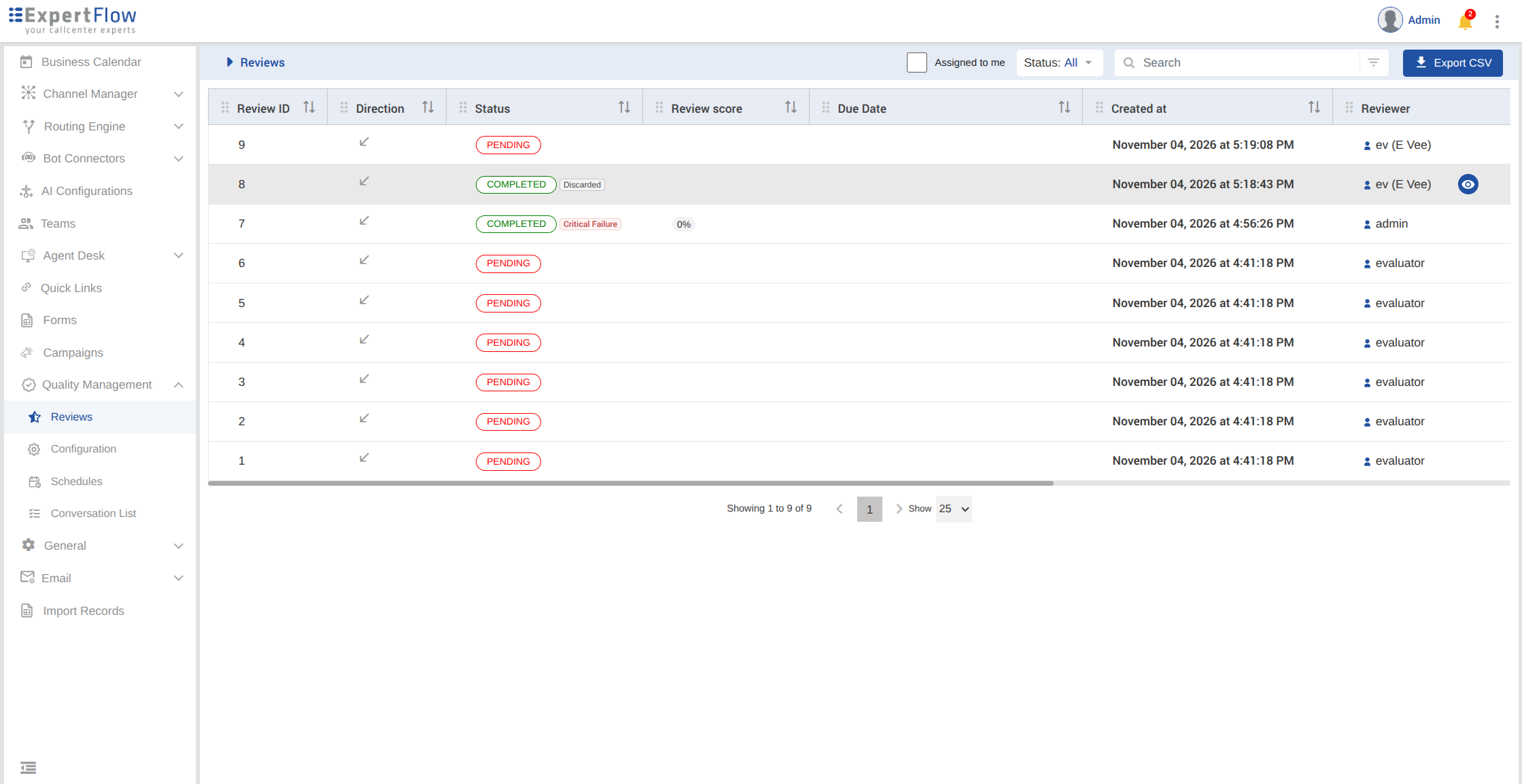
The review status is Completed with reason Discarded. The header shows Completed - Discarded. There is no score. The review score on the Reviews list is empty, not 0%.
The Review Form is read-only. A note shows who discarded it, the date and time, and the reason in quotes: Discarded by {name} · {date and time}.
On the Reviews list the status is COMPLETED with a Discarded reason, and the Submitted column shows the time of the discard. The status filter includes Completed · Discarded and Discarded.
Notes
-
Discard voids the review attempt. The review stays in Quality Management.
-
The reason is required, and the discard cannot be undone from the same review.
-
A role with Reevaluate can start a new evaluation of a discarded review. That reevaluation starts from a blank form.
-
A review that scores 0% is not discarded. A Critical Failure keeps a score of 0% and the reason Critical Failure.