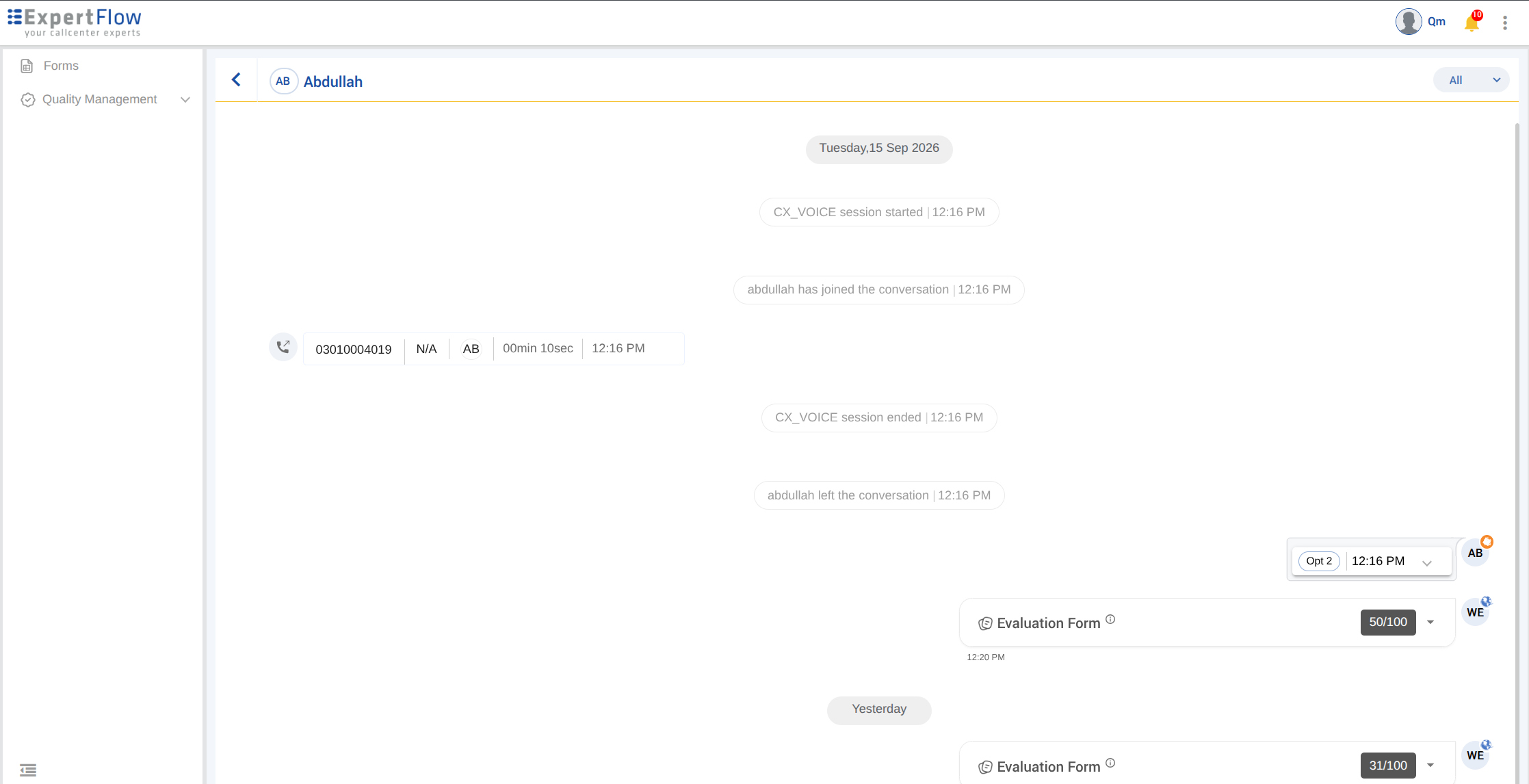
Evaluators and Quality Managers can open a review now from the Review Screen without changing its status. Open Review is available for Pending, In Progress, and Completed reviews. A Pending review can be opened first and started later.
1. From the Review Screen
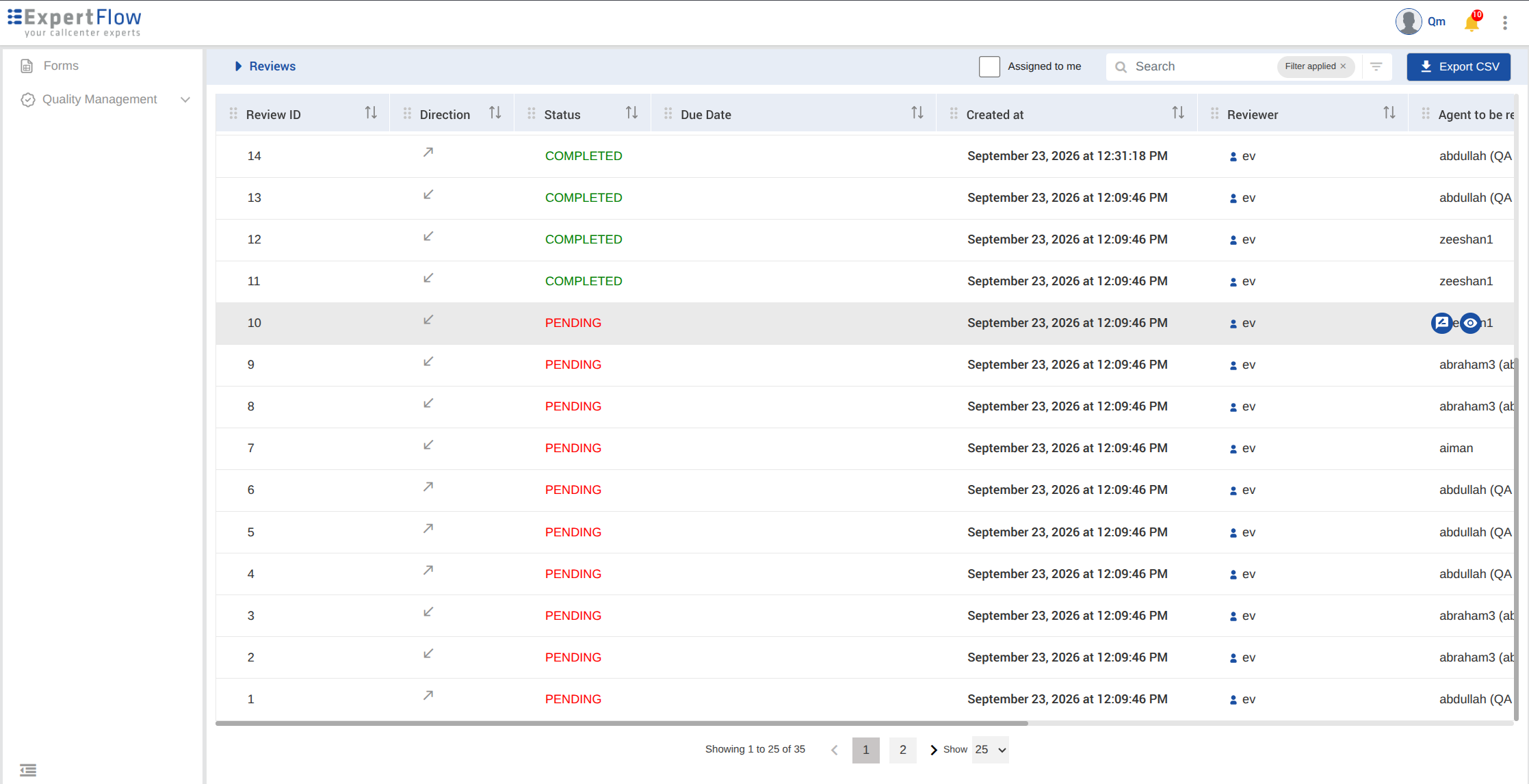
Each review row has action icons on hovering:
-
Start Evaluation is shown only for a Pending review. It starts the evaluation immediately and opens Conversation View with the review form ready to fill.
-
Open Review is shown for Pending, In Progress, and Completed reviews. It opens the review and leaves the status unchanged.
2. Opening a Pending review
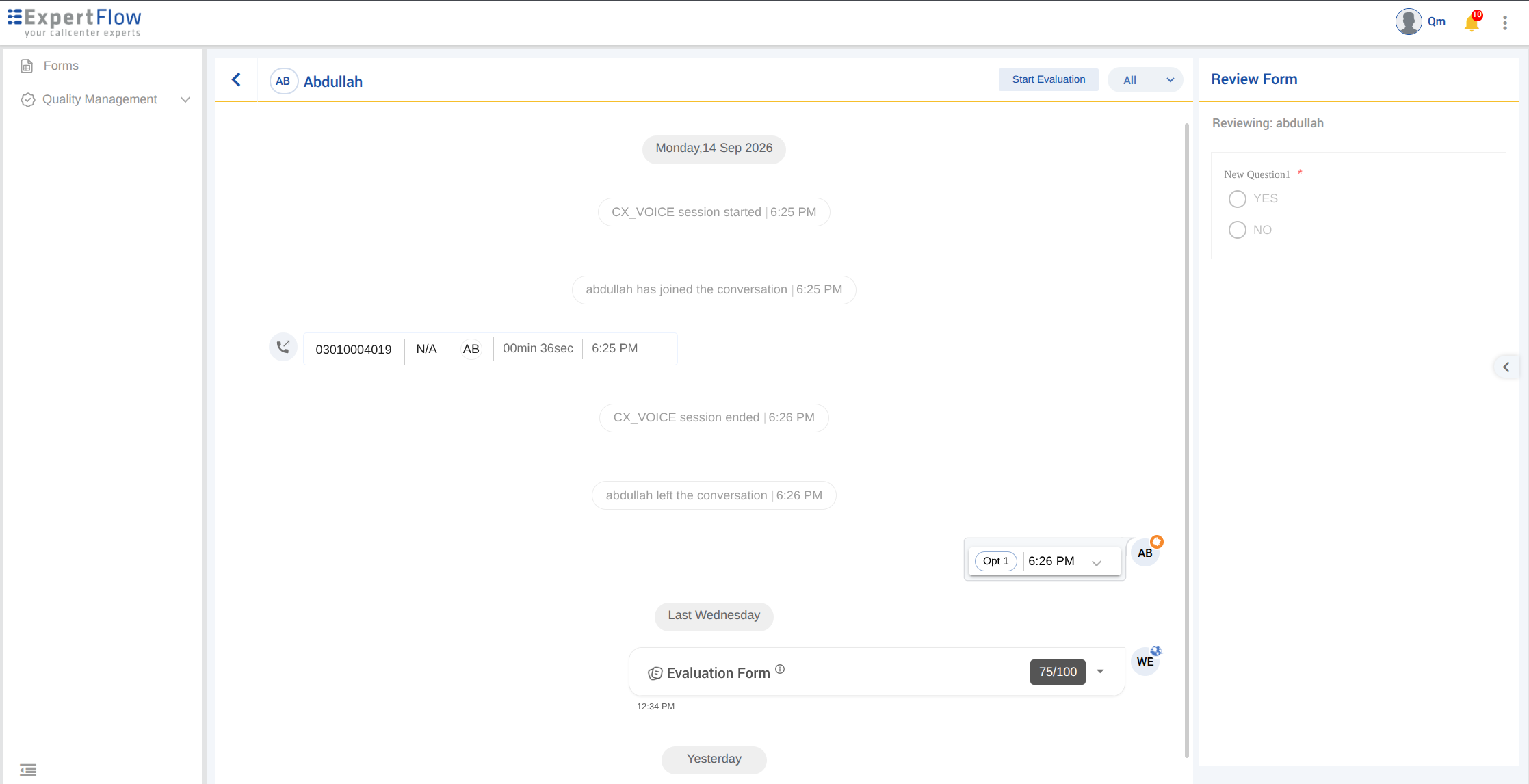
Open Review on a Pending review opens Conversation View with the conversation and the review form disabled. The review stays Pending and is not started.
To start it from there, click Start Evaluation at the top of Conversation View. The status changes to In Progress and the review form is enabled.
Choosing Start Evaluation on the Review Screen does the same in one step: the review is started and the form is ready to fill.
3. Opening an Pending review with Start evaluation action
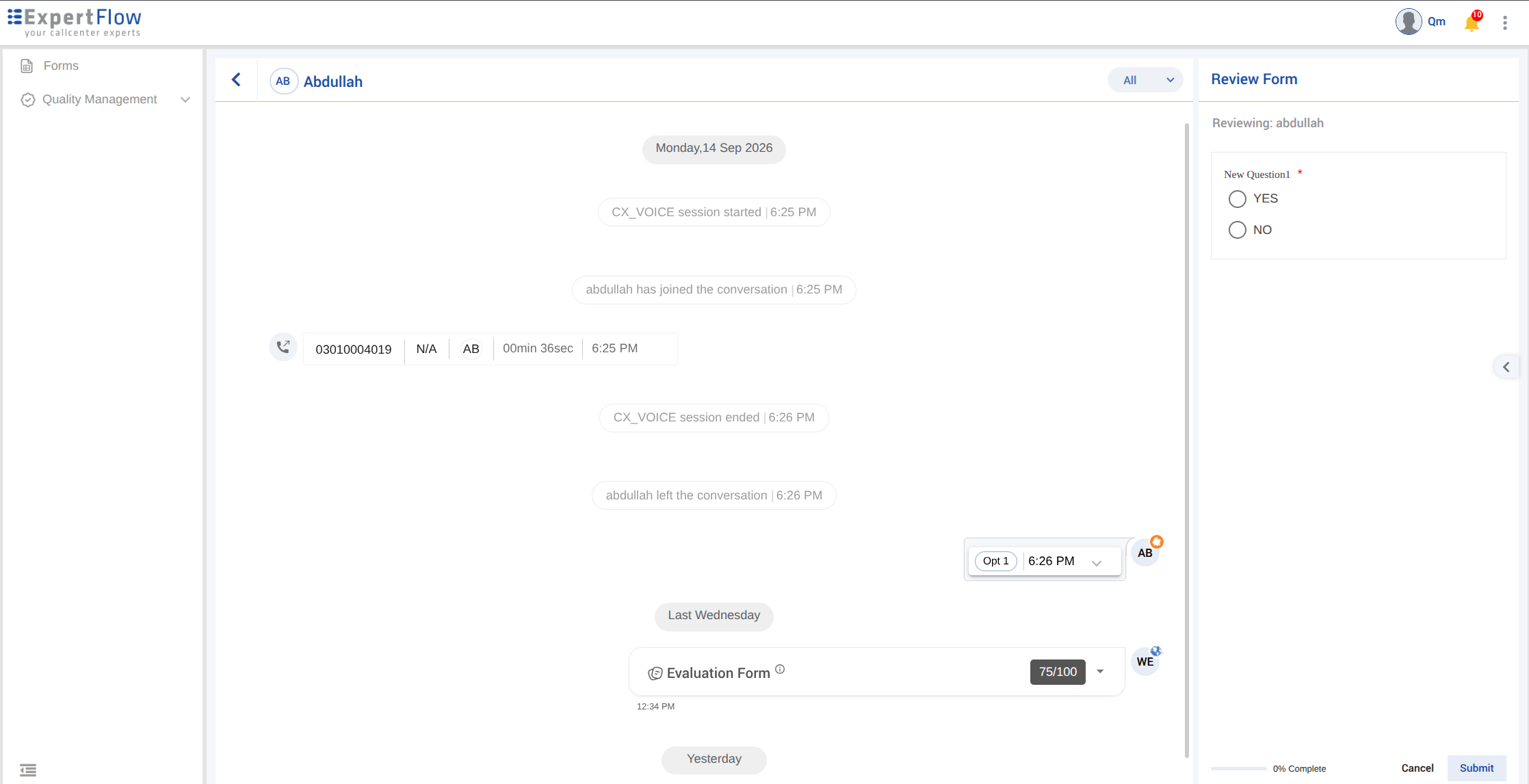
Start Evaluation will directly start a review and review will go into in progress as you start. You will be able to submit the review now.
4. Opening a Completed review
Open Review on a Completed review opens the conversation in Conversation View. The review form is not shown. It will show the conversation which was evaluated