
A question in the evaluation form can be marked as Not applicable (N/A) when it does not apply to the conversation. That question is left out of the review score. It is not scored as 0, so it does not lower the agent’s score.
N/A is available only on evaluation forms that use weightage, and only on MCQ and Dropdown questions as these are the only ones that contribute to scoring.
1. Turn on Allow N/A when creating the form
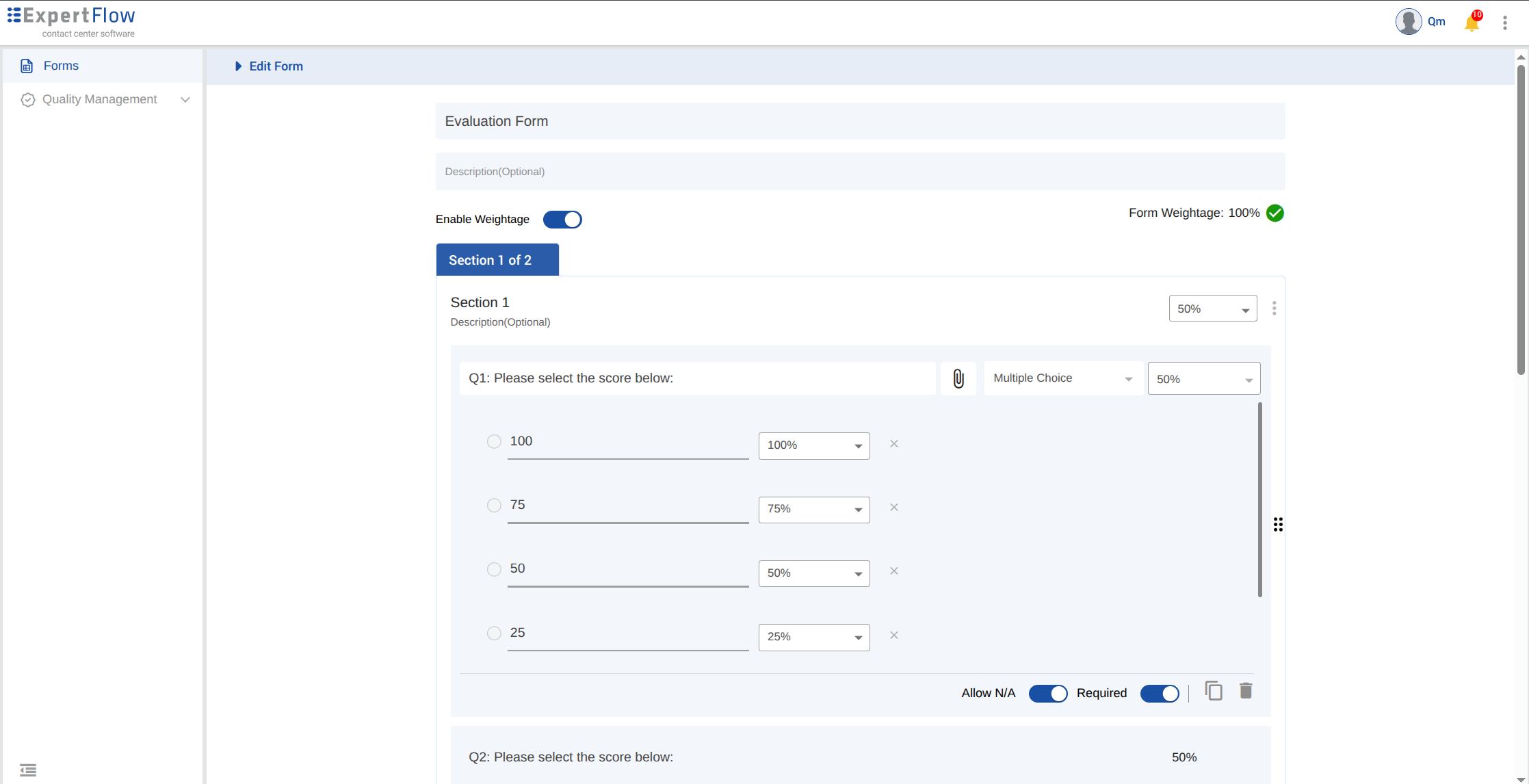
In Forms, create or edit an evaluation form.
-
Turn on Enable Weightage for the form. Allow N/A is not shown when weightage is off.
-
Add an MCQ or Dropdown question.
-
To receive N/A against a question, turn on Allow N/A for that question. It is off by default.
Other question types do not have Allow N/A.
2. Mark a question N/A during review
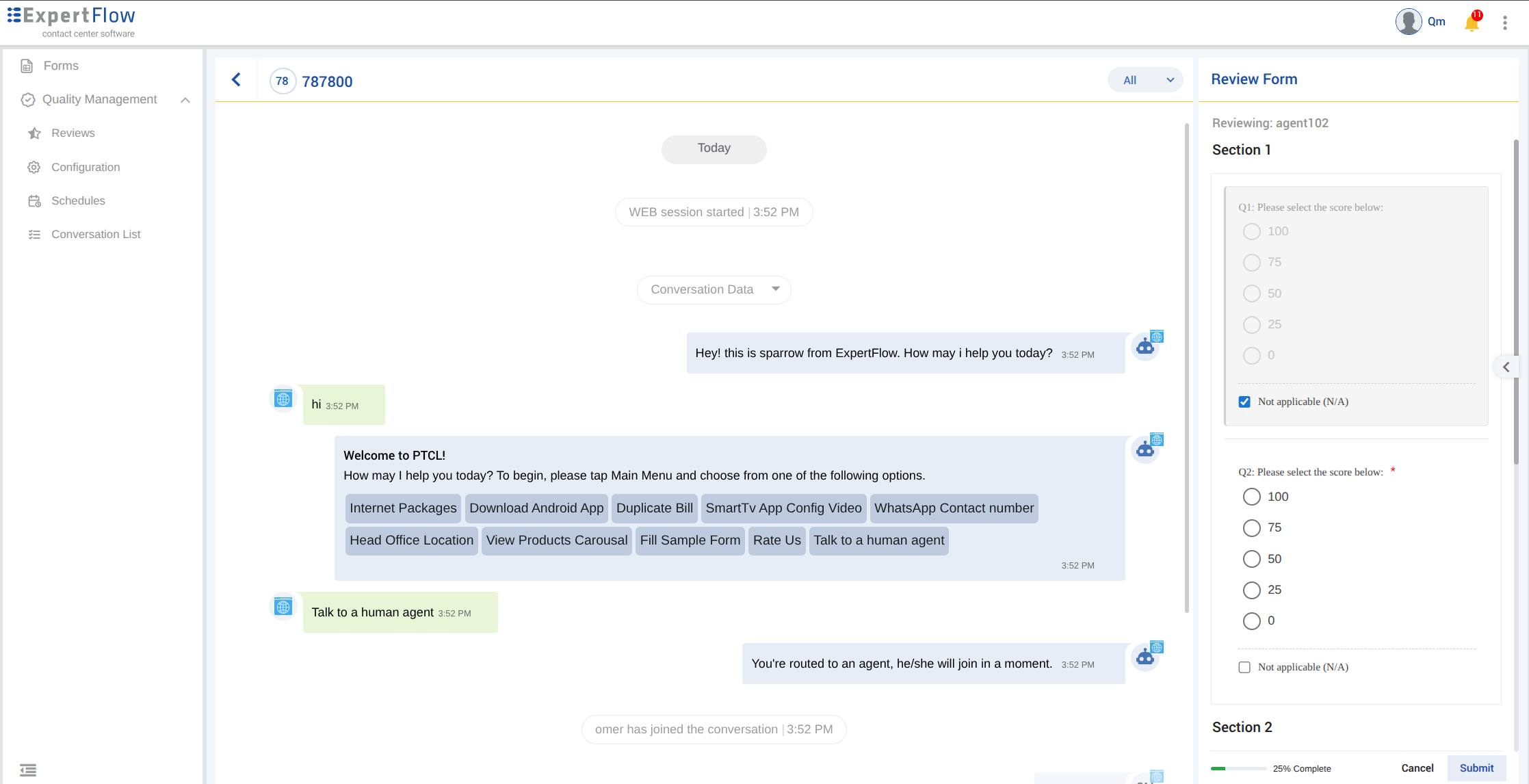
On the review submission screen in Conversation View, a question with Allow N/A shows a Not applicable (N/A) checkbox.
Checking it skips that question. The answer is cleared and the question cannot be answered while N/A is checked. Unchecking it makes the question available again.
If the question is also required, N/A still allows the review to be submitted. The required check does not apply to a question marked N/A.
3. How the score is calculated
Only questions that still apply are used. The review stays on a 0–100 scale.
-
A question marked N/A does not add to the score and is not treated as a failed answer.
-
The remaining questions make up the full score. If those answers are perfect, the review score is 100.
-
If every question in a section is N/A, that section is left out. The other sections make up the full score in the same way.
Notes
-
Allow N/A is off until it is turned on for that MCQ or Dropdown.
-
Allow N/A is shown only when Enable Weight-age is on.
-
N/A is not an answer option. It is a separate checkbox on the review form. It takes precedence on required question.
-
If every question on the form is marked N/A, there is nothing left to score. The review can still be submitted, and the review score is empty (null). It is not 0 and it is not 100.
-
In the “Form Detail Report“, when a question is marked as “N/A” and submitted, it shows empty answer for that question.