
This document covers the setup for importing the pre-configured realm in Keycloak.
-
Login into https://FQDN/auth using the credentials.
-
Create a user click on Users from the left nav bar.
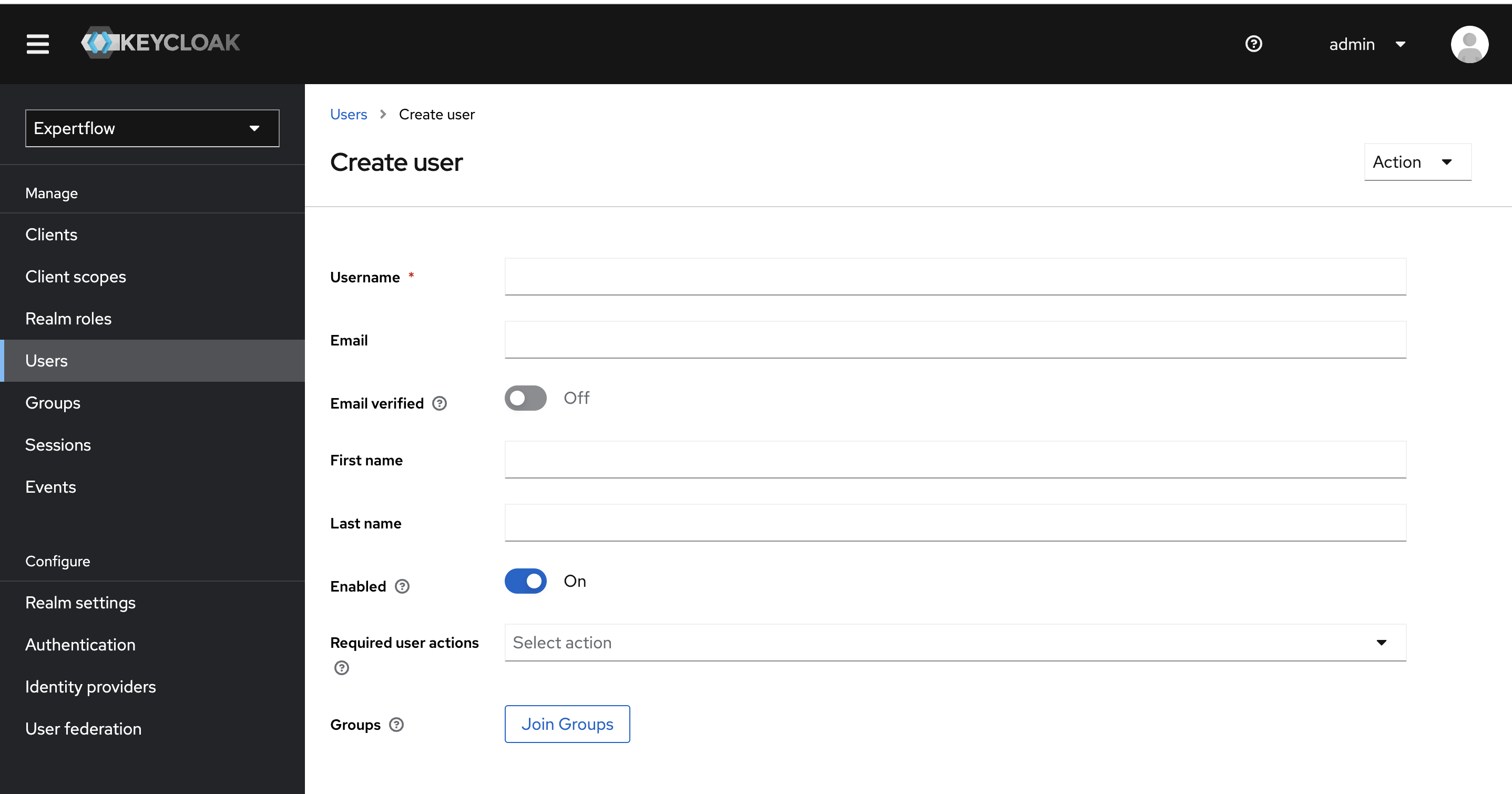
-
Once the user is created, we can see additional fields at the top (Details, Attributes, Credentials). Now select the Credentials tab and click on Set Password button. Type the password of your choice, also turn Temporary to On.
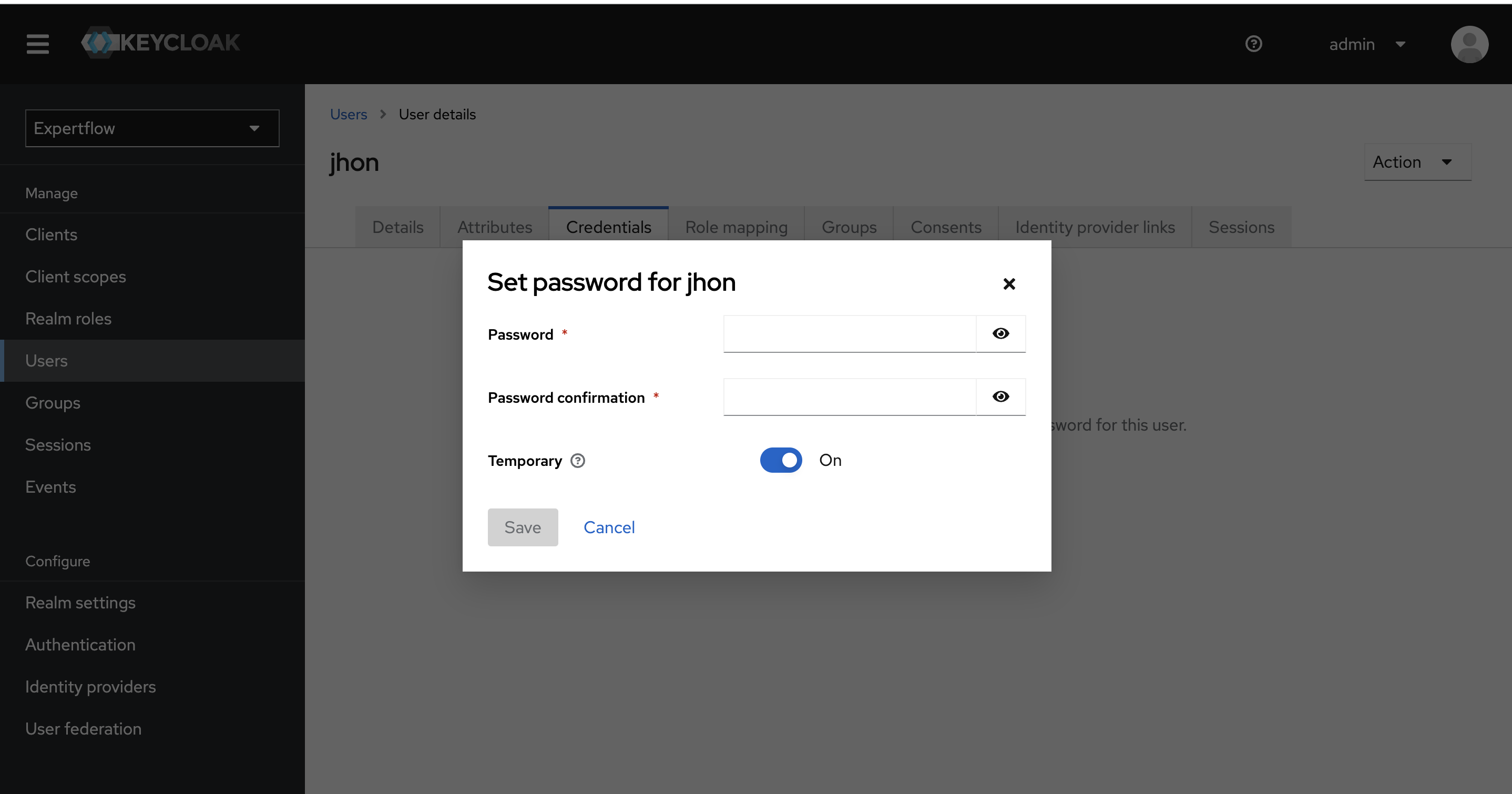
-
To assign the roles to the user, click on the Role Mappings tab on top and click on Assign Role Button. In the pop-up window, we can see admin, agent and supervisor roles, for agent user assign agent role and for supervisor user assign supervisor role. Assign offline_access and uma_authorization roles as well.
agent role must be assigned to the Agent user if agents_permission group is assigned. supervisor role must be assigned to the Supervisor user if agents_permission and senior_agents_permission groups are assigned.
Supervisor and Senior Agent must be assigned senior_agents_permission group.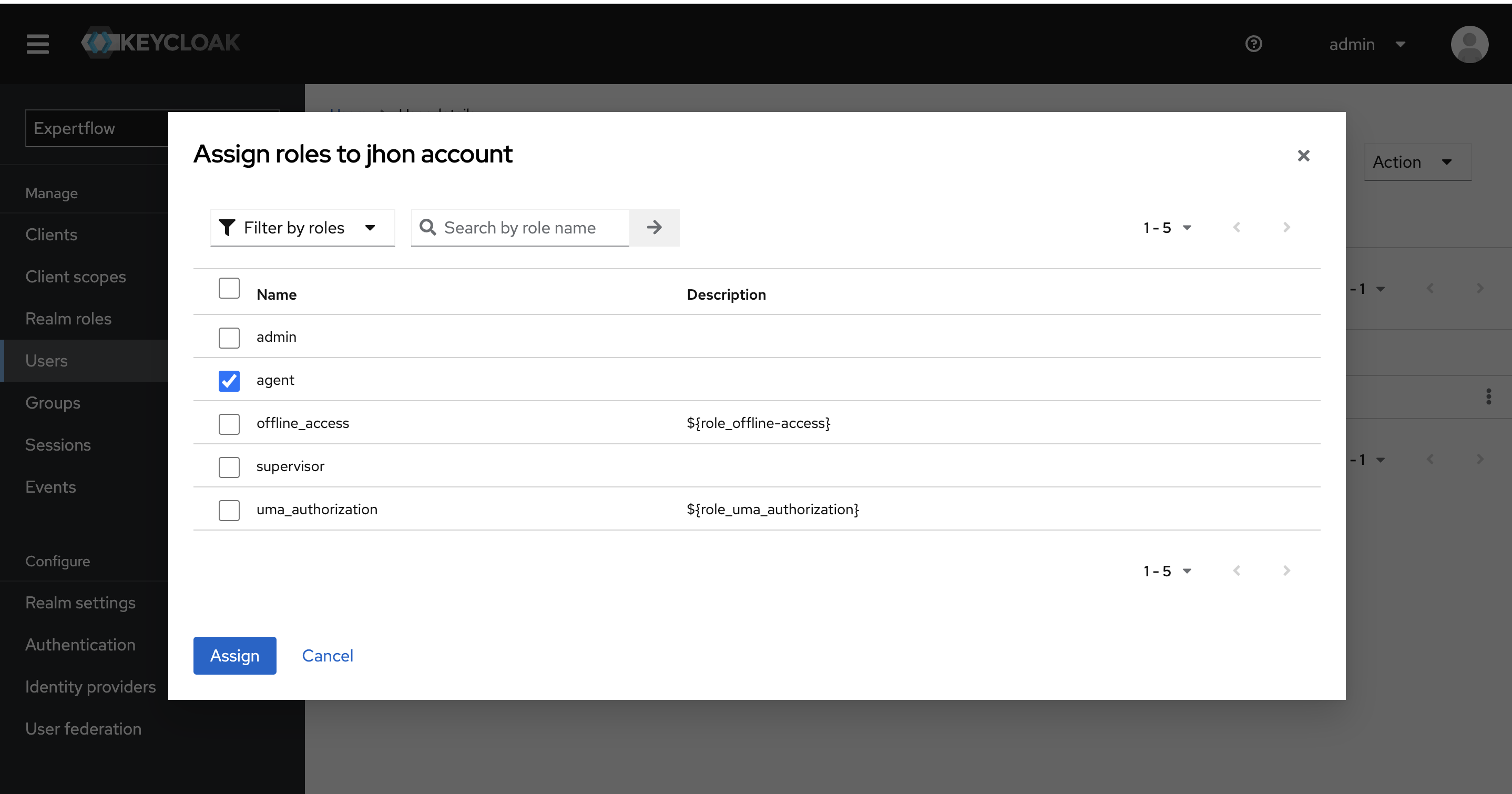
-
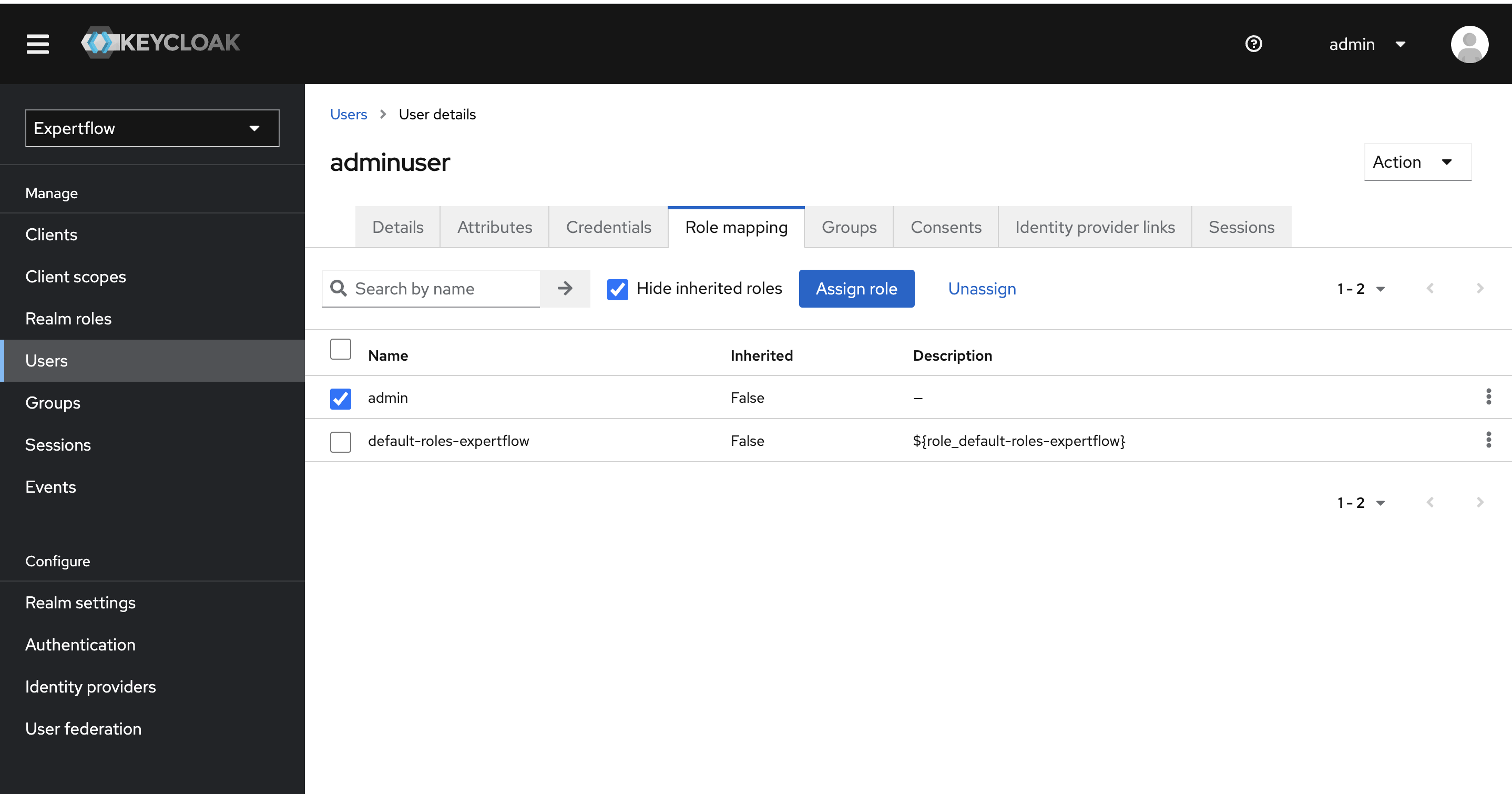
For admin-user first select the admin, offline_access and uma_authorization from Roles and click on Assign button. This will assign realm-roles to the admin user in Keycloak.
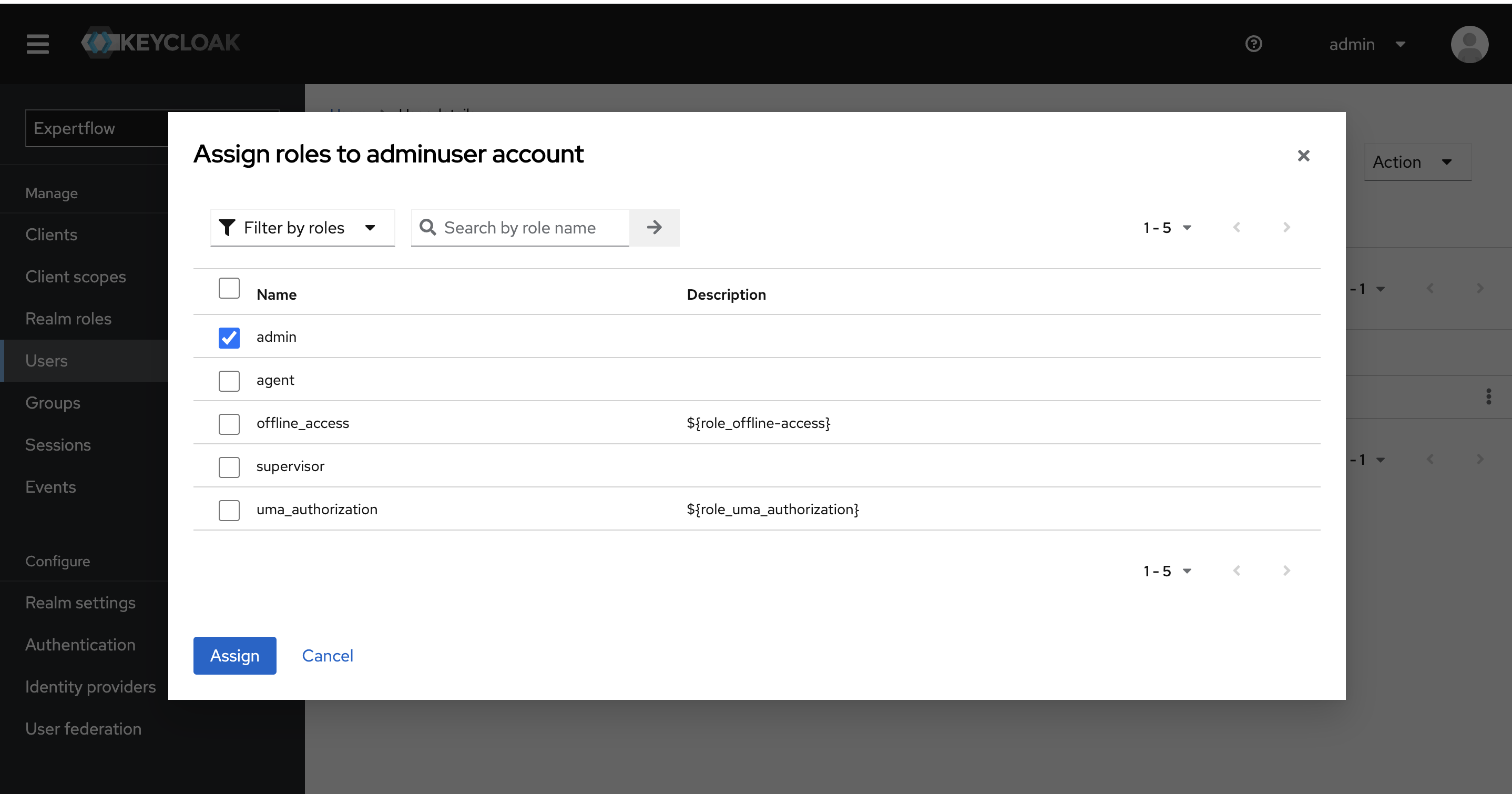
-
Select the admin user from users list and click on Assign Role Button.
-
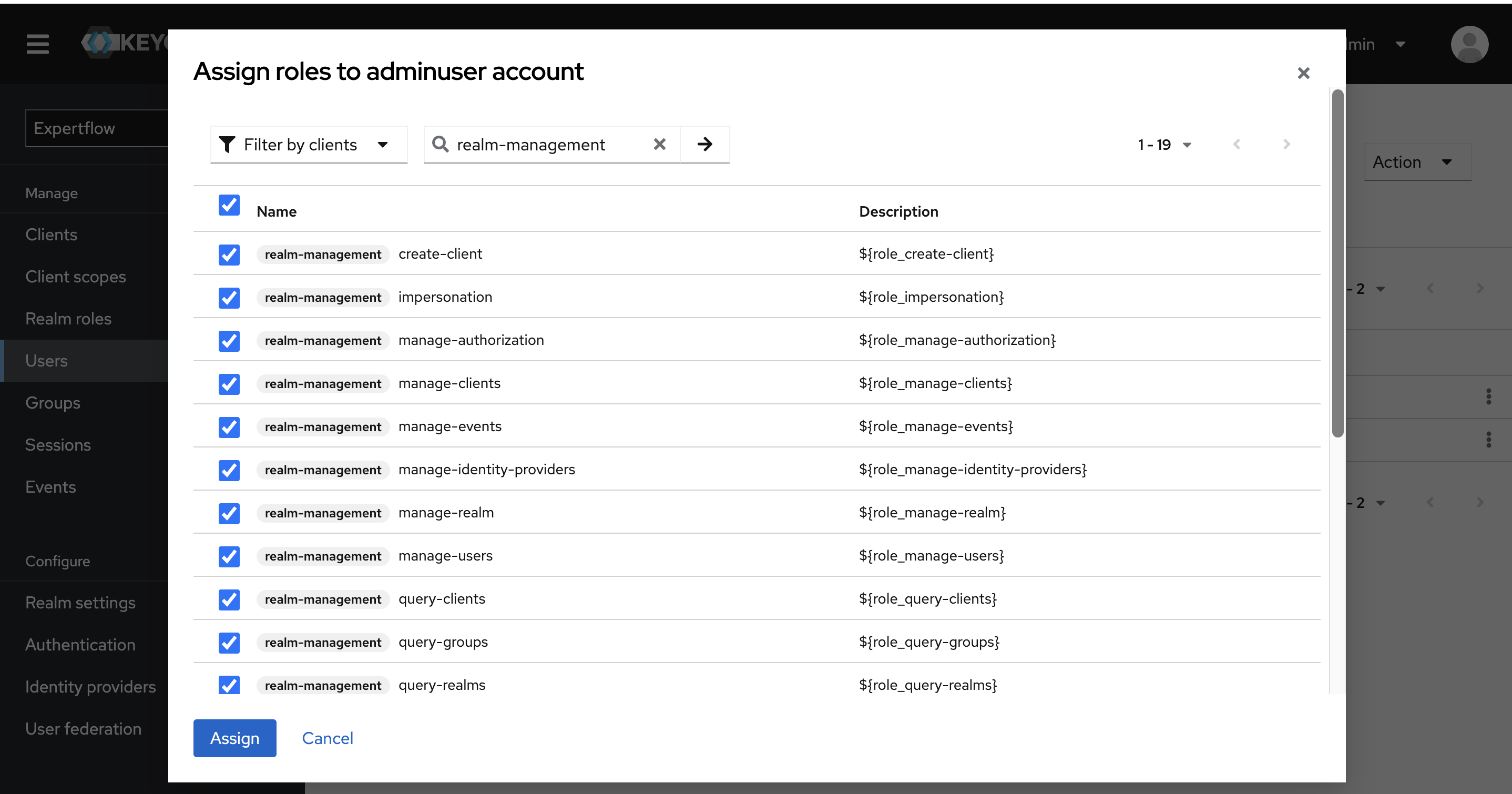
Select the Filter by clients filter and search all realm-management roles. Select all realm-management roles and click on Assign button.
Assign all 23 roles to admin user i.e 19 realm-management roles, admin role, default-roles-<Realm-Name> role, offline_access and uma_authorization roles.
A user shouldn’t have more than one custom CX roles assigned to it.
If the user has an admin role then it shouldn’t have an agent/supervisor or any other role assigned to it. Same for all other roles, one users should only have one CX role assigned to it apart from uma_authorization, offline_access and default-roles-expertflow.
Team assignment is mandatory for agent and supervisor roles only.
-
Follow User's Teams Configuration guide to create and assign users to the team.
See Agent Permissions to see how to assign permissions to the contact center users.
For 5.12.0 and onwards, create the client-admin role
-
Add a new Realm role for the Queue Flush API
Steps to create and assign a user with theclient-adminrole per tenant:-
Go to Keycloak > Realm Roles Tab
-
Create a role:
client-admin -
Go to the Users tab and assign this role to the admin user/ user generating the token
-