
|
Report Summary |
Provides the count of conversations along with associated wrap-up category and reason |
|---|
This report provides the count of conversations of a specific category along with the reason applied to this category for a particular date.
There is a category, a reason along with that category, and then there is a count. The wrap-up category is a parent and multiple reasons will be available against that category. This helps the business to identify issues being faced on a particular date and its count. Administrators can apply filters for category, reasons, and date as per requirement.
In cases, when one or more agents join a conversation, they can add wrap-ups during the conversation. Multiple agents can put the same wrap-ups. In this case, these will be counted as one. This all data is date-oriented.
Report Columns
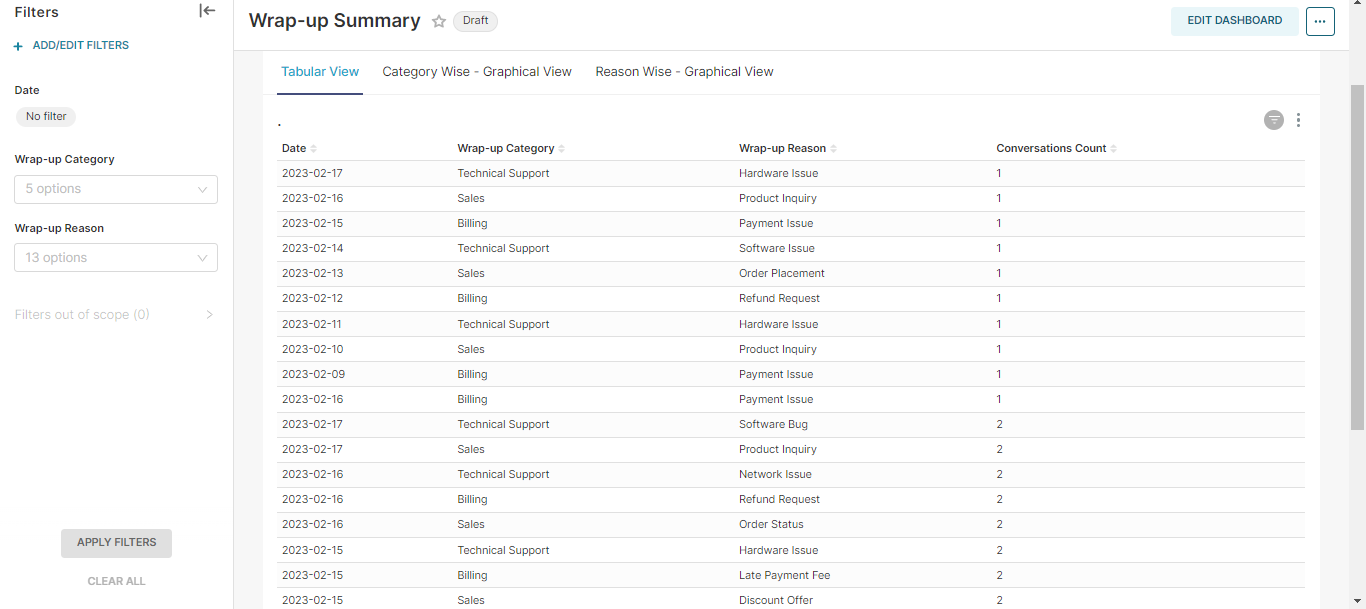
Following are the report columns
|
Fields |
Description |
|---|---|
|
Date |
Shows the date. |
|
Wrap-up Category |
Shows the category to which a conversation lies. |
|
Wrap-up Reason |
Shows the reason, agents have applied to a conversation. |
|
Conversations |
Shows the count of conversations that are categorized with the specified reason. |
Report Views
Tabular View
Shows four fields: Date, Wrap-up Category, Wrap-up Reason, and Conversations.
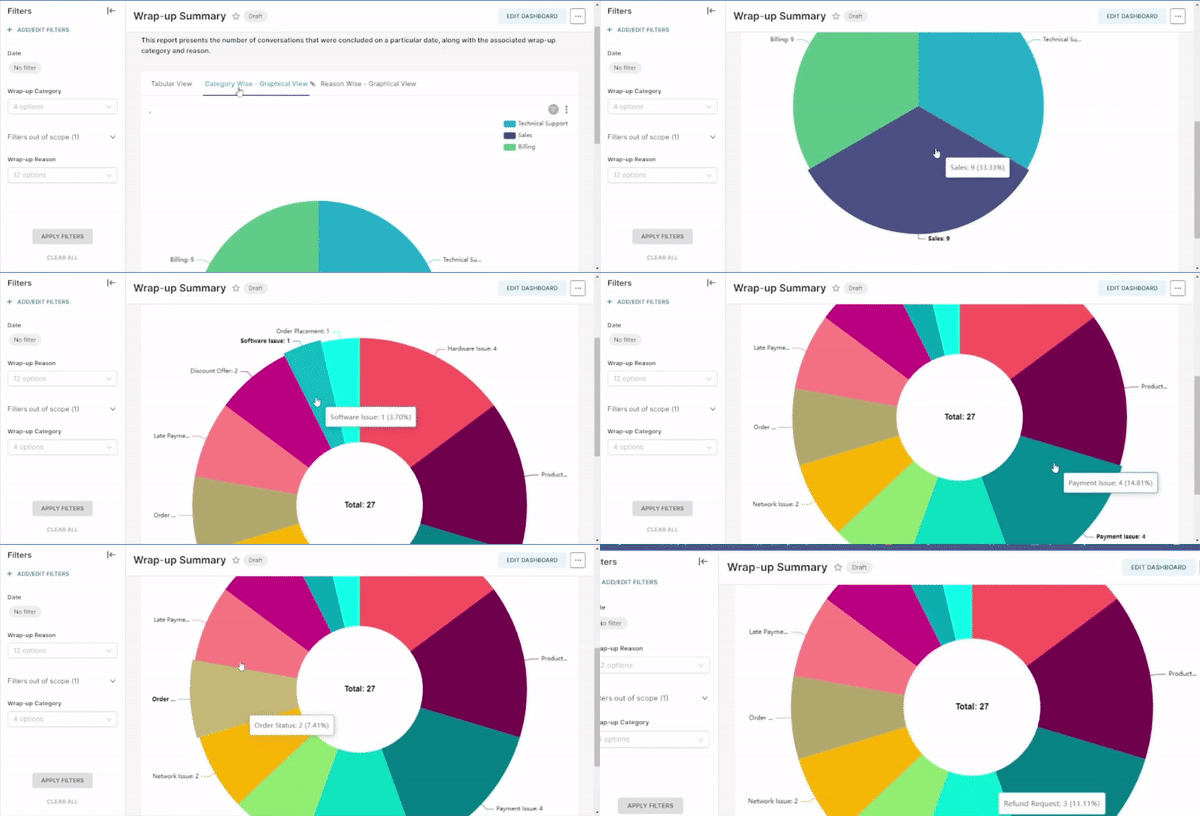
Category-wise Graphical View
shows the wrap-up category of each conversation
Reason-wise Graphical View
shows the reasons applied to each category
Report Filters
The following report filters are available:
-
Date: select the date for which you want to filter out the data
-
Wrap-up Category: select any one category and Apply Filter to view counts
-
Wrap-up Reason: shows the reason for each category to which a conversation has been wrapped up. Select a reason or multiple reasons and Apply Filter to view counts