
|
Report Summary |
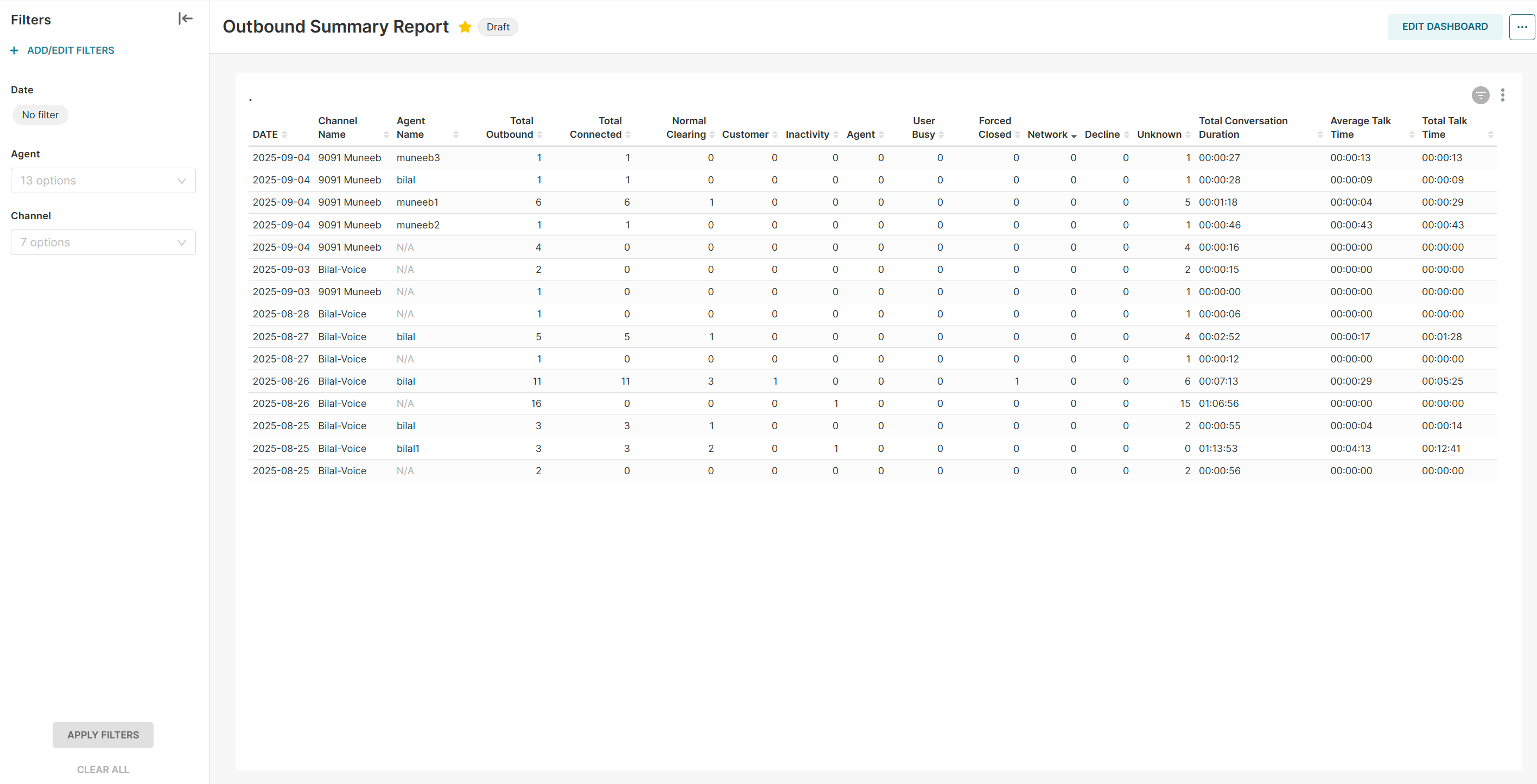
Provides a summary of outbound conversations. |
|---|
Report Columns
Following are the report columns:
|
Fields |
Description |
|---|---|
|
Date |
Shows the date |
|
Channel Name |
The name of the channel for which the session was started. |
|
Agent Name |
The name of the agent. |
|
Total Outbound |
The total number of outbound sessions initiated by the agent. |
|
Total Connected |
The total connected outbound sessions. |
|
Normal Clearing |
Total sessions ended with Normal Clearing. |
|
Customer |
Total sessions ended by the customer. |
|
Inactivity |
Total sessions that were closed because the customer became inactive. |
|
Agent |
Total sessions ended by the agent. |
|
User Busy |
Total sessions in which the customer did not answer. |
|
Forced Closed |
Total sessions when an agent closes the browser tab while the task is active. |
|
Network |
Total sessions that were closed because a customer network issue. |
|
Decline |
Total sessions in which the customer ended the session before responding. |
|
Unknown |
Shows the count of tasks disposition that are unknown. |
|
Total Conversation Duration |
Total time the agent spent on the conversation. Sum ( conversation_start_time - conversation_end_time ) |
|
Average Talk Time |
Average talk time of an agent with the customer. |
|
Total Talk Time |
Total talk time of the agent with the customer. |
Report Filters
The following report filters are available for filtering the reporting data:
-
Date - choose the date for which you want to filter out the data. You may also select date ranges to see the data falling under the said period.
-
Agent - select the agent(s) by name you want to see the data for.
-
Channel- select the name of the channel you want to see the data for.