|
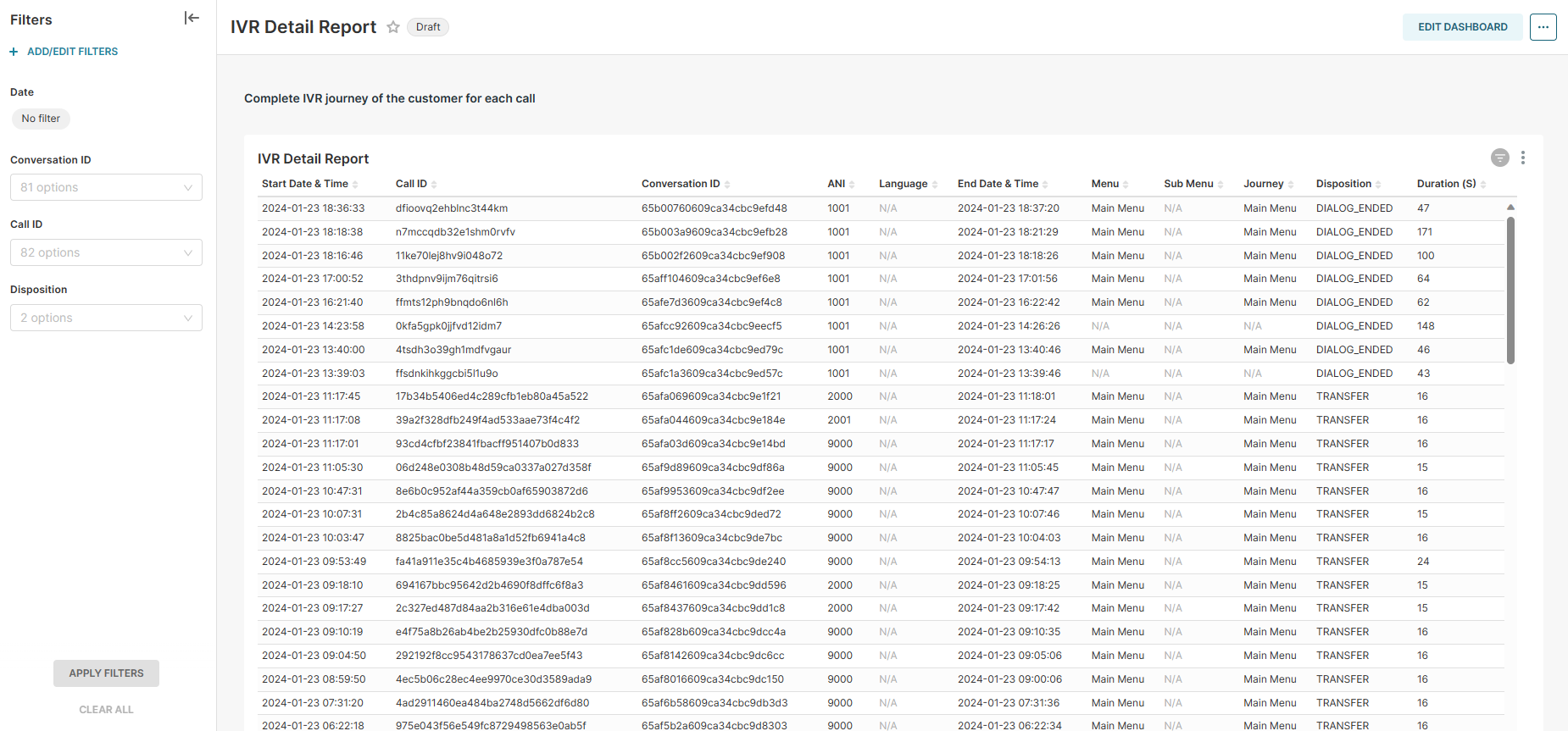
Report Summary |
Detail IVR journey of the customer for each call |
|---|
Report Columns
Following are the report columns
|
Fields |
Description |
|
|---|---|---|
|
Start Date & Time |
Shows the Start Date & Time of the IVR. |
|
|
Call ID |
The unique identifier of a call. |
|
|
Conversation ID |
The unique identifier of a customer conversation. |
|
|
ANI |
Shows the Calling Number of the customer. |
|
|
Language |
Shows the language selected by the customer. |
|
|
End Date & Time |
Shows the End Date & Time of the IVR. |
|
|
Menu |
Shows the Main Menu selected by the customer. |
|
|
Sub Menu |
Shows the Sub Menu selected by the customer. |
|
|
Journey |
Shows the complete journey of the customer menu selection on IVR. eg. main menu, sub-menu, sales,etc. |
|
|
Disposition |
Shows the disposition of the call on IVR. eg. DIALOG_ENDED, TRANSFER |
|
|
Duration (S) |
Total IVR duration in secounds. |
|
Report Filter
The following report filters are available for filtering the reporting data.
-
Date ~ choose the date for which you want to filter out the data.
-
Conversation ID ~ choose the Conversation ID for which you want to filter out the data.
-
Call ID ~ choose the Call ID for which you want to filter out the data.
-
Disposition ~ Select the disposition for which you want to filter out the data.