
|
Report Summary |
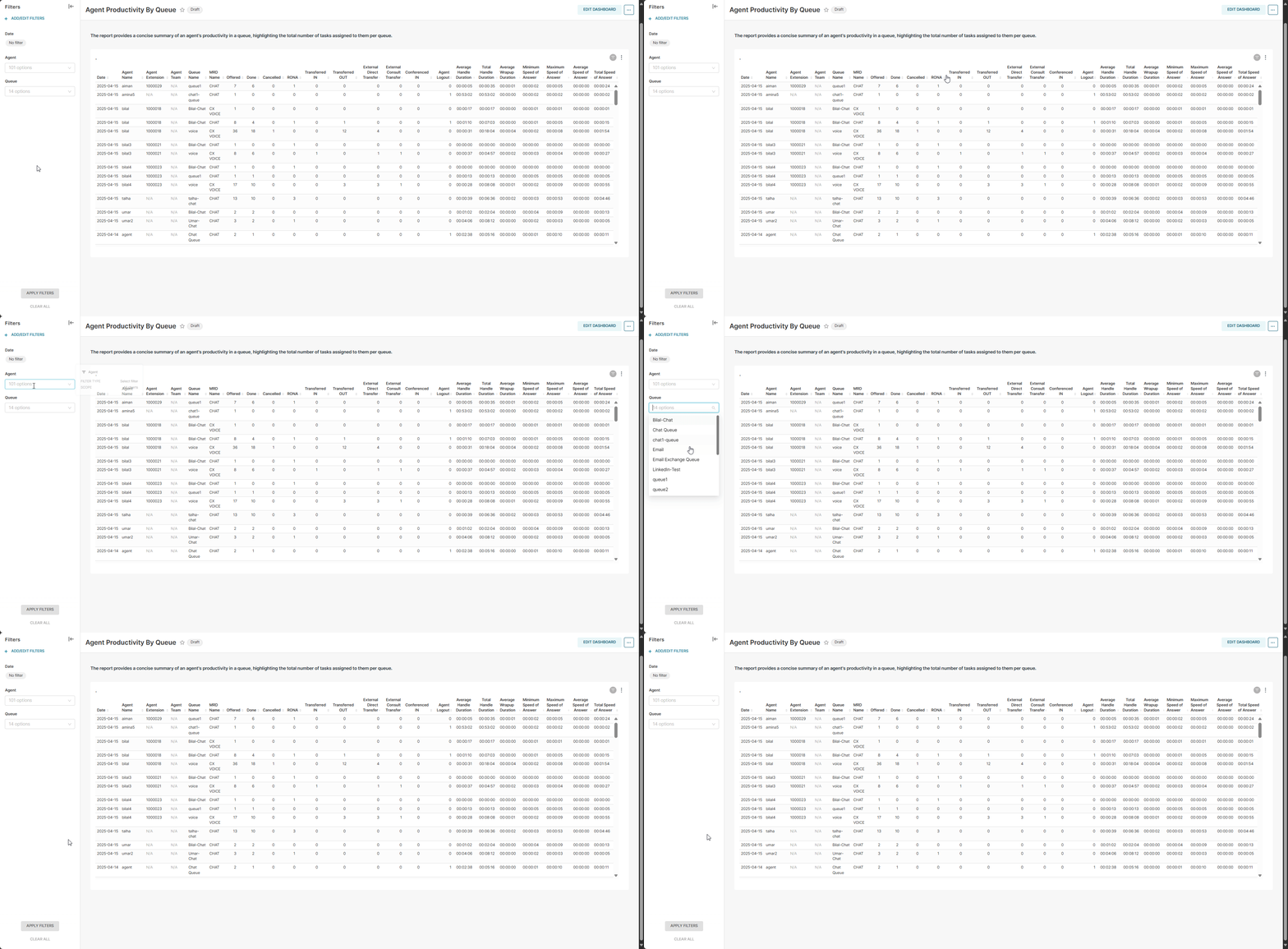
Provides the concise summary of an agent's productivity by a queue, and also highlights the total number of tasks assigned to the agent per queue. |
|---|
This report enables the business to analyze and monitor queue-wise agents' productivity and then can take necessary measures to improve the performance of agents by offering them different trainings.
Report Columns
Following are the report columns:
|
Fields |
Description |
|---|---|
|
Date |
Shows the date |
|
Agent Name |
Shows the name of the agent |
|
Agent Extension |
Shows the extension of the Agent |
|
Agent Team |
Shows the team name of the agent. |
|
Queue Name |
Shows the name of that particular queue of which the agent is part of An agent could be a part of multiple queues. In this case, the report shows multiple records for the same agent to show the number of tasks statistics for each queue. |
|
MRD Name |
Shows the name of MRD which is associated to this queue. For instance CHAT or VOICE MRD |
|
Offered |
Total number of tasks offered to this particular agent from this specific queue |
|
Done |
Total number of tasks handled on this specific queue by this particular agent |
|
Cancelled |
Shows the count of tasks of which the disposition is cancelled (the customer has left before the agent joined) |
|
RONA |
Shows the count of tasks of which the disposition is RONA (Ring on No Answer) |
|
Transferred IN |
Shows the number of tasks of this particular queue which are received from another agent to this agent. |
|
Transferred OUT |
Shows the number of tasks of this particular queue which are transferred from this agent to another agent. |
|
External Direct Transfer |
Shows the number of tasks of this particular queue that are externally transferred from this agent. |
|
External Consult Transfer |
Shows the number of tasks of this particular queue that are external consult transferred from this agent. |
|
Conferenced IN |
Shows the number of tasks of this particular queue which the agent receive as a conference request from another agent. |
|
Agent Logout |
Shows the count of tasks of which the task disposition is Logout. For details, see Agent Task Disposition -> AGENT_LOGOUT |
|
Average Handle Duration |
Shows the average time an agent takes to handle or close the task. This will be calculated as SUM (task_end_time - task_answered_time)/COUNT (agent_task_id) Format hours:minutes:seconds (00:00:00) |
|
Total Handle Duration |
Total time the agent spends in handling the tasks. This will be calculated as SUM(TIMESTAMP DIFF(SECOND, task_answered_time, task_end_time) Format hours:minutes:seconds (00:00:00) |
|
Average Wrapup Duration |
Shows the average wrapup time of chats/calls that end with wrapup.
SUM (task_wrapup_time - task_end_time) / Count of Total Wrapups Format hours:minutes:seconds (00:00:00) |
|
Minimum Speed of Answer |
Shows the minimum time it takes to answer a push-based request after being reserved.
min (task_alert_duration)
|
|
Maximum Speed of Answer |
Shows the maximum time it takes to answer a push-based request after being reserved.
max (task_alert_duration)
|
|
Average Speed of Answer |
Shows the average time it takes to answer a push-based request after being reserved.
SUM (task_alert_duration)/COUNT (agent_task_id)
|
|
Total Speed of Answer |
Shows the total time it takes to answer all push-based requests after being reserved.
sum (task_alert_duration)
|
Report Filters
The following report filters are available for filtering the reporting data:
-
Select Date - choose the date for which you want to filter out the data. You may also select date ranges to see the data falling under the said period.
-
Agent - select the agent(s) by name whose productivity you want to analyze.
-
Queue - select the name of the queue(s) you want to see the data for.