
|
Report Summary |
Provides the details of the Multiple channel sessions in a conversation. |
|---|
Report Columns
Following are the report columns
|
Fields |
Description |
|---|---|
|
Conversation ID |
This is the ID of the conversation to which this channel session belongs. |
|
Total Duration |
The total duration of all channel sessions within the conversation associated with the channel sessions. |
|
Channel Session ID |
This is the unique identifier of this channel session. |
|
Channel Name |
It determines the channel associated with this session. This is the channel name as defined in the Unified Admin when defining channel settings, such as sales inquiries and complaint desks for |
|
Channel Type |
This is the channel type associated with this channel session, such as WhatsApp or Facebook. |
|
Start Time |
This determines the start time of the channel session. |
|
End Time |
This determines the end time of the channel session. |
|
Disposition |
Disposition of this channel session. It can be one of the following:
|
|
Duration |
This determines the duration of the channel session, i.e. end time - start time of the channel session. |
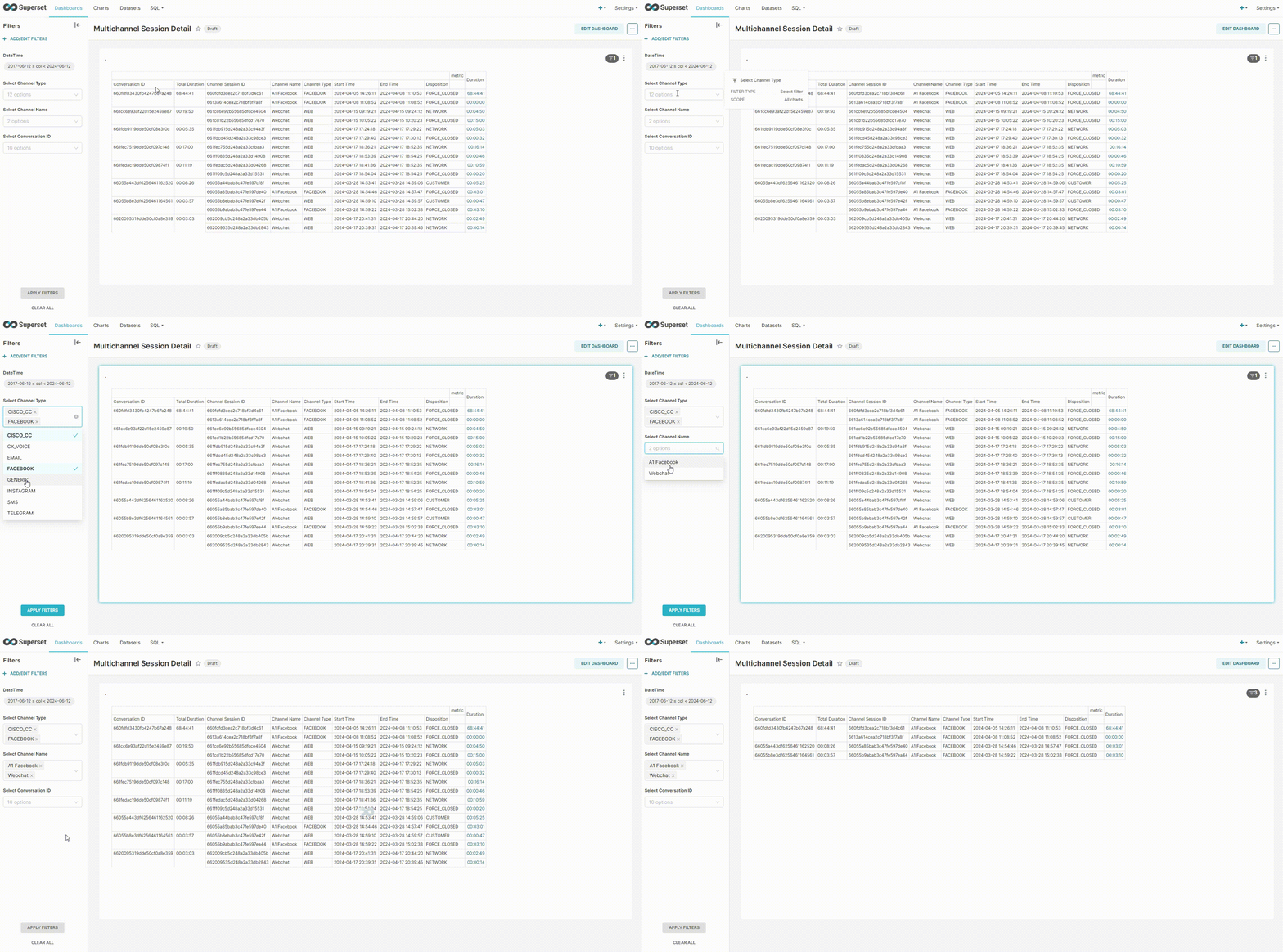
Report Filters
The following report filters are available
-
DateTime - allows filtering channel sessions falling under a particular date/time range
-
Channel Type - allows to filter the channel sessions of a particular channel type
-
Channel Name - Specify the name of the channel to filter channel session details of the mentioned channel
-
Conversation ID - Specify the ID of the conversation to load all channel sessions of the specified conversation.