
|
Node |
Condition |
|---|---|
|
Description |
This node |
Overview
-
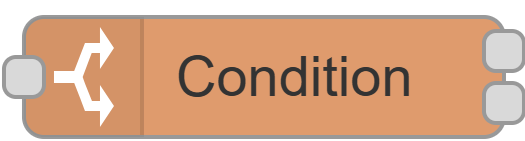
A filter node — it checks the contact attached to the incoming message against a set of rules you define, and routes it accordingly.
-
All rules are applied in sequence; a contact must pass every rule to go out the "true" output. If it fails any rule, it goes out the "false" output.
-
Can be placed anywhere in the flow where you need to branch based on who the customer is — for example, only routing premium customers to a certain path, or skipping contacts with a missing phone number.
-
The node's status dot on the canvas shows a running tally of how many contacts have passed and failed since the flow was last deployed.
|
Category |
Inputs |
Outputs |
Default Label |
|---|---|---|---|
|
Flow Control |
1 |
2 |
Node name, or "Condition" if left blank |
Configuration Options
|
Setting |
Default |
What it does |
|---|---|---|
|
Name |
(blank) |
Optional label for the node. |
|
Rules |
(none) |
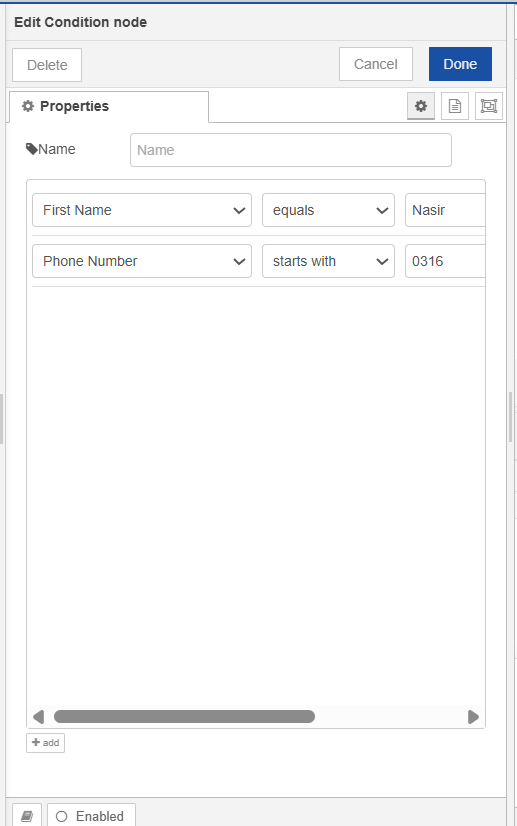
One or more conditions to evaluate. Each rule consists of a Customer Attribute, an Operator, and a Value. All rules must pass for the contact to be routed to the true output. |
Building Rules
Each rule has three parts:
|
Part |
What to choose |
|---|---|
|
Customer Attribute |
Any field from your contact schema — loaded automatically. |
|
Operator |
How to compare the attribute's value — see the full list below. |
|
Value |
What to compare against. Accepts multiple values separated by commas (e.g. |
For attributes that can hold more than one value (channel identifier fields such as phone numbers), an Identifier Index dropdown appears — use this to specify which of the stored values to test (1st through 10th).
Available Operators
|
Operator |
Passes when |
|---|---|
|
equals |
The attribute value exactly matches one of the values you entered (case-insensitive). |
|
not equals |
The attribute value does not match any of the values you entered. |
|
contains |
The attribute value contains at least one of the values you entered. |
|
starts with |
The attribute value starts with at least one of the values you entered. |
|
ends with |
The attribute value ends with at least one of the values you entered. |
|
matches regex |
The attribute value matches at least one of the regular expression patterns you entered. |
|
empty |
The attribute has no value set (blank or missing). |
|
not empty |
The attribute has any value set. |
Outputs
|
Output |
Label |
Sent when |
|---|---|---|
|
1 |
true |
The contact passed all configured rules. |
|
2 |
false |
The contact failed at least one rule. |
If no rules are configured, the contact is treated as passing — the message goes out the true output.
What Happens When This Node Runs
-
Extracts the contact from the incoming message. The node knows to look in different places depending on the message type — a delivery notification, a live call event, or a standard flow message each carry the contact differently.
-
If no contact can be found, the message is quietly dropped — nothing goes out either output.
-
Applies each rule in order against the contact. A contact that fails a rule is immediately moved to the non-eligible group — remaining rules are not checked for it.
-
Sends the original message out the true output if the contact passed, or the false output if it failed. If the node has nothing connected to either output, it does nothing.
-
Updates the canvas status dot with the cumulative eligible/non-eligible tally since the last deploy.
-
A-B
-
C
-
D-L
-
M-R
-
S-Z
|
Status |
Meaning |
|---|---|
|
🔵 Blue dot |
Normal — shows running count of eligible vs non-eligible contacts |
|
🔴 Red dot |
No output ports connected — node is effectively inactive |