
|
Node |
Form Message |
|---|---|
|
Description |
This node |
Overview
-
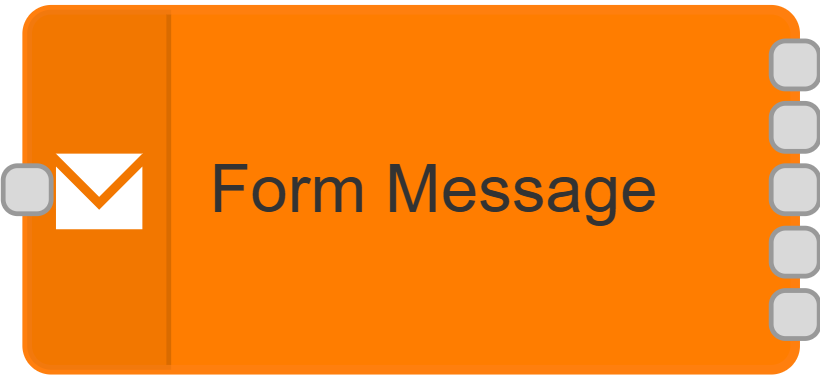
Represents a single question within a survey: when triggered, it sends that question's text to the customer.
-
The same node is later re-triggered with the customer's reply, and routes that reply out a different output depending on which answer matched.
-
Also keeps the overall survey "alive" — every time a reply comes in for this conversation, it resets a timeout so the survey doesn't expire while the customer is still actively answering.
-
Multiple-choice and similar questions get one output per possible answer, plus one for replies that don't match any of the options. Simpler questions (free text, checkboxes) just have a single response output, since there's nothing to branch on.
|
Category |
Inputs |
Outputs |
Default Label |
|---|---|---|---|
|
Survey |
1 |
Varies — 2 minimum, more for multiple-choice questions (see Outputs below) |
Node name, or "Form Message" if left blank |
Configuration Options
|
Setting |
Default |
What it does |
|---|---|---|
|
Name |
(blank) |
Optional label for the node. |
|
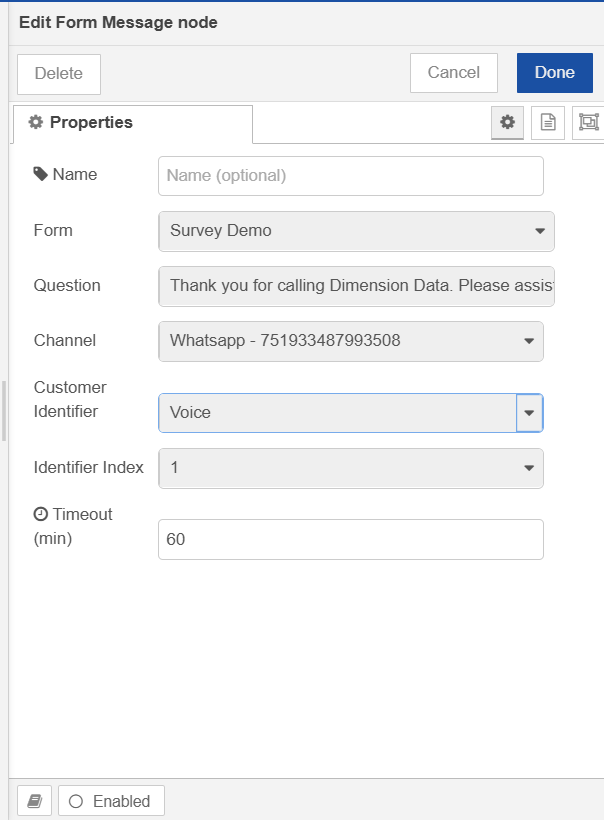
Form |
First available |
Which survey form this question belongs to. Loaded from your configured forms — choosing a form loads its questions below. |
|
Question |
First question in the selected form |
The specific question within that form this node represents. Its type and answer options determine how many outputs this node has (see Outputs below). |
|
Channel |
(required) |
Which messaging channel to send the question from. Only non-voice channels are shown. |
|
Customer Identifier |
phoneNumber |
Which field on the contact record to send the message to. |
|
Identifier Index |
1st |
If that field can hold more than one value, which one to use — 1st through 10th. |
|
Timeout (min) |
60 |
How long to wait for a reply before the survey conversation is considered stale. Resets every time a new reply comes in for this conversation. |
Outputs
|
Output |
Label |
Sent when |
|---|---|---|
|
1st |
Delivery Notification |
A delivery notification for the question that was just sent (confirms whether the message reached the customer). |
|
2nd |
Either the first answer option's label, or "Response" |
For multiple-choice style questions: the customer's reply when it matches the first configured option. For all other question types (free text, checkbox, etc.): the customer's reply, with no matching applied. |
|
3rd onward |
Each remaining answer option's label, in order |
For multiple-choice style questions only: the customer's reply when it matches that option. |
|
Last |
Other |
For multiple-choice style questions only: replies that don't match any configured option. |
The number of outputs is set automatically based on the selected Question — picking a different question, or switching forms, recalculates them.
Configuration setup
-
Selecting a Form automatically loads that form's questions into the Question field.
-
Selecting a Question recalculates this node's outputs and their labels — for multiple-choice style questions you'll get one output per option plus an "Other" output; for other question types you'll get a single "Response" output.
-
The Channel list only shows messaging channels — voice channels aren't included, since this node sends text, not calls.
-
If no forms or no message channels are configured, you'll see "Could not load configuration" instead of the usual fields.
-
Reopening a previously configured node restores your saved Form and Question selections rather than resetting to the first available ones.
What Happens When This Node Runs
When it first sends the question:
-
Builds the question's message text — for multiple-choice style questions, this includes the list of numbered options so the customer knows how to reply (e.g. "1. Yes / 2. No").
-
If the contact is missing, or doesn't have a usable value in the configured identifier field, the question is skipped quietly — nothing is sent and nothing is treated as an error.
-
Otherwise, schedules the message to be sent to the customer.
When a delivery notification comes back:
-
The original message is passed along unchanged out the Delivery Notification output, so you can confirm or react to whether the question actually reached the customer.
When the customer's reply comes back:
-
Resets the survey's timeout clock for this conversation — if this is the very first reply received for the conversation, the timeout is started; otherwise it's simply pushed back out.
-
For multiple-choice style questions, checks the reply against each configured option and routes it out the matching output. Numeric replies are matched either by position (e.g. "2" selects the second option) or by the option's underlying value, depending on the question type. A reply that doesn't match anything goes out the "Other" output instead.
-
For other question types (free text, checkbox, etc.), the reply is simply passed out the single Response output without any matching logic.