|
Report Summary |
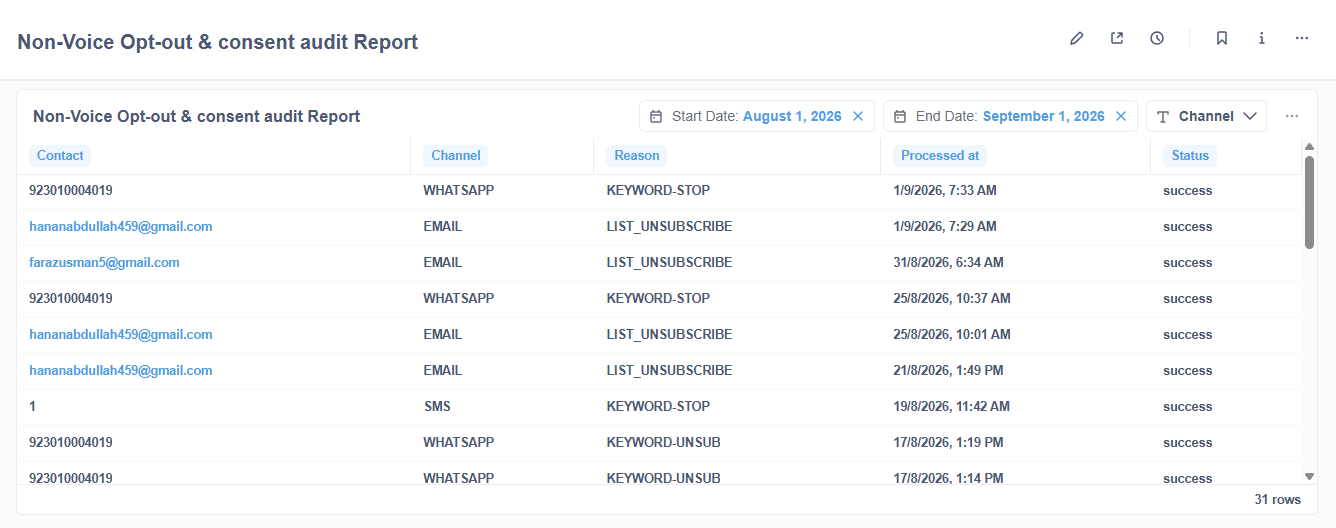
Displays an audit trail of opt-out, unsubscribe, and consent events for non-voice campaigns. |
|---|
Each row is one processed unsubscribe event from the campaign_unsubscribed table: who opted out, on which channel, why, and when it was processed.
Open Non-Voice Campaigns → Non-Voice Opt-out & consent audit Report.
Set the date range, optionally filter by channel, then review or export the table. Rows are ordered by Processed at, newest first.
Report Columns
The following are the report columns:
|
Field(s) |
Description |
|---|---|
|
Contact |
Customer identifier on that channel (phone / ID). (Source: |
|
Channel |
Channel of the opt-out (for example WhatsApp or SMS). (Source: |
|
Reason |
Combined as reason-keyword. Blank if both values are empty. (Source: |
|
Processed at |
Date and time when the opt-out was processed. (Source: |
|
Status |
Shows that the opt-out event was recorded successfully. (Fixed value: |
Note: Campaign is queried as N/A and is hidden on the dashboard because the campaign name is not stored on campaign_unsubscribed.
Report Filter
The following report filters are available for filtering the reporting data.
|
Field(s) |
Description |
|---|---|
|
Start Date |
Includes events where the timestamp is on or after Start Date. (Date filter) |
|
End Date |
Includes events where the timestamp is before End Date. End date is exclusive. (Date filter) |
|
Channel |
Filters by channel_type. Leave empty to include all channels. (Dropdown, multi-select) |
Leave a filter empty to ignore it.
Report Output