
Tested with 1 CP node and two Worker nodes
HW Specs:
-
4 CPU
-
8 GB RAM
-
250GB Disk size
Tested Scenarios with NFS
-
CP node is down two worker nodes up
Observed Behavior:
Despite manual shutdown of the CP node, active conversations between users and customers remain uninterrupted. Access to CIM solution components (unified-admin, keycloak, unified agent) continues without downtime.
-
CP node and one worker node is up, one Worker node is down
Observed Behavior 1:
-
Customer experiences a technical problem message, while the agent faces an inability to connect to the chat. Despite solution accessibility after 10 minutes, the chat does not end properly from the agent's side. After solution accessibility agent is login to the previous chat conversation while chat ended from customer side.
Observed Behavior 2:
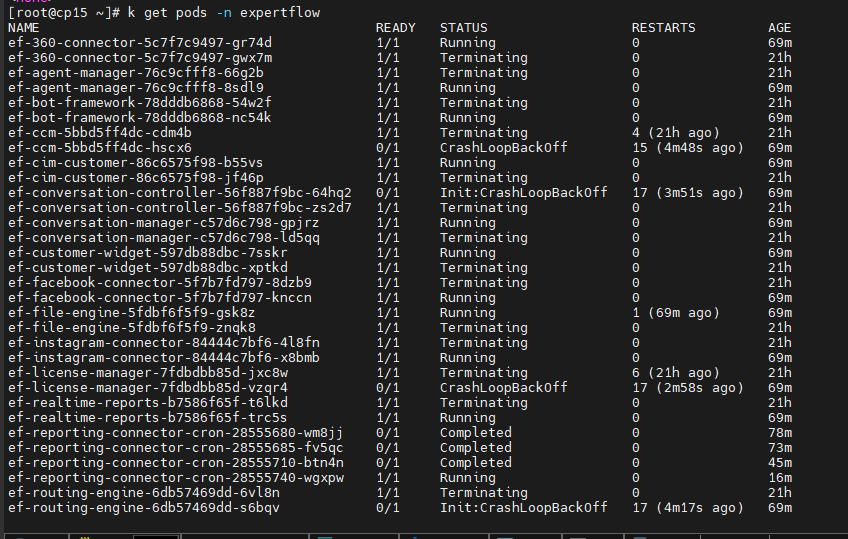
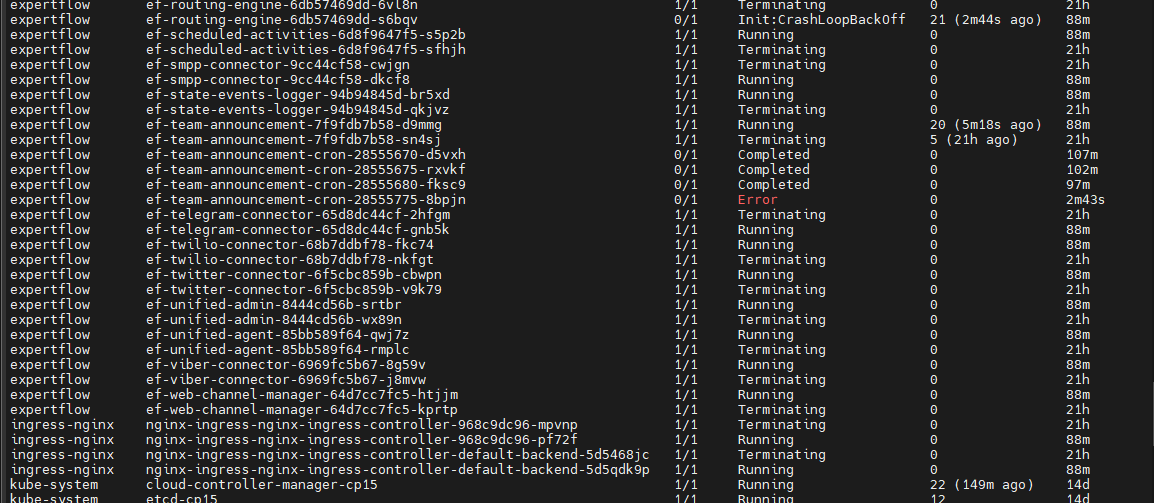
After one hour of a worker node being down, if the terminating pods are not manually deleted, the solution becomes inaccessible. Upon manual deletion of the terminating pods, the solution becomes accessible again.
When a customer initiates a chat after solution restoration, the previous agent, who was already logged into the unified agent in a ready and active state, does not receive the chat request.
Work around:
To resolve the issue, the agent logs out and then logs in again. Subsequently, the agent is able to receive chat requests from customers effectively.

Observed Behavior 3:
-
After manual shutdown of one worker node, attempts to access the unified admin page result in an internal server error. Despite pod manually deletion of terminating pods, both unified admin and redis pods remain unreachable for 20 minutes (running state) , requiring manual deletion for restoration of these (unified-admin, redis) pods.
Observed Behavior 4:
-
Agent and customer are in active conversation. After manual shutdown of one worker node, after 5-7 mins User attempts to manually delete terminating pods, unified admin and unified agent and keycloak are accessible. Previous Agent is logsout automatically user is on login page of unified agent once the solution is accessible. customer chat ended from customer side. User is able to login with different agents and can receive the chat request from customer.
-
All nodes down Including NFS Server
Observed Behavior:
It is not recommended. user is not able to access the solution. once all nodes are up. mongo db pod is not running. user manually delete the pod but still face the same issue, Although all nodes are operational, the MongoDB pod remains inactive. Despite manual deletion attempts, the issue persists, leading to volume corruption. Ultimately, redeployment of the solution becomes necessary.
Tested Scenarios with OpenEBS:
-
CP node is down, two worker nodes up
Observed Behavior:
CIM solution accessibility remains uninterrupted, allowing chat initiation despite the CP node's downtime.
-
CP node is up, Worker node is down
Observed Behavior:
CIM solution becomes inaccessible, given OpenEBS's dependency on both worker nodes up for operation.
Limitations:
-
Manual deletion of terminating pods is required when a worker node fails, which is an additional operational overhead.
-
Solution access relies heavily on manual pod management, if the terminating pods are not deleted or failure to delete pods resulting in inaccessible solutions.
-
Average downtime spans 10-14 minutes, including pod deletion efforts.