
Register Webhook
360-connector expects an HTTP POST request to this endpoint {FQDN}/configs/webhook with the following query params
|
Query Param |
Description |
|---|---|
|
url |
This represents the URL of 360-connector, where notifications from 360Dialog will be received.
|
|
hostUrl |
The default base URL for the 360dialog WhatsApp API i-e https://waba.360dialog.io Use the following URL for the 360dialog sandbox https://waba-sandbox.360dialog.io |
|
apiKey |
the key/token of the WhatsApp account. To get the key for the sandbox, add the 360dialog sandbox number in your WhatsApp contact and send a WhatsApp message from your phone to the phone number |
|
authorization |
This is the WhatsApp number, which is used to authenticate the header whenever 360-connector receives a notification from 360Dialog. Its format should be the same as defined in serviceIdentifier in Channel Configuration in Unified-Admin.
|
Get Webhook
If the webhook URL is already set, make a GET request to this endpoint {FQDN}/configs/webhook, to retrieve the existing resource.
|
Query Param |
Description |
|---|---|
|
hostUrl |
The default base URL for the 360dialog WhatsApp API i-e https://waba.360dialog.io
Use the following URL for the 360dialog sandbox https://waba-sandbox.360dialog.io |
|
apiKey |
the key/token of the WhatsApp number. |
Unified Admin Configurations
Channel Manager Configs
-
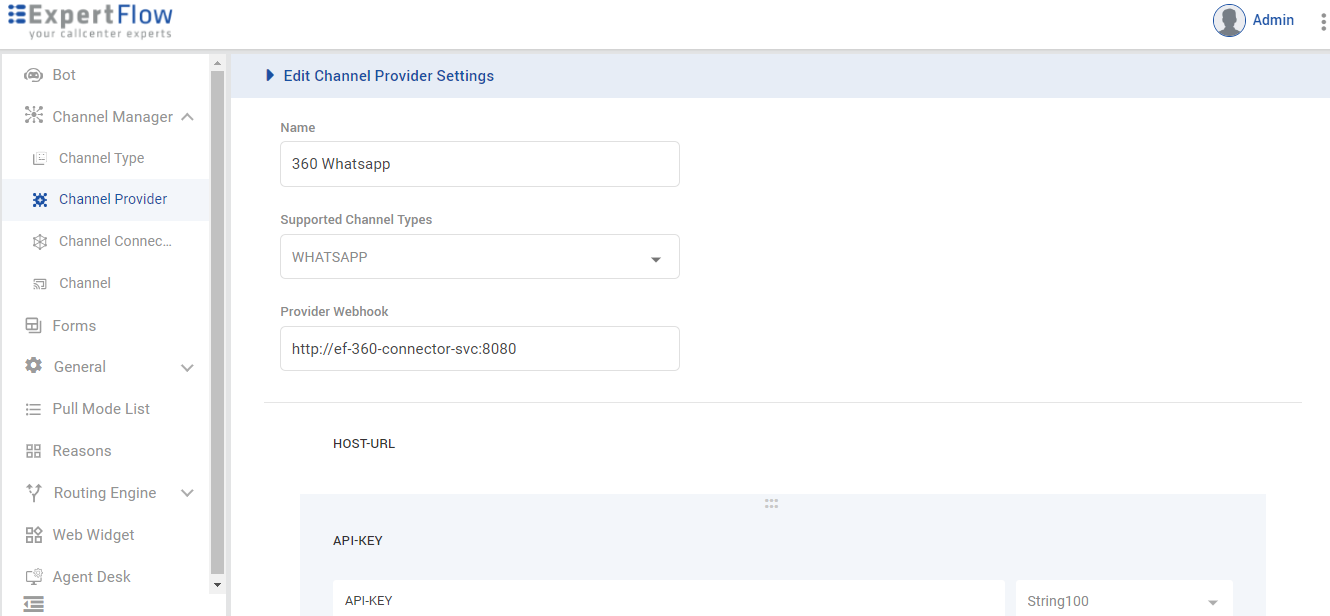
The following variables first need to be added as "customer-attributes" in "channel provider" on unified-admin.
-
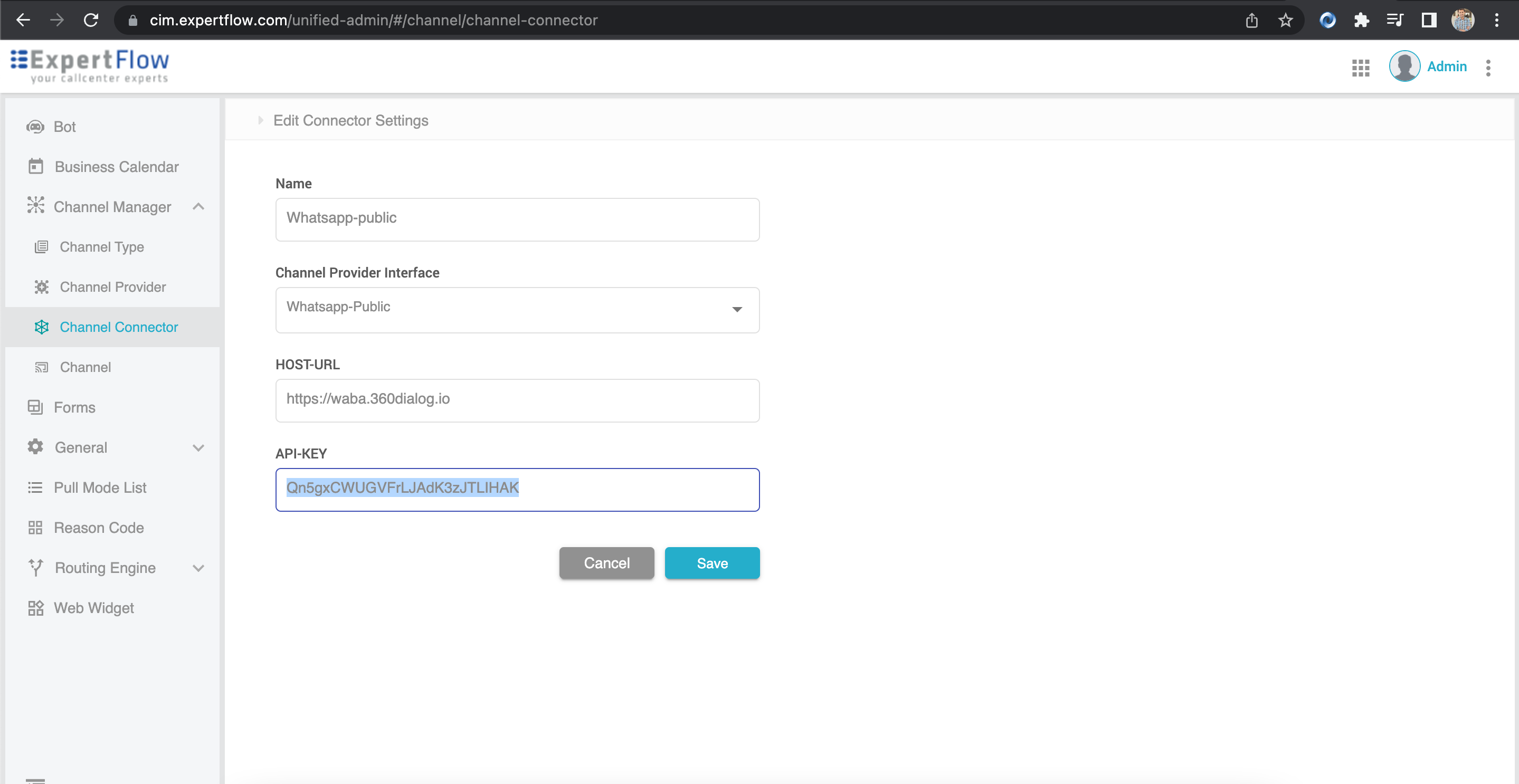
Then we need to set their values in "channel-connector" on unified-admin.
|
Variable Name |
Description |
Size |
Required |
Example |
|---|---|---|---|---|
|
HOST-URL |
HOST-URL contains the URL of the Channel Provider such as 360Dialog. |
String100 |
YES |
|
|
API-KEY |
API-KEY contains the token/key for the Channel Provider.
|
String100 |
YES |
Q*****************HAK |