
Recommendations
-
Media Server and Expertflow CX Server Time should be synced.
-
It is not recommended to enable CX and Cisco Voice Channel simultaneously; only one voice channel should be configured at any given time.
-
The recommended value for the customer inactivity timeout and Agent Request TTL should be greater than the configured value for a call in the contact center, if any; otherwise, 1 hour (3600 sec) should be set as a minimum value, after which the session expires in our system.
Limitations
-
The limitations of the multi-channel are mentioned here.
-
Direct ext-to-ext calls are not supported.
-
Any private browser window is not supported.
Unified Admin Configurations
Go to your CX tenant URL with the unified-admin endpoint. The username and password are always admin,admin.
CX Voice Queue
-
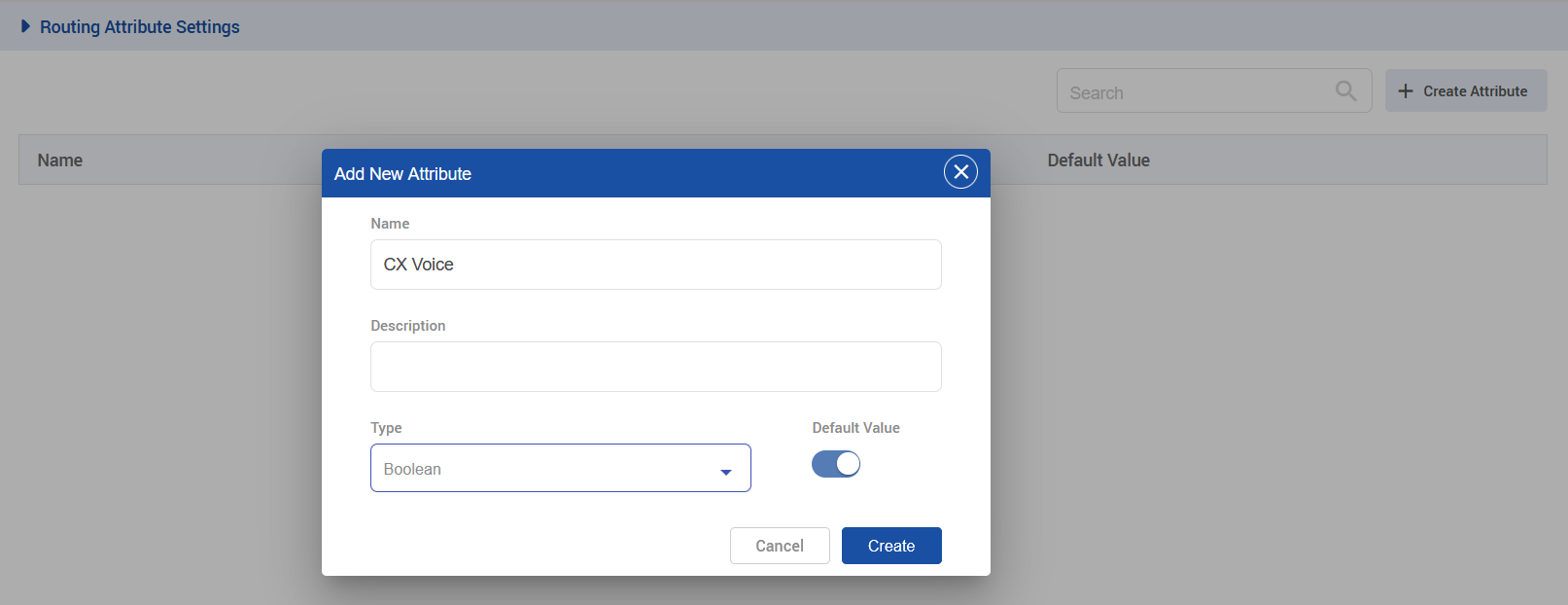
Create a Routing Attribute called CX Voice with the type of Boolean.
-
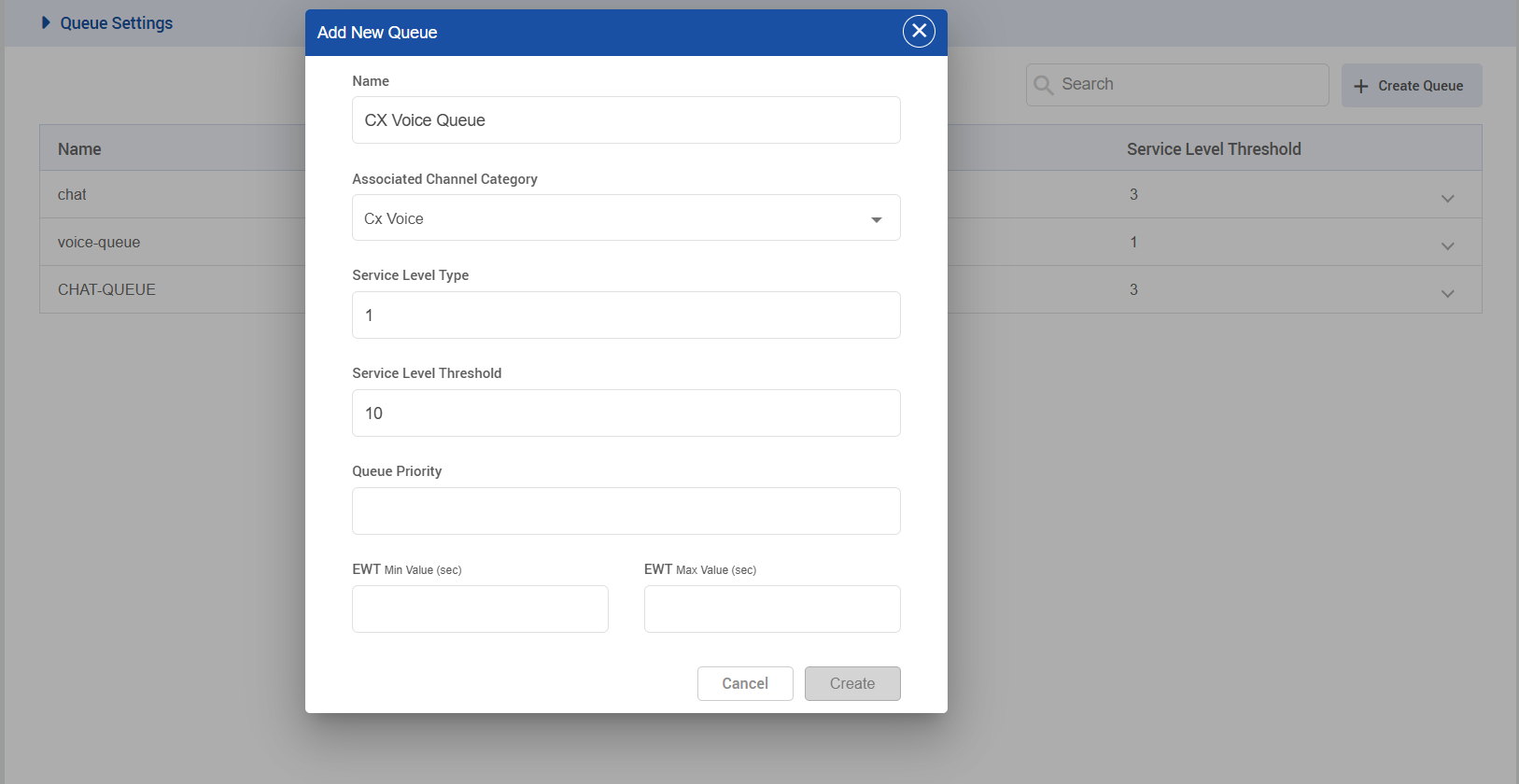
Create a CX Voice Queue with the following settings.
-
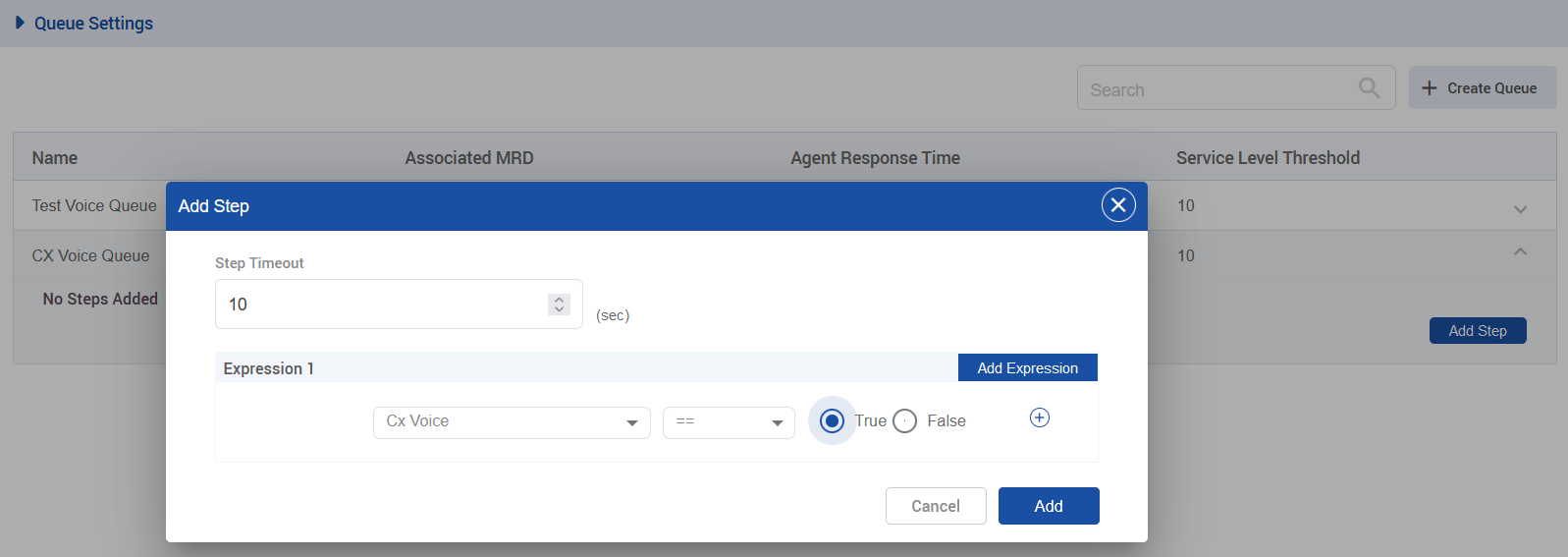
Once the created queue, click on drop-down, then click on Add Step, and set the following steps
-
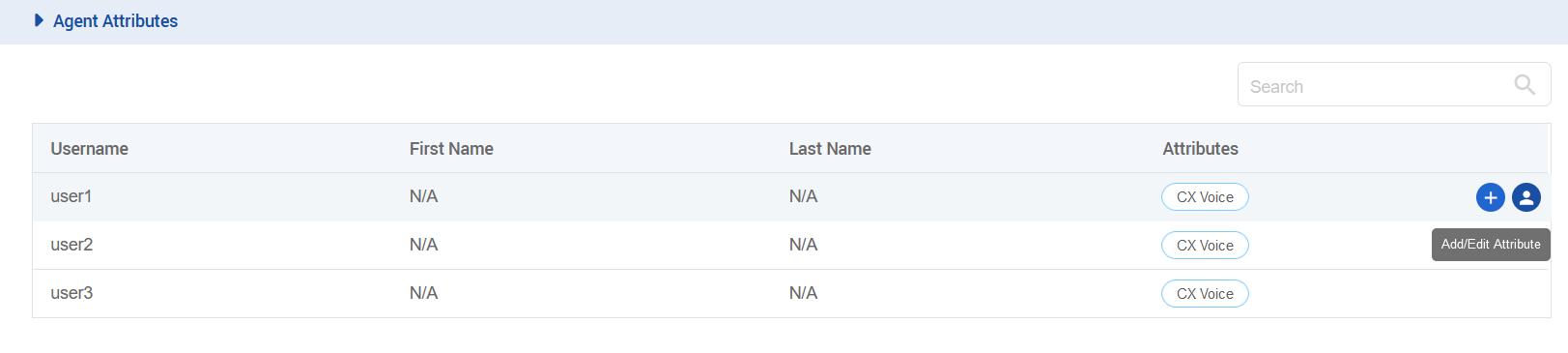
Open the Agent Attributes section and assign the CX Voice attribute to your desired agent.
Channel Manager Config
-
The following variables need to be added in the channel provider for the CX_VOICE channel type on the unified-admin.
-
The provider webhook is required in this case and is the callback URL exposed by the Voice connector (Deployed in previous step) in the format: http://VC-IP:VC-PORT/ccm-msg/receive
-
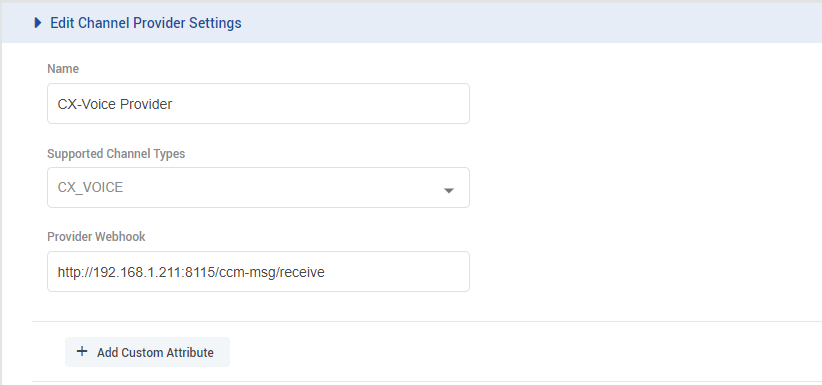
-
Add a channel connector for the provider configured above for the CX_VOICE channel type on the unified-admin.
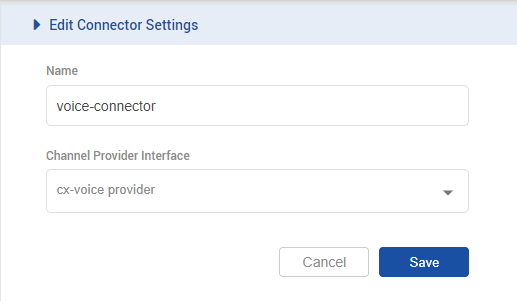
-
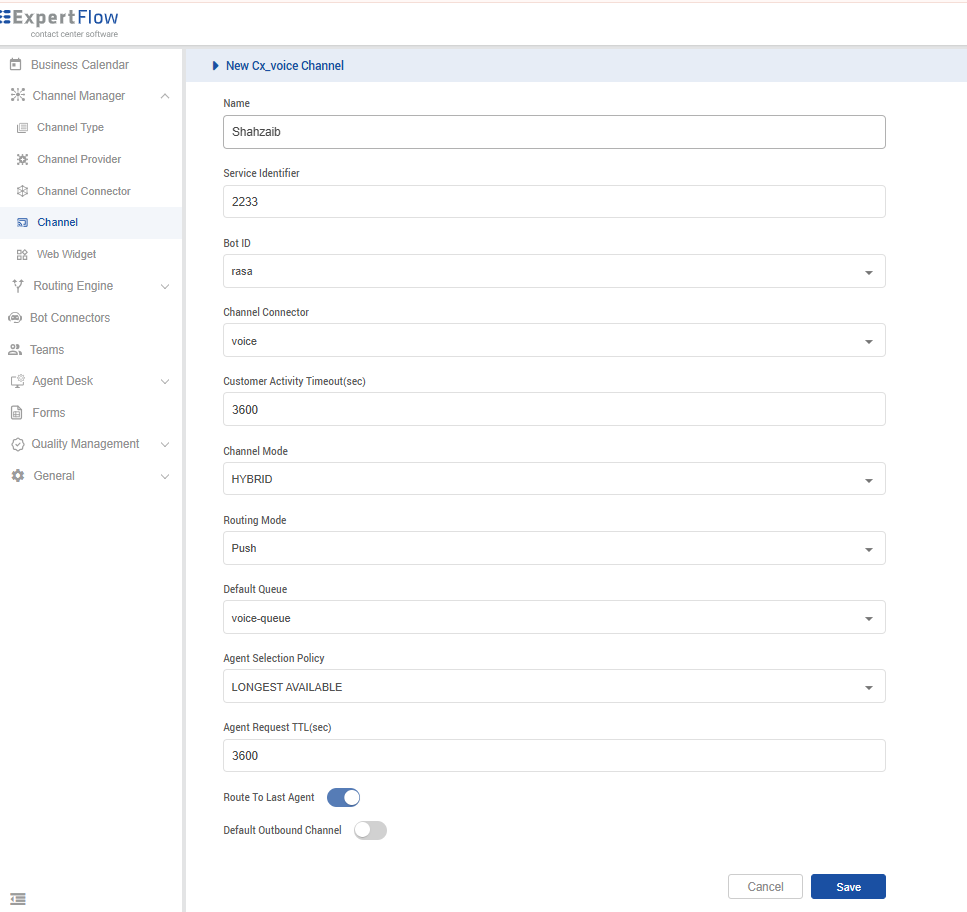
Add a channel for the CX_VOICE channel type on the unified-admin.
-
Add the desired channel name.
-
Choose a Service Identifier of your choice (for example, 2233) for the channel. Later, in the Media Server, configure the same DN (Dial Number) for the inbound IVR used by the contact center. The DN must match the Service Identifier configured for the channel.
-
Select the configured Bot (rasa). If no bot appears in the list, navigate to the Bot Connectors panel on the left and create a dummy bot connector. This is only required because a bot selection is mandatory, even though bots are not used in the voice use case.
-
Select the configured channel connector.
-
Configure the activity timeout. (Default 3600)
-
Select Channel Mode, i.e., HYBRID. (supported by the system as of yet.)
-
Set Routing Mode to PUSH.
-
Select the queue that is associated with the CX VOICE MRD.
-
Select Agent Selection Policy, i.e., LONGEST AVAILABLE (supported by the system as of yet.)
-
Configure the Agent Request TTL. (Default 3600)
-
To configure Outbound conversation, enable the Default Outbound Channel for the CX Voice channel being used.
