
Enables a supervisor to monitor and barge in the conversation if required.
To Barge in
The supervisor can monitor and barge in a conversation by clicking on the Barge in button provided on the Conversation Toolbar. As she barges in, she becomes a primary participant in the active conversation.
Voice
Note
-
In the case of voice supervisor, the MRD status will remain "Not-Ready" throughout the call, regardless of whether the user was previously in a "Ready" or "Not-Ready" state.
-
In the case of chat supervisor, the MRD will remain unchanged and the supervisor can change its MRD while Barge In the chat.
-
In case of hold, we don’t listen to any music
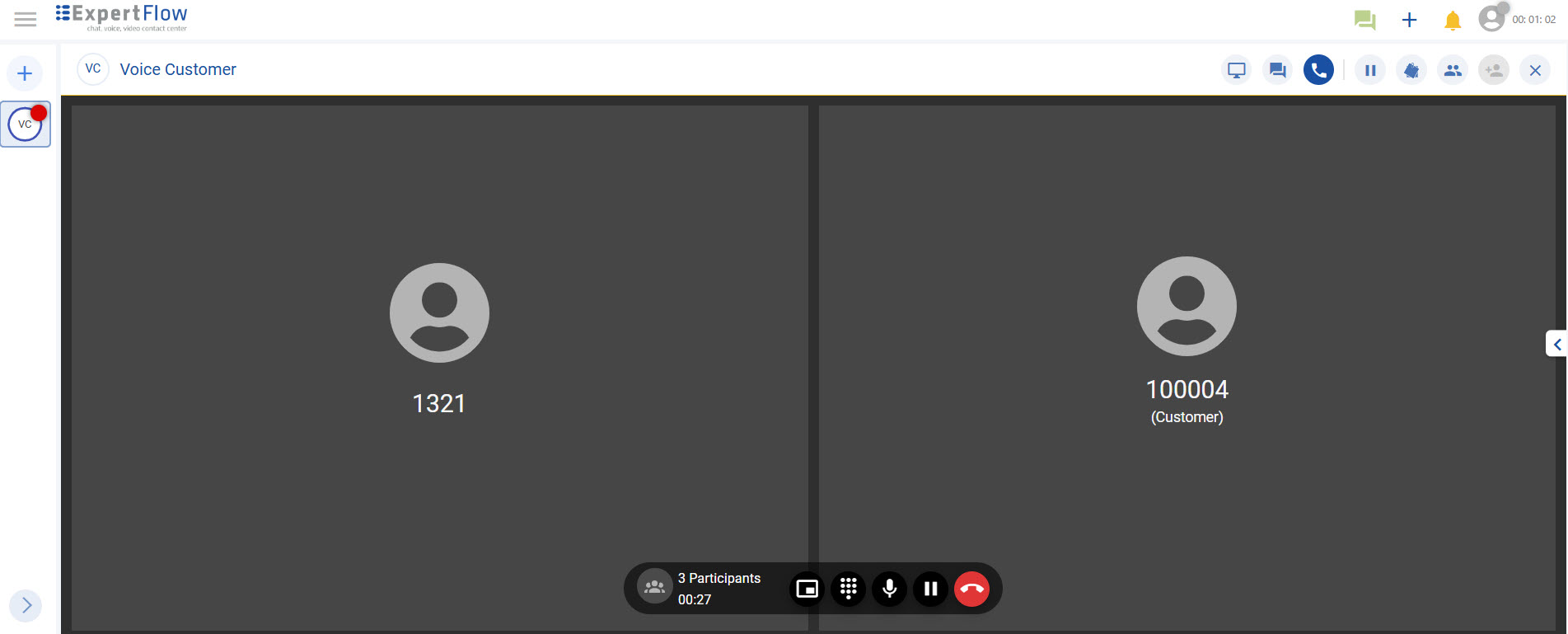
For voice calls, the supervisor joins the conversation as a Primary participant and can interact with other Agent(s) and the customer.
To barge in a call, the supervisor clicks on the Barge in button. The call now becomes a conference call and all participants can interact with each other.
Chat
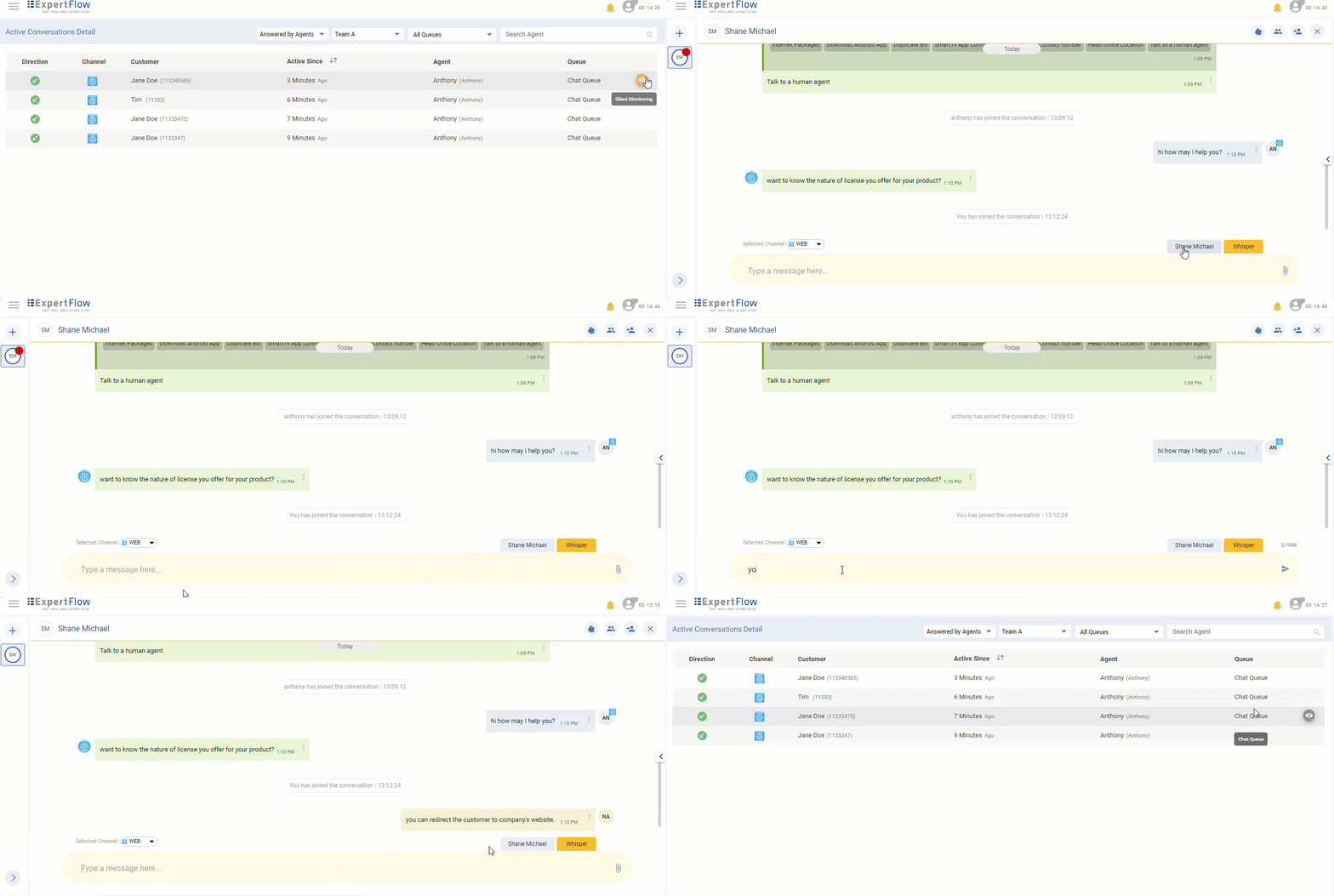
For any chat channel, the supervisor can monitor and barge in a conversation by clicking on the Barge in button provided on the Conversation Toolbar. As she barges in, she becomes a primary participant of the active conversation and can:
-
Send a direct message to the customer using the Customer's tab.
-
Can do Whisper Message using Whisper's tab.
-
Transfer the conversation.
-
Leave the chat
Limitations
-
To barge in, the supervisor needs to silently monitor a conversation first and then click on the Barge in button to join the conversation.
There can be four participants in Barge in at maximum. -
If a Barge in on chat is already in progress for a conversation, and the CX Voice session gets active afterward, the Barge in will only be limited to chat.
-
Barge in on Outbound and Transferred conversations (in case of voice) is not supported.
-
If any changes are done with roles on Keycloak, the Supervisor/Agent needs to re-login for the changes to be reflected.
-
The Whisper options are only available for chat.
-
Whisper Message Composer Not Visible on A1 side during Supervisor Whisper Interaction.
-
Barge in does not work for features Outbound, Direct Named Agent Transfer, and Consult Transfer due to limitations in the “Ongoing Conversations Detail" dashboard, preventing further monitoring of the interaction.
-
After resuming a consult call it is not automatically holding the conference call that existed before.
-
Grafana Dashboard doesn’t display proper data in case of a Barge in call.