To set up CX Analyser reports:
1. Go to Metabase and log in with the admin user.
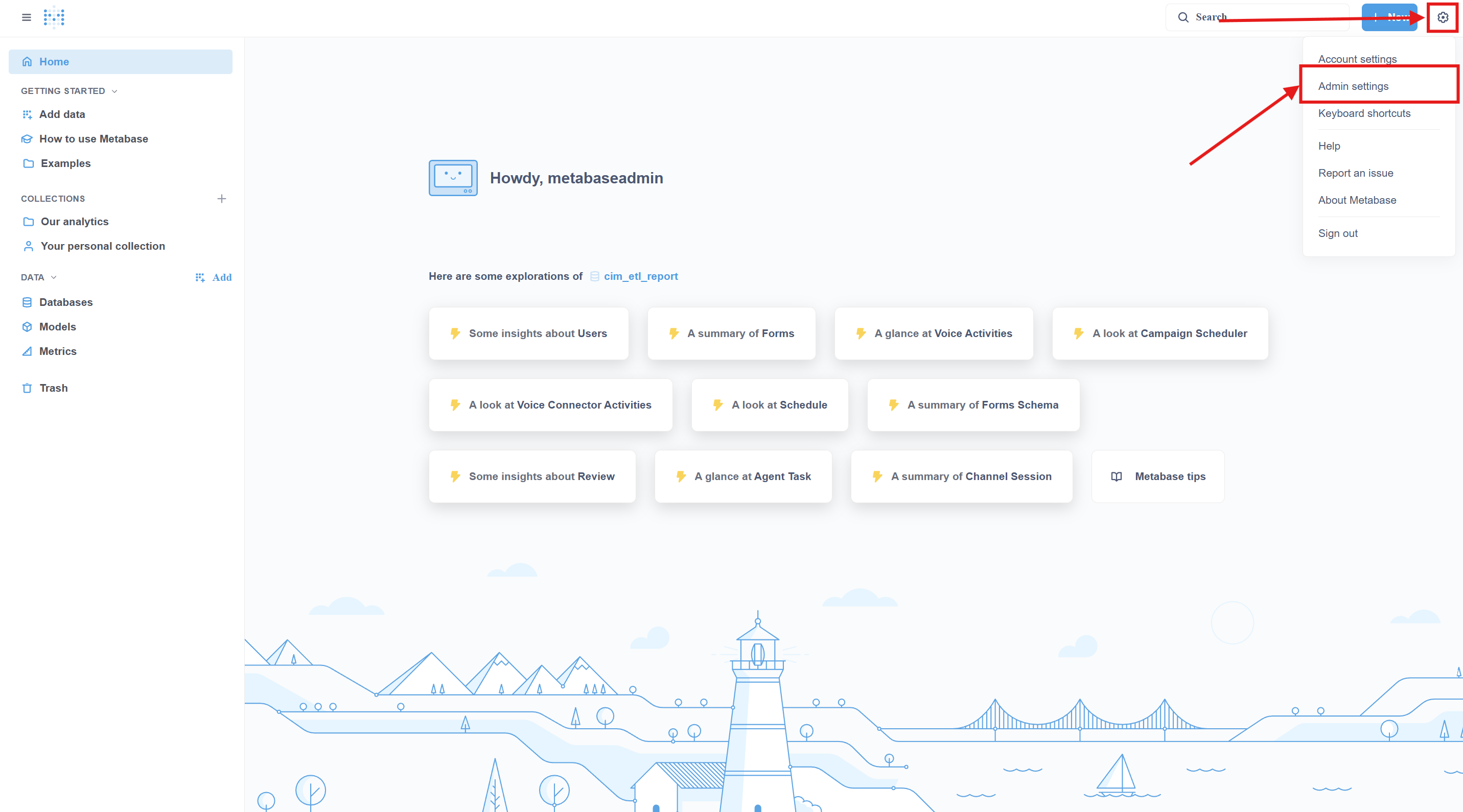
2. Click on the settings gear icon, then click on admin settings:
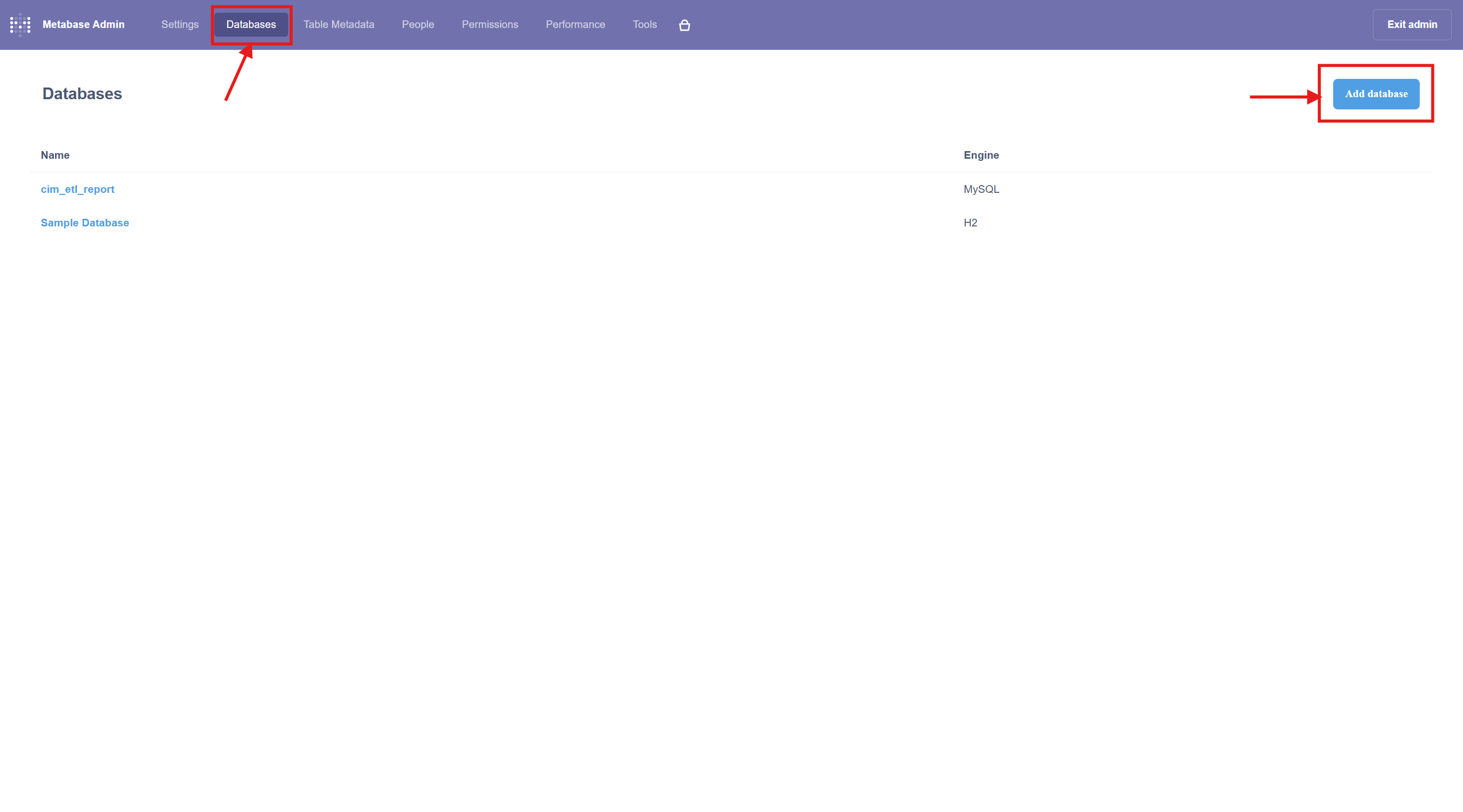
3. Then, on the admin page, click on databases, then click on Add database:
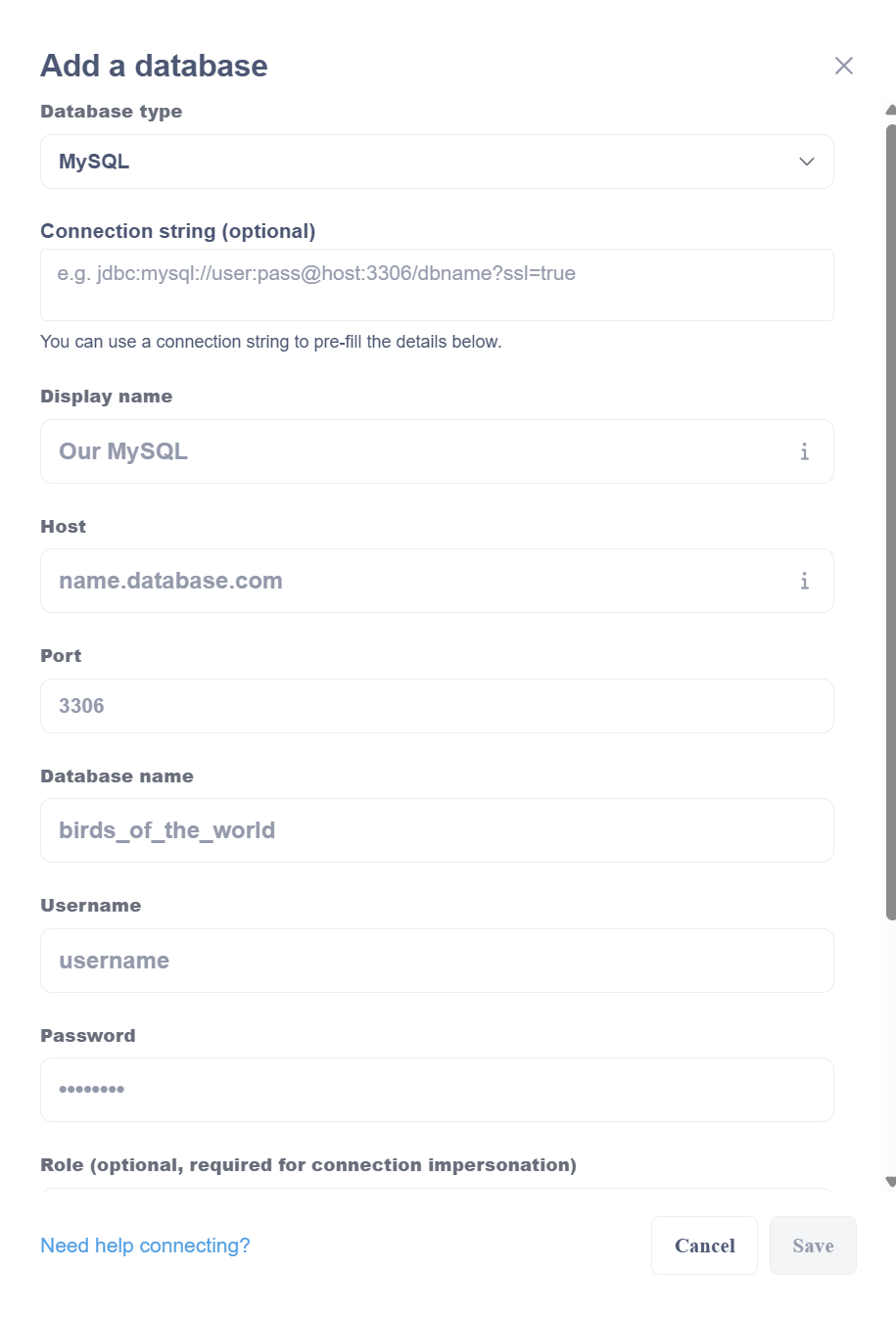
4. Add database and click save (Remember the Display name of the database, which we will use in the import command):
During update change database “expertflow” .
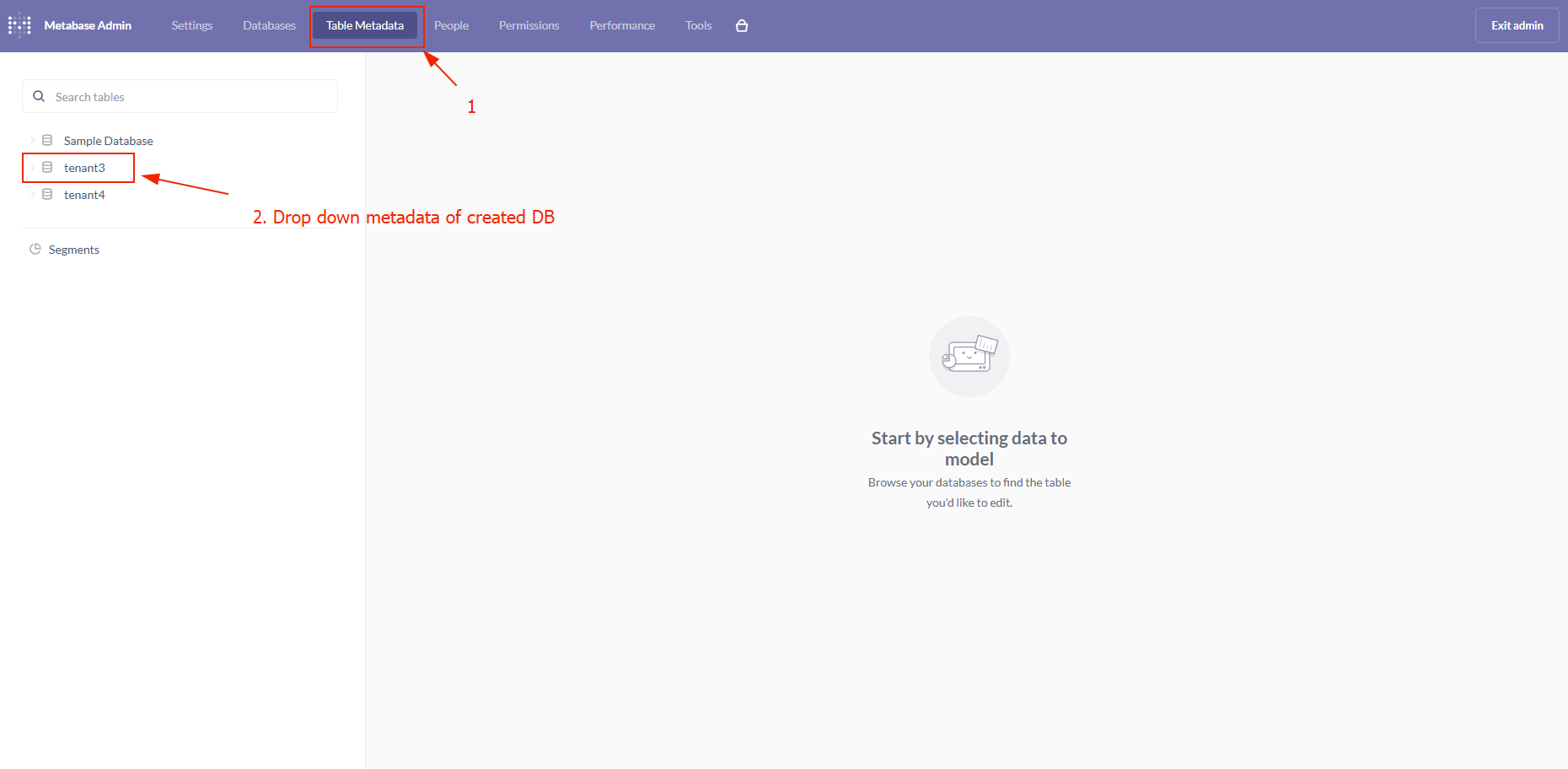
5. Go to Table Metadata to verify that all the tables are visible.
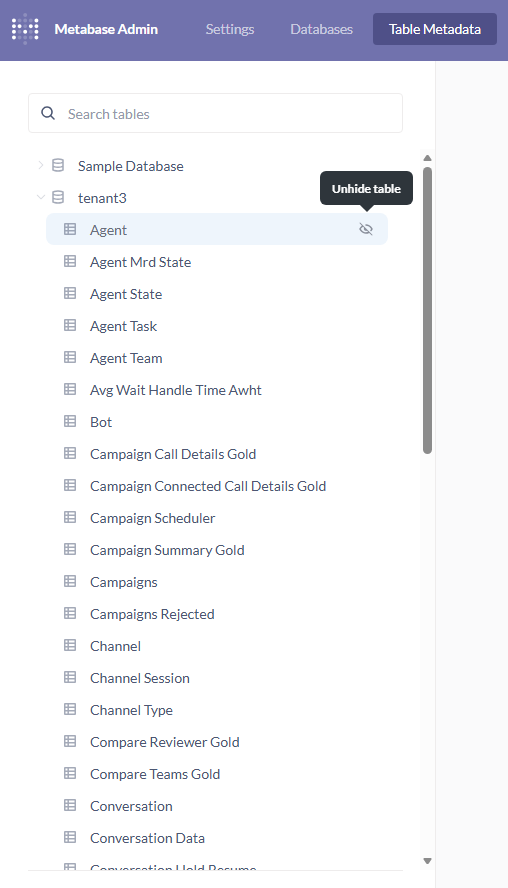
6. Please make sure that all the tables are not hidden. If any table is hidden, unhide the table by clicking the cross-eye icon.
7. After successfully creating the database, go to this location on the Metabase machine:
cd kubernetes/external/metabase-reports/metabase_reporting_update_tool/
8. Run the following command:
Before running the command, ensure you choose the correct folder for MySQL or MSSQL reports
For Multi-tenancy, set the tenant collection name like: "T1 Reports" and use the database name created for the tenant in the command.

python3 metabase_import.py https://<Metabase-FQDN>/metabase/api/ <admin-email> <admin-password> <db-display-name> <mysql> "<Tenent-collection-name>"

EXAMPLE: python3 metabase_import.py https://t1.expertflow.com/metabase/api/ metabaseadmin@gmail.com password123 cim_etl_report mysql "EF Reports"

The command may take some time to complete.
If it runs successfully, you’ll see “✓ Cards imported” at the end.
If not, it will display an error message.
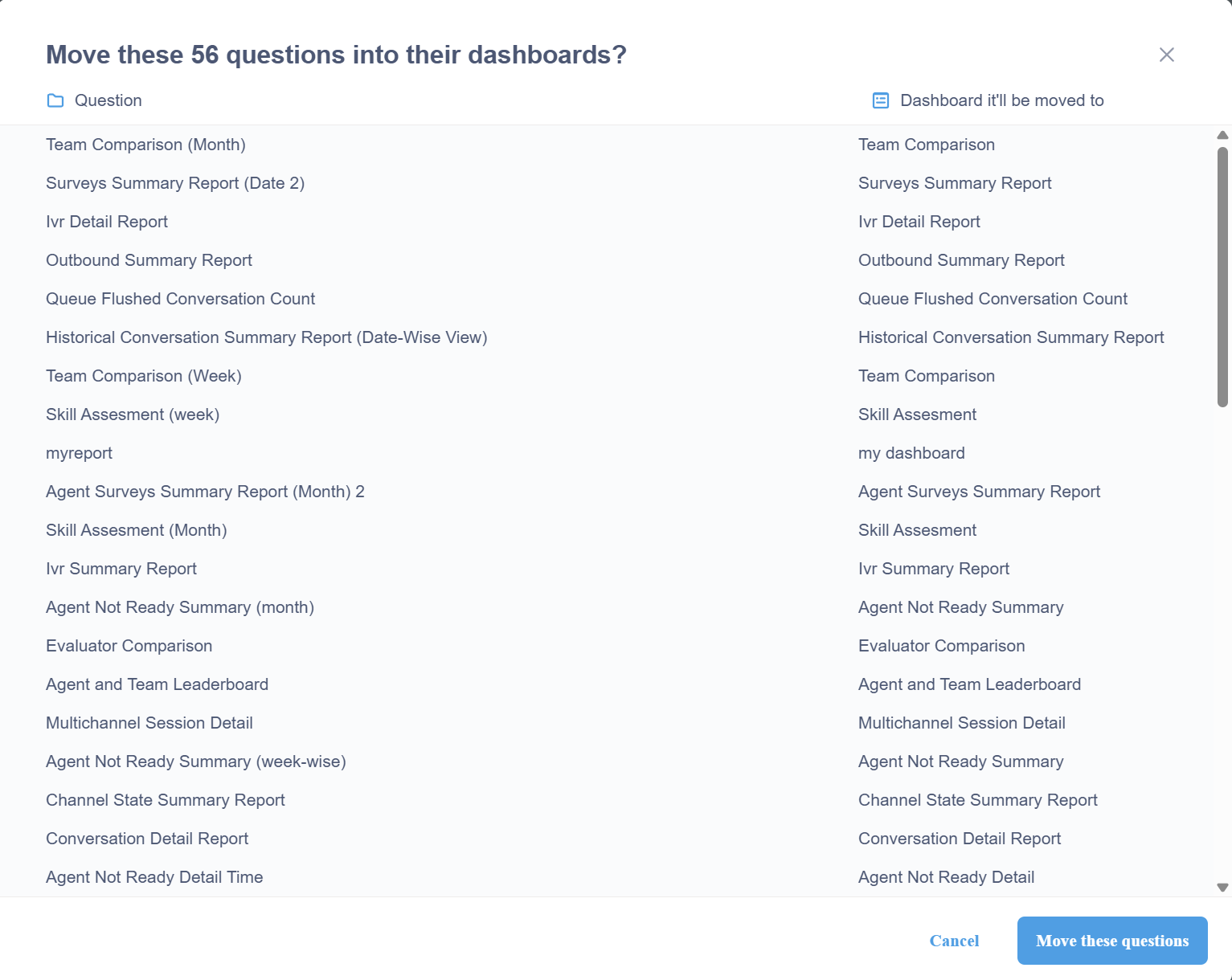
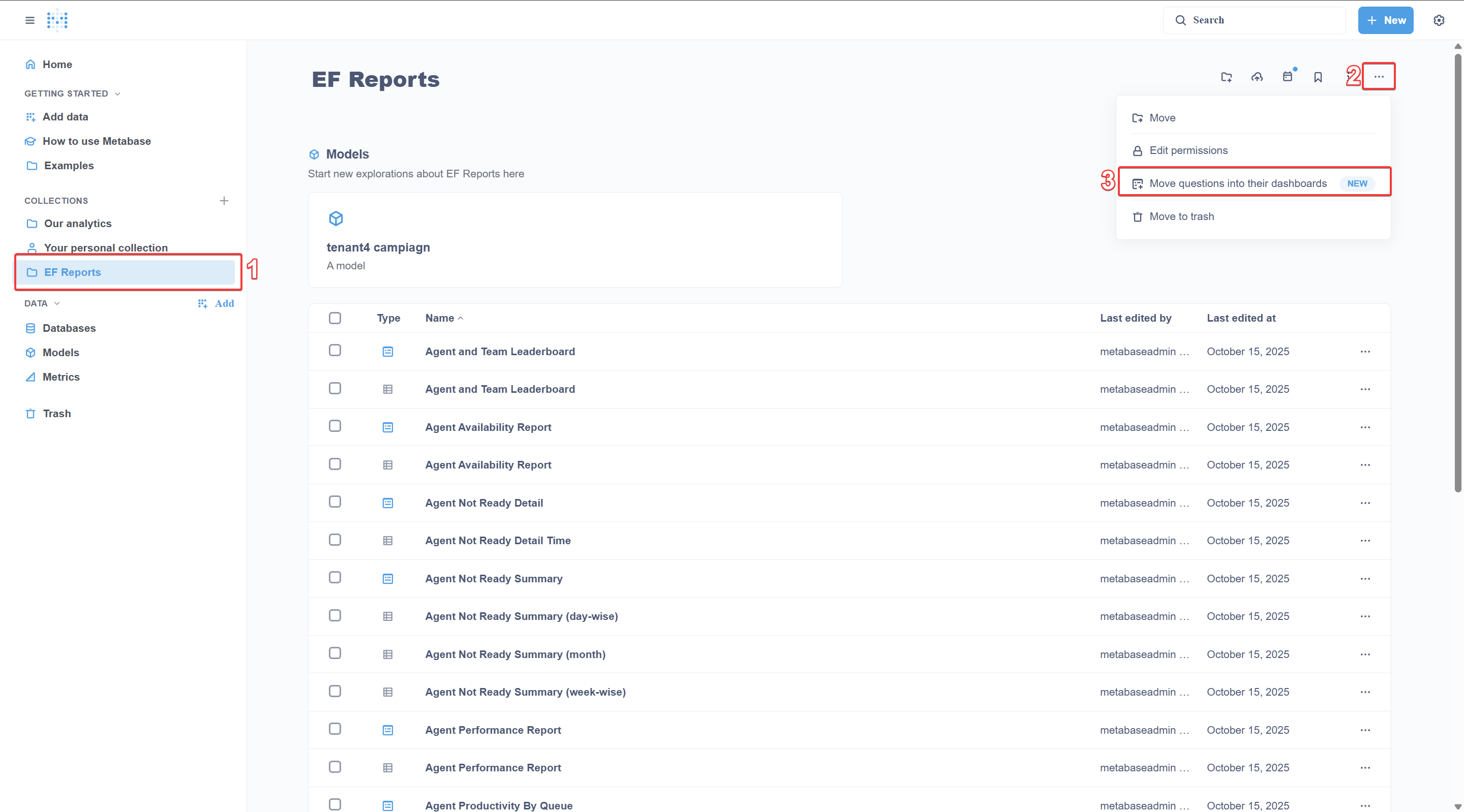
9. After running the command, go to Metabase, click the report folder, click the (…) icon, then click Move questions into their dashboards:
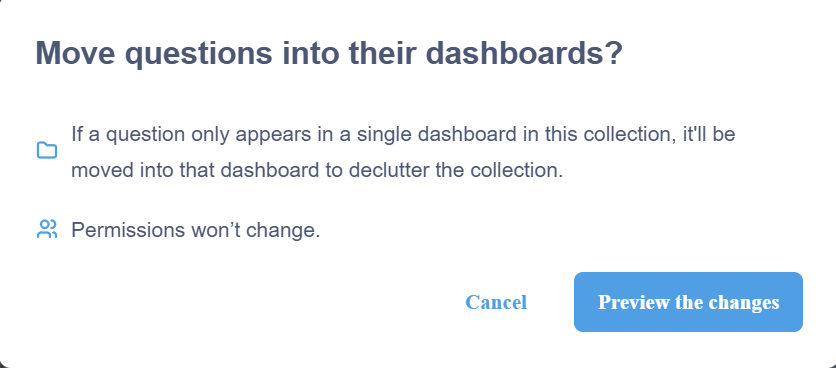
10. Next, click on Preview the changes:
11. Next, click on Move these questions: