
Recommendations
-
Finesse and CX Server Time should be synced.
-
Always keep the Customer Activity Timeout greater than the configured call timeout on Cisco (finesse) for the Cisco voice channel.
System Configurations
-
The Cisco Finesse admin should be contacted for the configuration of the Finesse agents and gadgets.
-
Once those are set up, the following guide can be used to update and integrate with CX.
Unified Admin Configurations
Channel Manager Config
-
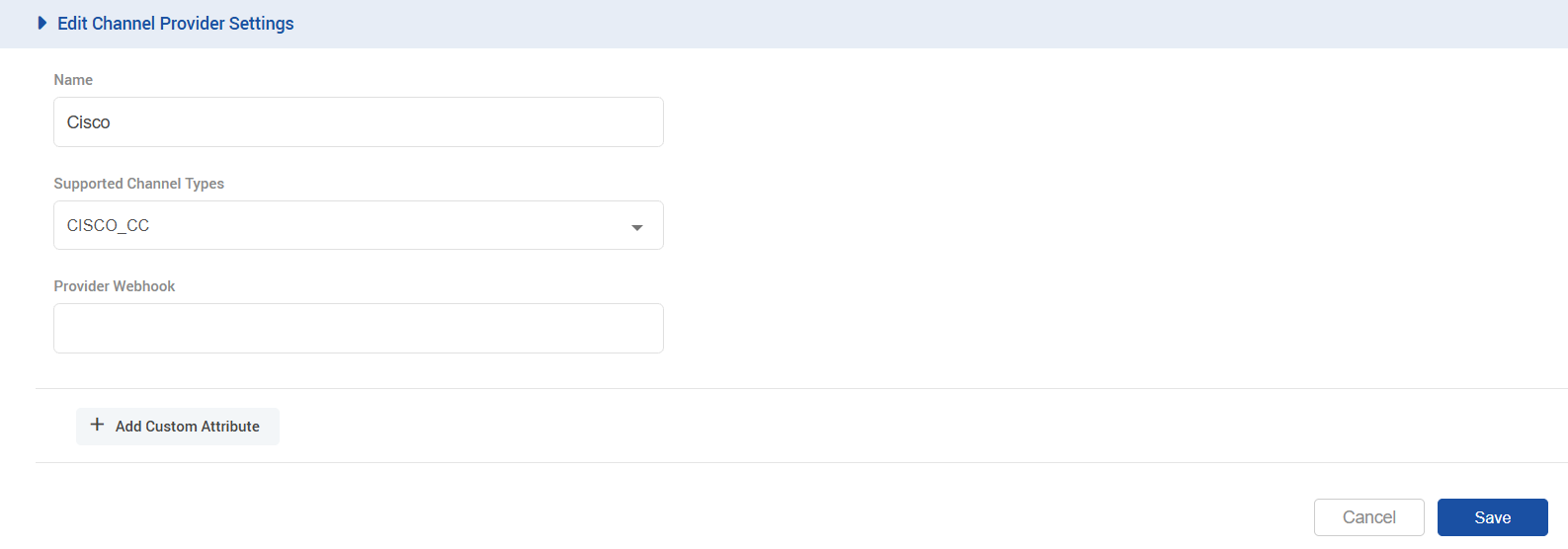
The following variables need to be added in the channel provider for the CISCO_CC channel type on unified-admin. The provider webhook is not required in this case
-
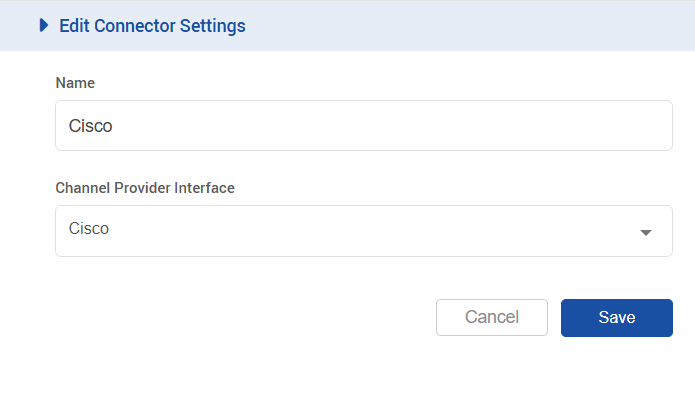
Add a channel connector for the provider configured above for the CISCO_CC channel type on unified-admin.
-
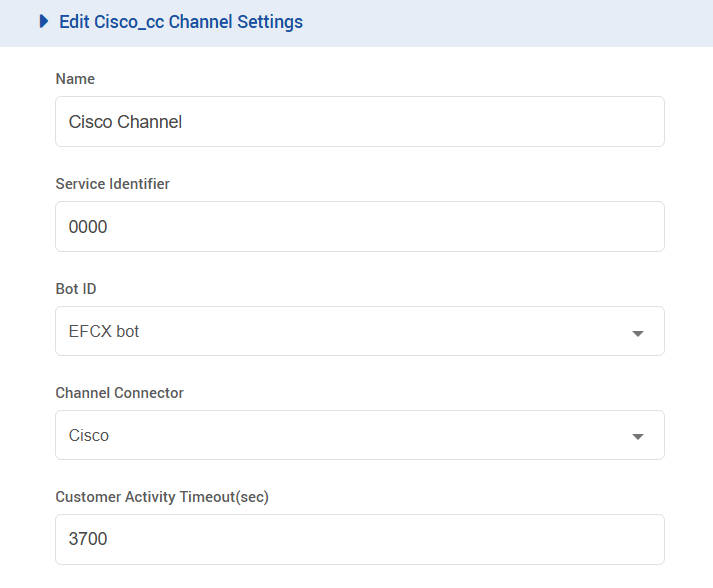
Add a channel for CISCO_CC channel type on unified-admin.
-
Add the desired channel name.
-
You can add any number as a service identifier for the channel. (The same identifier should be used in the Agent Desk configurations for the attribute
CISCO_SERVICE_IDENTIFIER) -
Select the configured Bot.
-
Select the configured channel connector.
-
Configure the activity timeout. (The recommended value for the customer inactivity timeout should be greater than the one configured for a call in the contact center; otherwise, the system may cause issues.)
-
Select Channel Mode, i.e., HYBRID. (supported by the system as of yet.)
-
Set the Routing Mode as EXTERNAL.
-
To configure an Outbound conversation, enable the Default Outbound Channel for the Cisco voice channel being used.
-
Channel Category Config
-
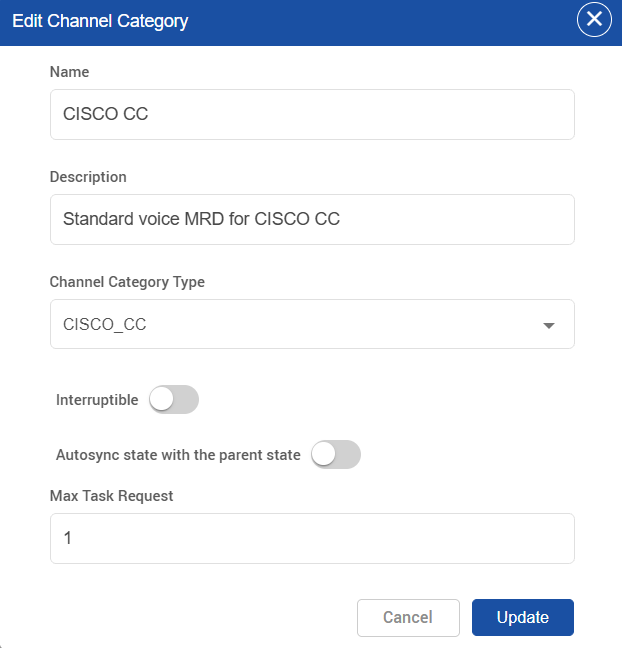
Set the ManagedByRoutingEngine, Autosync state with the parent state & Interruptible flag to false for the default CISCO CC category.
-
The MaxTaskRequest should be set to 1.
Agent Channel Categories Config
-
For each user, the max task request should be set to 1 for CISCO CC mrd.
