
With Google Play Store integration, you can monitor and respond to user reviews on your Play Store applications.
Agent Capabilities
-
View Reviews and Star Ratings: Agents can view the Review text and Star Rating (1–5 stars) along with the app name and app logo.
-
Send a public reply to a review: Agents can send a public reply to a review directly from the Conversation View. The reply appears on the app’s Play Store listing under the customer’s review.
Setup Steps
-
Get a Google Service account Google Play Onboarding Guide
-
Configure Play Store as a Channel in Unified Admin Configurational Guide
Agent How-to
To reply to a review
-
In Conversation View, hover over the message and click on the reply icon.
-
Confirm that the selected channel is Google Play Store.
-
Click in the Message Composer at the bottom of the screen.
-
Type your reply message.
-
Click Send.
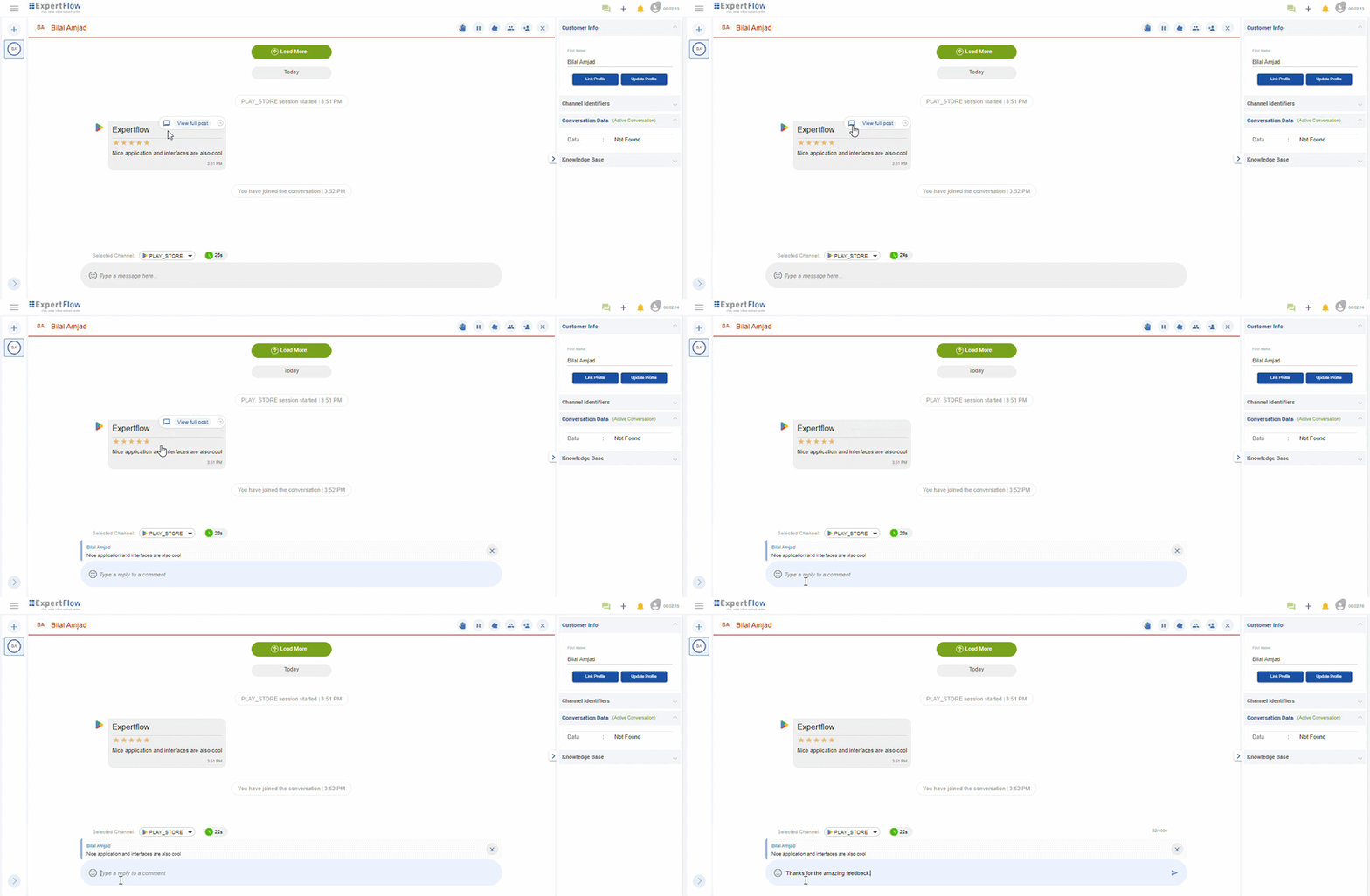
All replies are subject to Google Play Store policies and may be moderated by Google.
View Full Post
Agents can view the complete history for a given review, including:
-
App name
-
Original review text
-
Top 4 reviews with the review name, their ratings in stars, review time, and any replies shown in a threaded view.
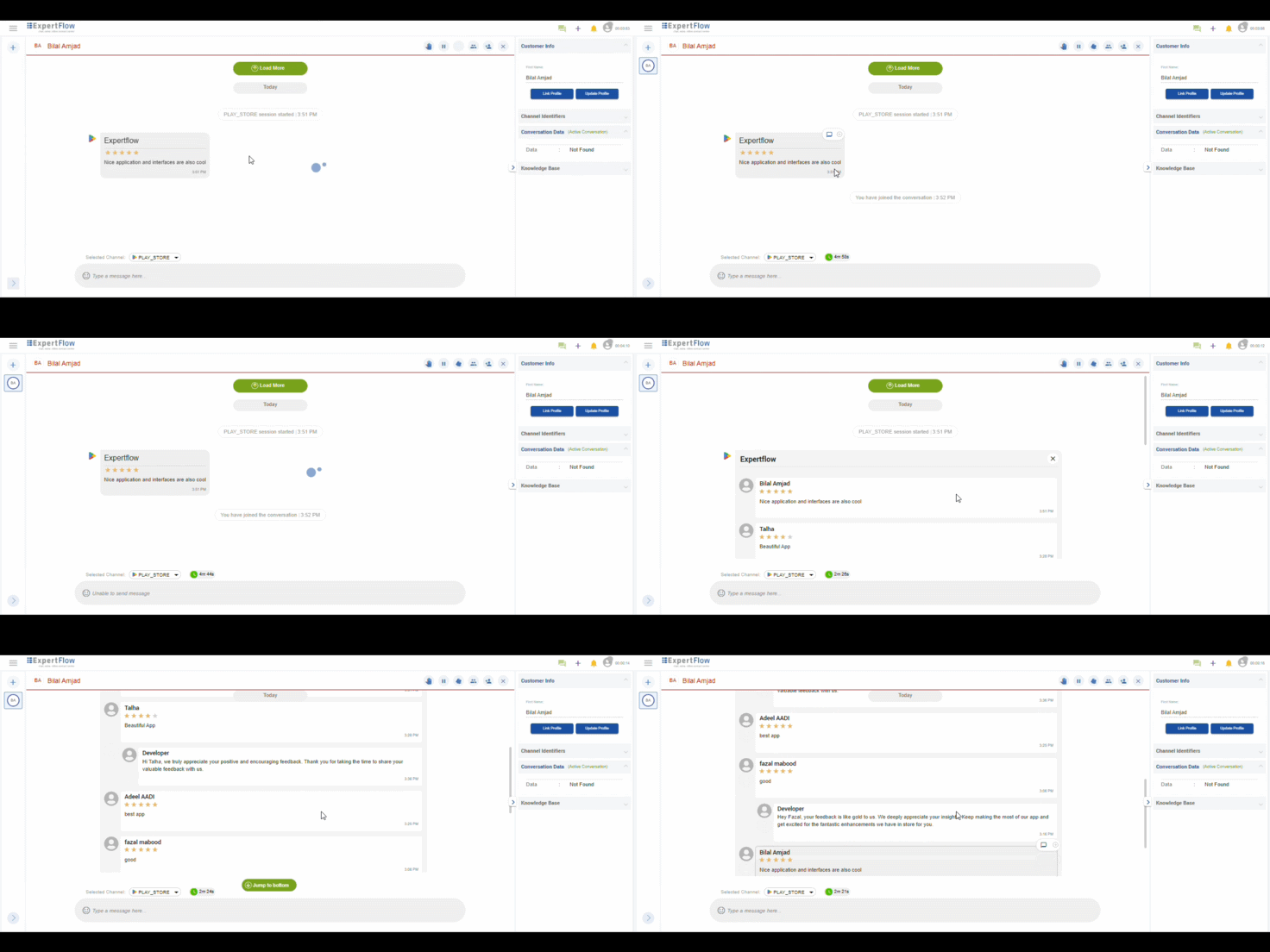
The review thread appears within the Conversation View, so agents do not need to leave Agent Desk to see the full context.
The Channel Session Detail report is included with this connector. It provides one row per channel session, allowing you to track each Google Play Store review conversation handled in Expertflow CX.