
|
Node |
ENV Node |
|---|---|
|
Description |
The ENV node is used to define environment-specific variables at the beginning of the IVR flow. It allows you to configure external or infrastructure-level values (e.g., API base URLs, domain names, configuration flags) that can be referenced throughout the flow using a single source of truth. This enables seamless transitions between environments (e.g., staging and production) without modifying logic in multiple places. |
Purpose
The ENV node is ideal for:
-
Defining environment-wide constants such as:
-
API base URLs
-
Authentication tokens
-
Feature toggles
-
Service FQDNs
-
Logging or debug flags
-
-
Avoiding hardcoded values across nodes
-
Enabling centralized control over environment settings
Configuration Options
|
Field |
Description |
|---|---|
|
Name |
(Optional) A label for readability within the flow editor |
|
ENV Variables |
A list of key-value pairs where:
|
Each key-value pair will be available as ENV.{key} to any other node in the flow.
Usage Constraints
-
Must be placed at the beginning of the IVR flow, ideally immediately after the Start node.
-
Should not be used mid-flow.
-
Must be connected to the Deploy node, to ensure the generated Lua includes all environment variables.
Example
You want to configure a base API path for your staging environment:
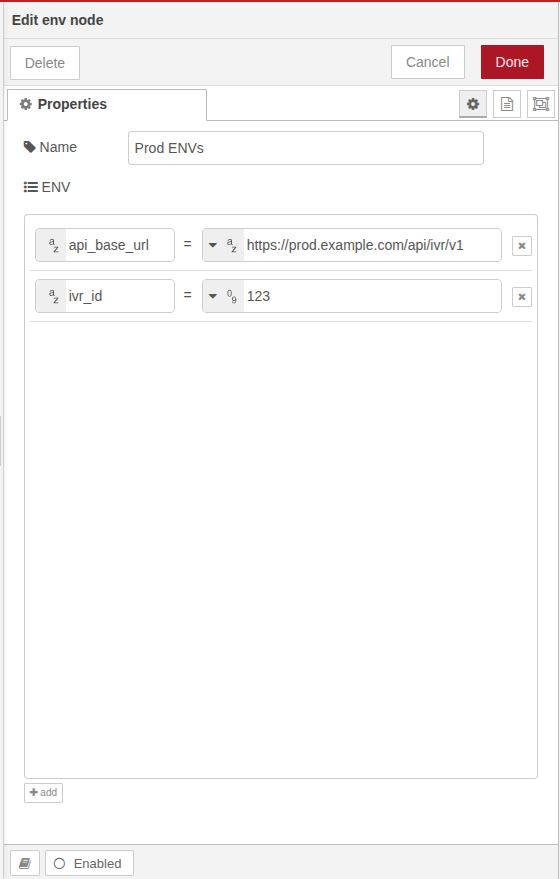
ENV Configuration:
-
api_base_url:https://prod.example.com/api/ivr/v1 -
ivr_id:123
Then in any HTTP or other nodes later, you can reference:
ENV.api_base_url
ENV.ivr_id
Best Practices
-
Keep all static or environment-dependent values in this node.
-
Use clear and descriptive keys (e.g.,
crm_api_url,ivr_mode,default_lang) -
Only one ENV node is allowed in a single IVR design.
-
It should be placed separately from the main flow and directly connected to the Start Node.