
|
Node |
Play Node |
|---|---|
|
Description |
The Play Node is one of the most basic yet essential components of any IVR system. It is used to play a static voice prompt to the caller — often for informational messages, updates, or acknowledgements, without expecting any input in return. |
Purpose
Use the Play Node when:
-
You want to inform the caller of something (e.g., "Your request has been received.")
-
You need to play a static message at any point in the flow
-
No user interaction (e.g., digit press) is required
Configuration Options
|
Field |
Description |
|---|---|
|
Name |
A label for the node to improve readability |
|
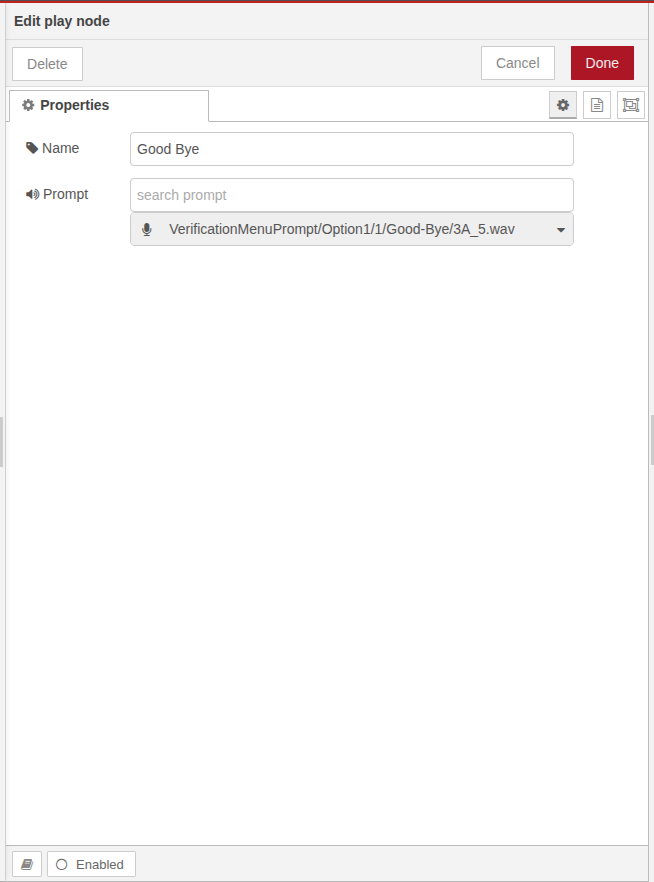
Prompt |
The full file path to the audio prompt that will be played (e.g., |
Flow Behavior
-
The audio file is played once when the node is reached during call flow.
-
After playback, the call continues to the next node automatically.
-
No user input or branching is involved with this node.
Example Configuration
You want to play a Good Bye prompt at the end of your IVR.
Best Practices
-
Keep audio files optimized and properly recorded for clarity.
-
Use it right after API calls, error handling, or as a response confirmation.
-
Ensure prompt files are accessible from the the server.