
|
Node |
Smart Play Node |
|---|---|
|
Description |
Smart Play node is used to dynamically play numbers or dates in IVR — either digit-by-digit, whole number (spoken form), or as a date using audio prompts from predefined directories. |
⚙️ Configurations
|
Field |
Description |
|---|---|
|
Name |
Name of the node |
|
Type |
One of: |
|
Value |
Source of the value to play: can be hardcoded, or from |
|
Prompts |
Base path where prompts exist. Supports static or dynamic paths using |
|
Format |
(Only for date) Specify the date format like |
Modes of Operation
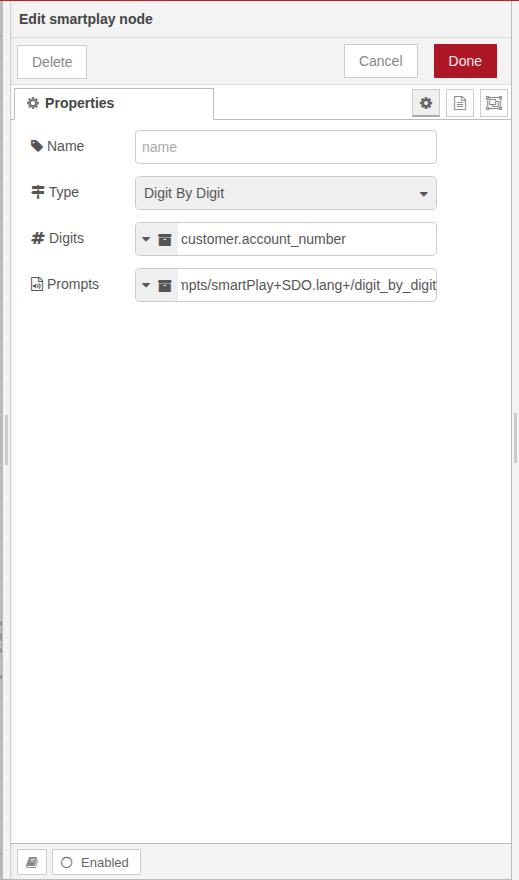
1. Digit-by-Digit
-
Plays each digit individually (e.g.
123➝ "one, two, three") -
Useful for OTPs, PINs, account numbers
-
Prompt path must contain prompts for digits
0–9 -
Supports English, Arabic, Hindi/Urdu numeral systems
2. Number/Currency
-
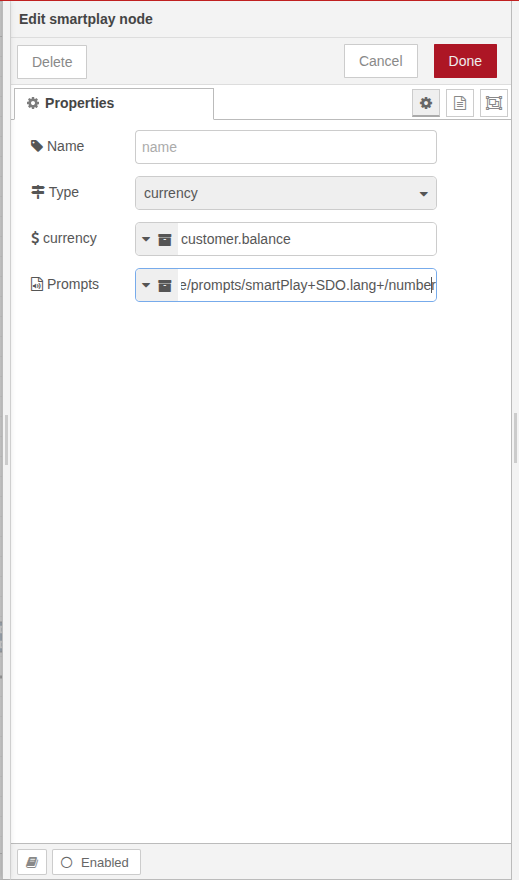
Plays the number as a word (e.g.
123➝ "one hundred and twenty three") -
Can include currency at the end (e.g. "riyals", "dollars", etc.)
-
Prompt folder must have region-specific number word files
-
For English:
0–20,30–90,hundred,thousand, etc. -
For Arabic: same as English but unique prompts needed for units like "2 hundred", "2 thousands", "2 million", "2 trillion", etc.
-
For Hindi:
0–99,hundred,thousand,lac,croretc.
-
-
Supports English, Arabic, Hindi/Urdu numeral systems
3. Date
-
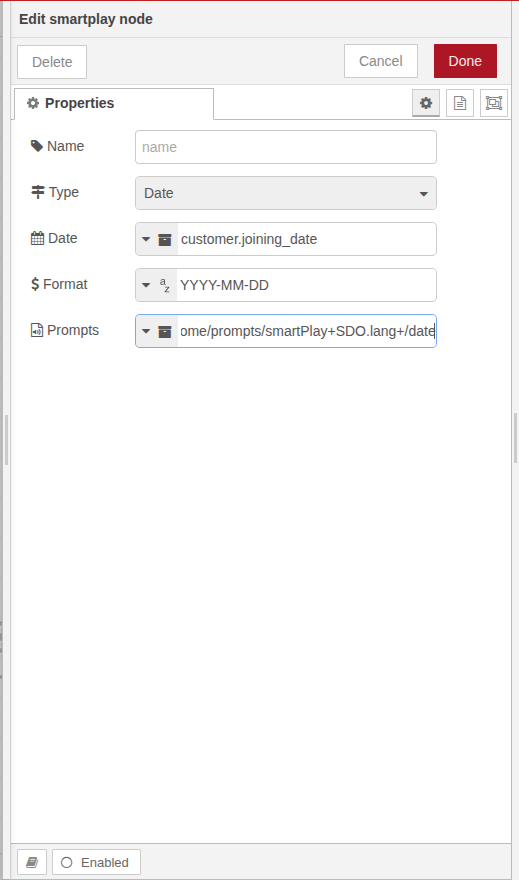
Plays a date in spoken format
-
Requires:
-
Date source (static or dynamic)
-
Date format (e.g.
MM-DD-YYYY) -
Correct prompt directory with all required month/day/year prompts
-
-
Example:
2024-05-07➝ "May seventh, twenty twenty-four"
Best Practices
-
Always validate that all required prompt files exist in target path.
-
Use consistent naming for prompt files (
1.wav,2.wav,thousand.wav,may.wav, etc.) -
Avoid hardcoding numbers unless fixed; prefer dynamic via
SDO -
Maintain language-specific prompt folders separately for clarity
-
Make sure prompt directories match the chosen number system or format