Breadcrumbs

Conversation Studio Conditions

Node

Condition Node

Description

The Condition Node serves as a checkpoint in our workflow. It comprises a bunch of nodes that check specific conditions against the input payload and route the message to one of two paths. Most condition nodes accept one input and have two outputs for true/false conditions.

Title

Description

Check Unsubscribed Agent Role

This node image-20250326-085046.png checks if the unsubscribed agent has the selected role or not.

Check Task Name Whose Task State Changed

This node image-20250326-124842.png checks whether the task name whose state changed is the selected name.

Check State Changed Task Mode

This node image-20250326-143937.png will check whether the state changed task mode is the selected mode.

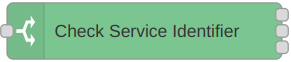
Check Service Identifier

This node image-20250326-115749.png checks whether the service identifier matches the selected service identifier. It fetched the channel information and populated the options for the service identifier. You can dynamically add the populated options, and based on the number of options, you’ll have that many outputs. If the service identifier doesn’t match any of the selected, it would go towards the OTHERWISE path.

Check Routing Mode

This node image-20250326-100837.png checks whether the routing mode is the selected mode or not.

Check Role Changed Reason

This node image-20250326-130427.png checks whether the role changed reason is the selected reason or not.

Check Reason For Task State Change

This node image-20250326-114324.png will check whether the reason for the task state change is the selected reason.

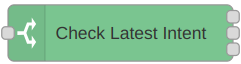
Check Latest Intent

This node image-20250326-112711.png checks whether the latest intent is the selected intent or not. You can add predefined intents and, based on that, route the message to one of three options.

Check If Room Is Private

This node image-20250326-102329.png checks whether the room is private or not.

Check If Customer Is Present

This node image-20250326-093840.png will check whether the customer is present in the conversation or not.

Check If All Agents Are In WrapUp

This node image-20250326-101910.png checks whether all the agents are in WRAP_UP state or not.

Check If Agent Is Present

This node image-20250326-094052.png will check whether the agent is present in the conversation or not.

Check Conversation Resume Reason

This node image-20250326-150207.png checks whether the conversation resume reason is the selected reason or not.

Check Conversation State

This node image-20250326-072822.png checks whether the state of conversation is the selected state or not.

Check Channel Type

This node image-20250326-070159.png checks if the selected channel type has a selected channel session or not.

Check Agent Unsubscription Reason

This node image-20250326-085838.png checks whether the agent’s unsubscirption reason is the selected reason or not.

Check Active Media Direction

This node image-20250326-132017.png checks whether the active media direction is the selected direction or not.

Check Active Media MRD

This node image-20250326-144859.png checks the MRD of the active media session. Channel types are fetched dynamically, against which we have MRDs associated.